
South Park Charaktere: Ein Leitfaden für präzise visuelle Bearbeitungshinweise
Schreiben Sie präzise visuelle Bearbeitungshinweise anhand von 12 illustrierten South Park-Charakterprofilen, von Silhouetten- und Haarkorrekturen bis hin zu Kostüm- und Referenzkontext.
Neu auf dieser Seite
- — Artikel veröffentlicht.
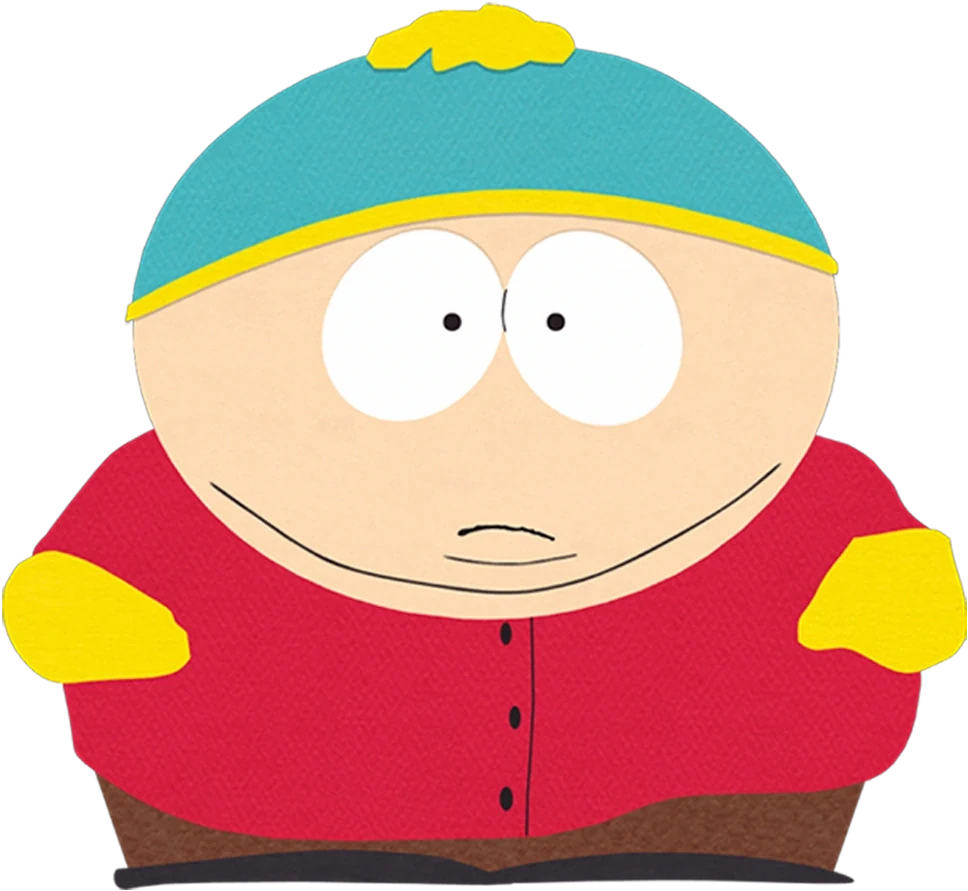
Good image-editing notes are specific about what needs to change. “Make the character look right” gives little direction; “restore the green earflaps and orange jacket” names a visible discrepancy. South Park characters are useful examples because a small number of clothing and shape details carry much of their identity. For a character concept you can refine, try South Park Character Creator.
The gallery below uses artwork collected from the South Park Public Library. It explains how to describe those details and how to avoid changing a whole image when only one feature is unclear.
Identify the largest mismatch first
When a portrait looks unfamiliar, check its silhouette before its small details. A missing hood or an incorrect body width matters more than a slightly different button. Then compare the dominant colors and the relationship between headwear and clothing. This gives you an ordered way to inspect an image instead of a growing list of disconnected corrections.
Kyle Broflovski
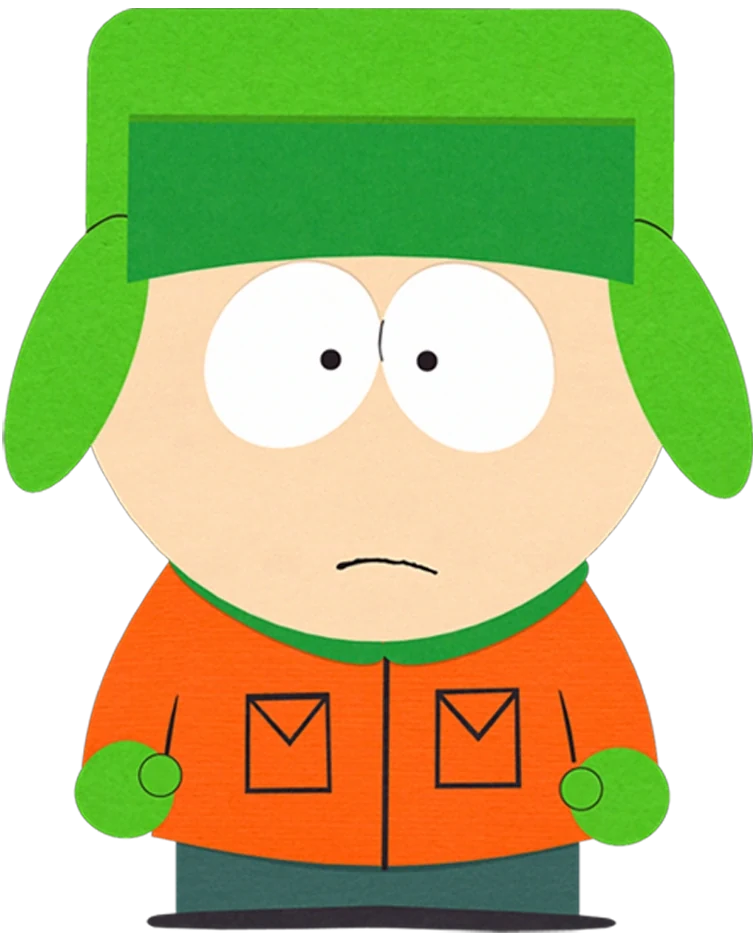
Kyle's green hat has a squared upper shape and hanging earflaps. The orange coat provides a separate lower block. If a draft shows a plain green knit cap, an editing note should target the headwear's structure rather than asking for a more detailed face or a different background.
Stan Marsh
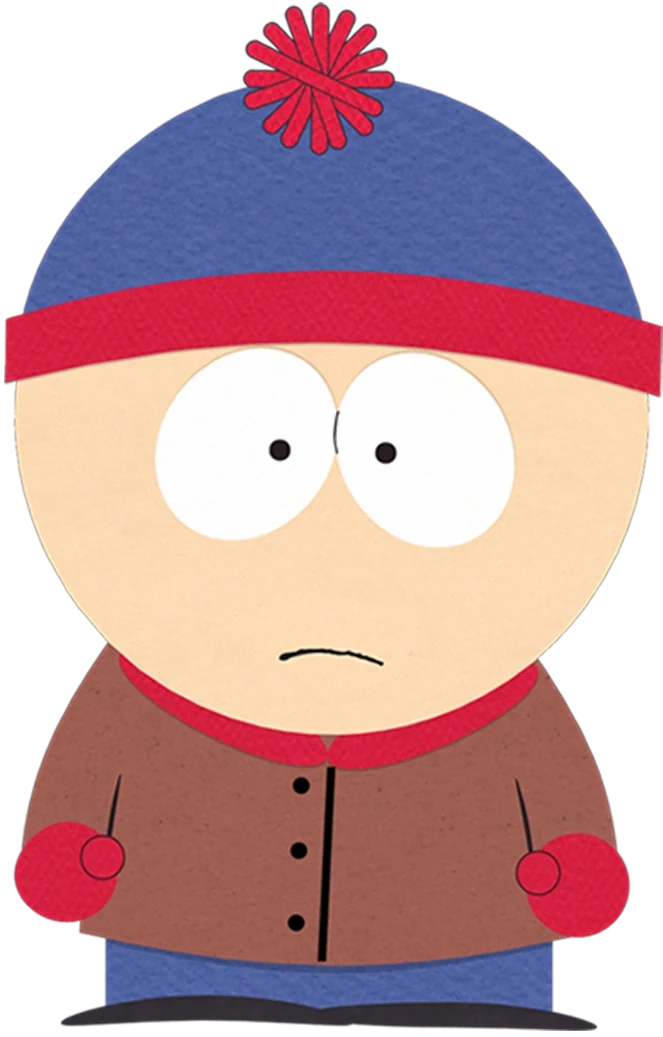
Stan's cap has a red band and pom-pom on blue, with matching red gloves below. His brown jacket should remain visually separate. A useful correction names the misplaced accent: changing only the hat band is a smaller, clearer request than recoloring every part of the figure.
Kenny McCormick
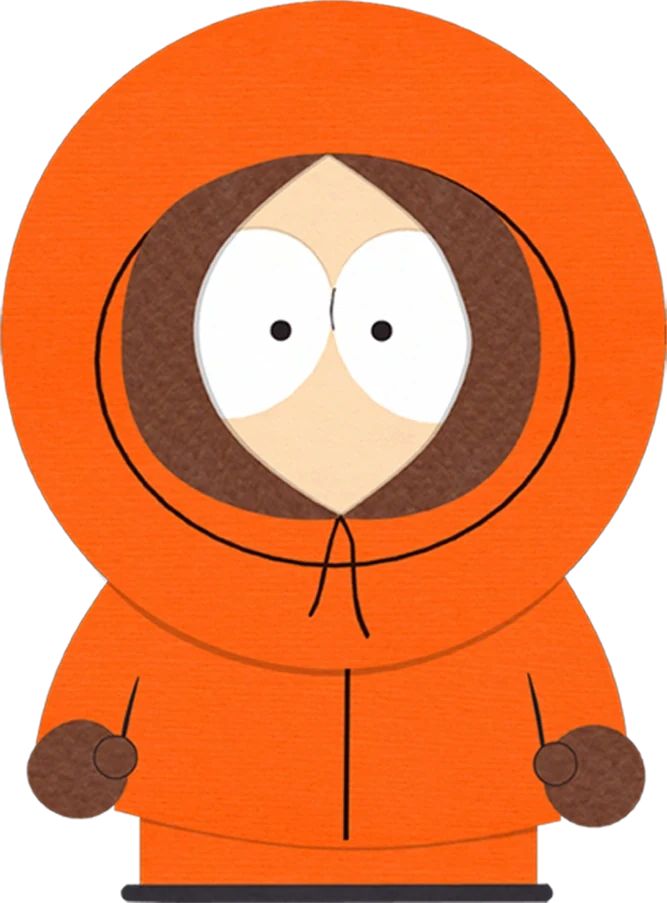
Kenny's dark hood opening surrounds a limited visible face. An uncovered head would change the central identity cue. If you are describing this reference, name the orange hood and dark inner border together; asking only for “orange clothing” could produce a coat that misses the entire point.
Eric Cartman
Cartman's red jacket is broad and rounded, with yellow mittens near its edges. The turquoise-and-yellow cap sits above. If the body has become narrow, adding hat detail will not repair the main mismatch. Correct the overall proportions before deciding whether smaller costume features need attention.
Treat hair as a shape you can describe
Butters Stotch
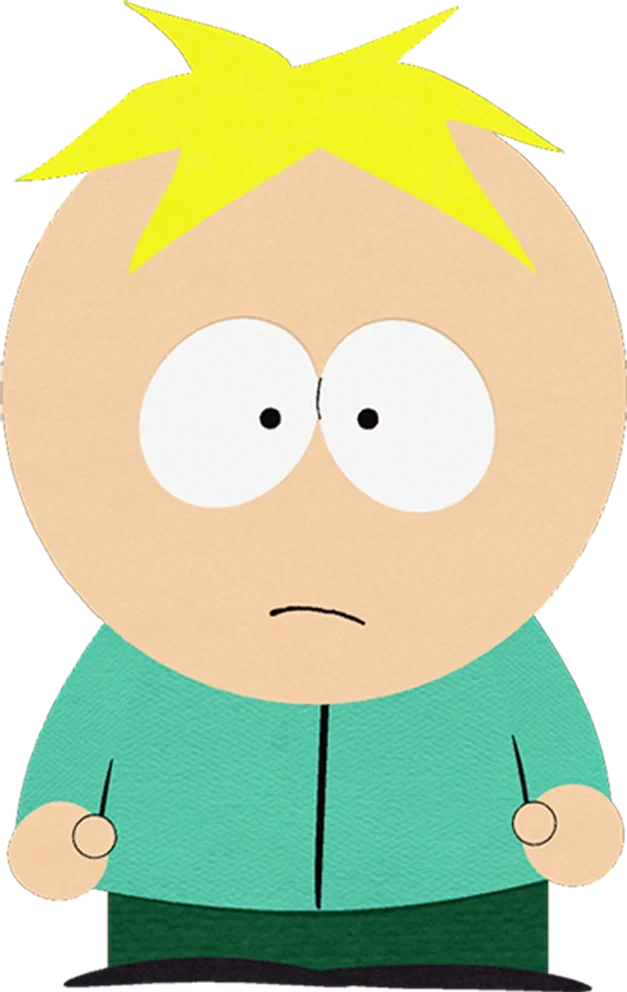
Butters has a short blond tuft above a largely exposed head. A draft with long, flowing hair would introduce a large structural change. An editing note can ask for a compact pointed tuft while preserving the turquoise shirt and simple face, rather than replacing the complete character description.
Tweek Tweak
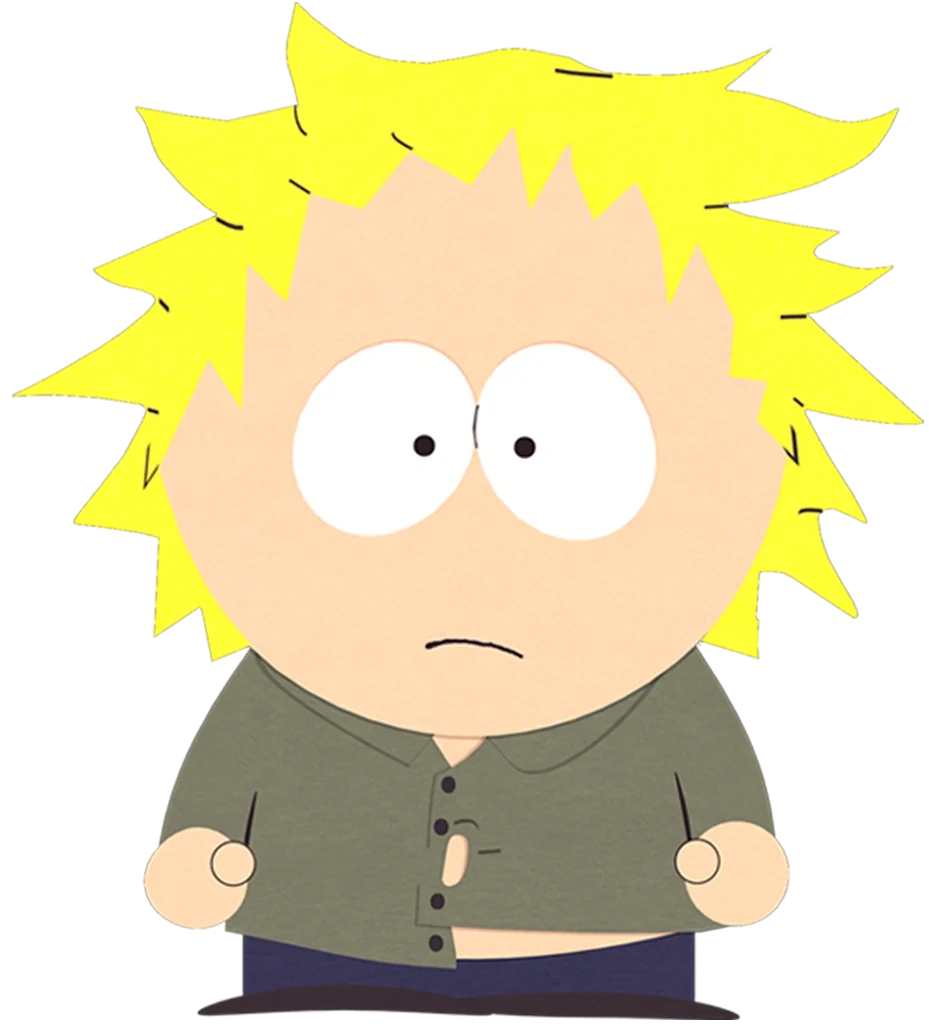
Tweek's blond hair is wider and more scattered than Butters'. Several points extend outward, and his olive shirt closes unevenly. If the hair has become a neat rounded cap, describe the irregular contour explicitly. More texture is not necessarily helpful when the difference is in the outline.
Wendy Testaburger
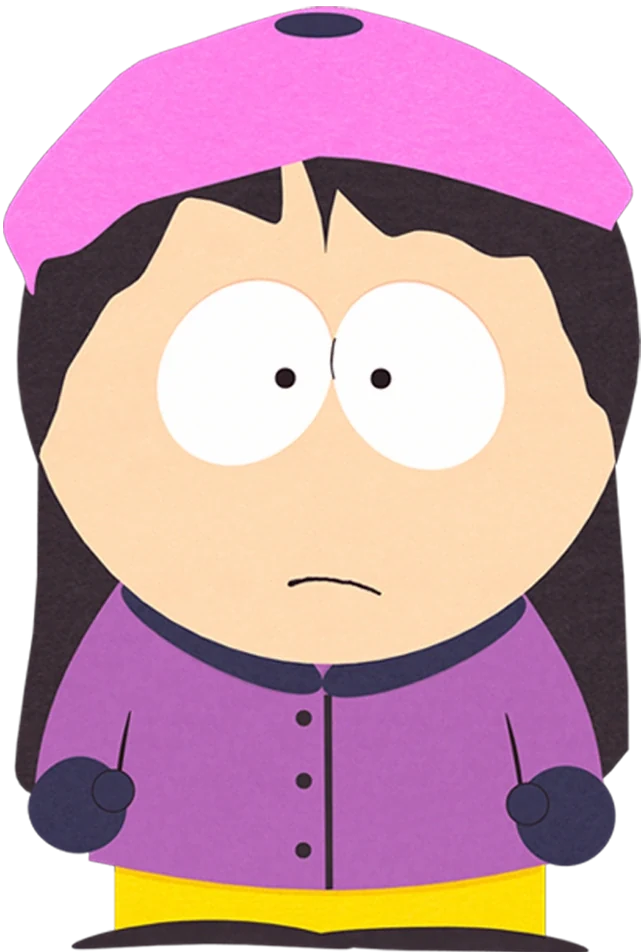
Wendy's long dark hair extends beside her purple coat, with a pink beret above. Check whether all three areas remain separate. An image can preserve the colors but lose the hair length, so a correction should name both the visible length and the relationship to the shoulders.
Bebe Stevens
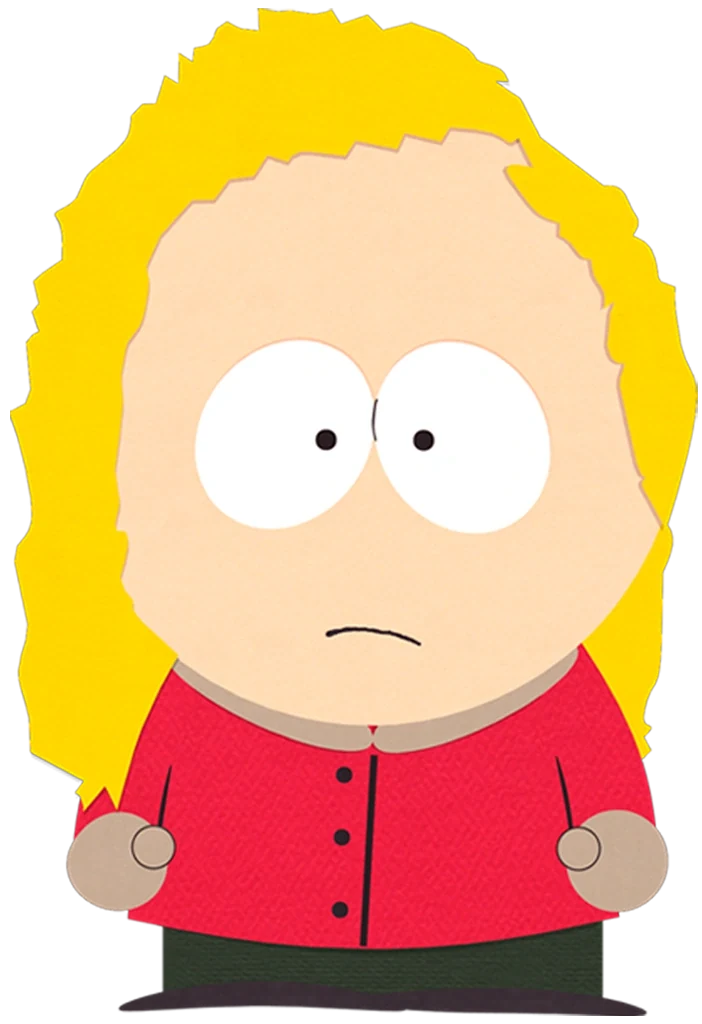
Bebe's blond hair frames the head and reaches toward the shoulders in a fuller shape. The red top sits beneath it. If the outer hair contour becomes too narrow, the useful edit is to restore its volume, not to change the eyes or add strands that do not affect recognition.
Preserve smaller details only when they matter
Craig Tucker
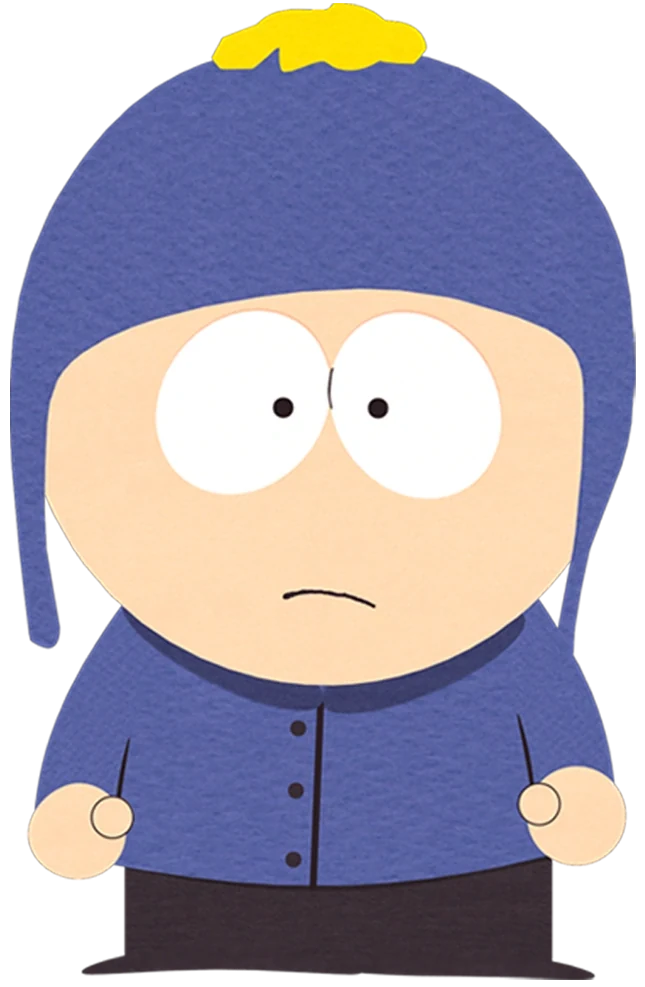
Craig's blue earflap hat and blue jacket share a dominant color, with a yellow pom-pom as an accent. A note should distinguish him from Kyle by the complete arrangement. Correcting one flap while leaving the wrong palette could retain the confusion, so inspect structure and color together.
Tolkien Black
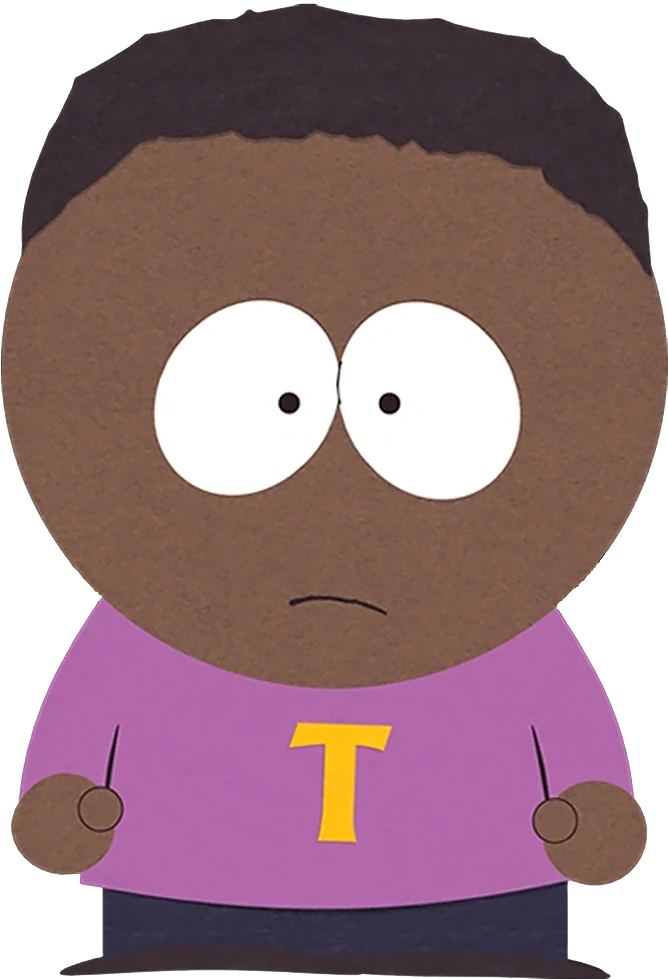
Tolkien's shirt is purple with a yellow T. That letter is appropriate to mention when reviewing a close portrait, but it may be too small to matter in a distant composition. Decide the image's intended size before spending repeated edits on a detail the reader will barely see.
Jimmy Valmer
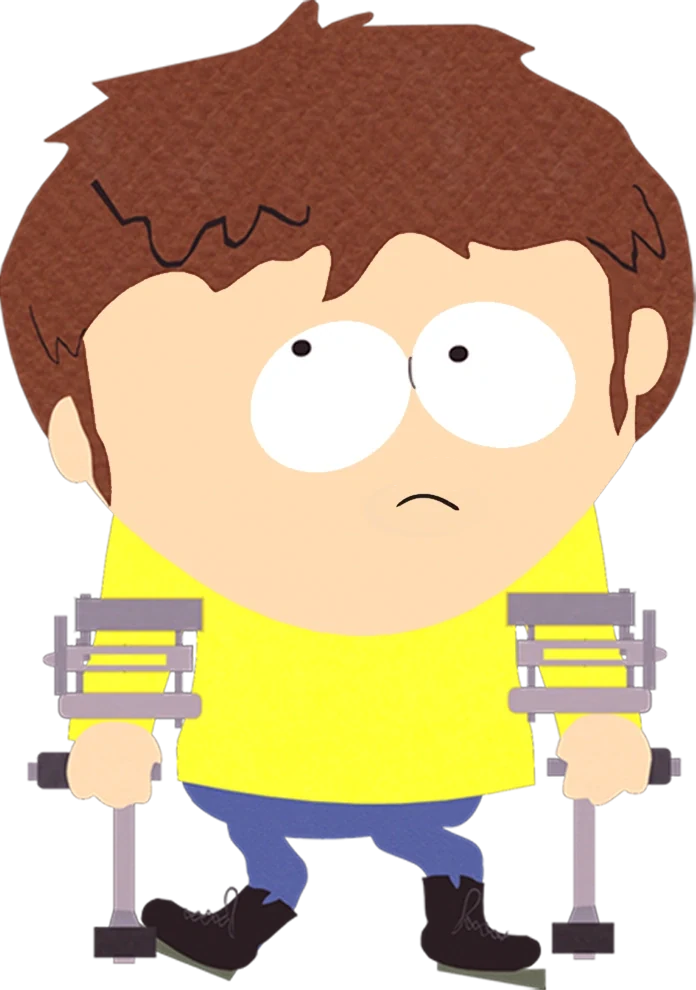
Jimmy's crutches sit alongside his yellow top and form part of the full-body pose. If they are cropped or misplaced, an editing note should preserve their relationship to the hands and ground. Do not describe them as arbitrary background props; their position affects the accuracy of the figure.
Timmy Burch
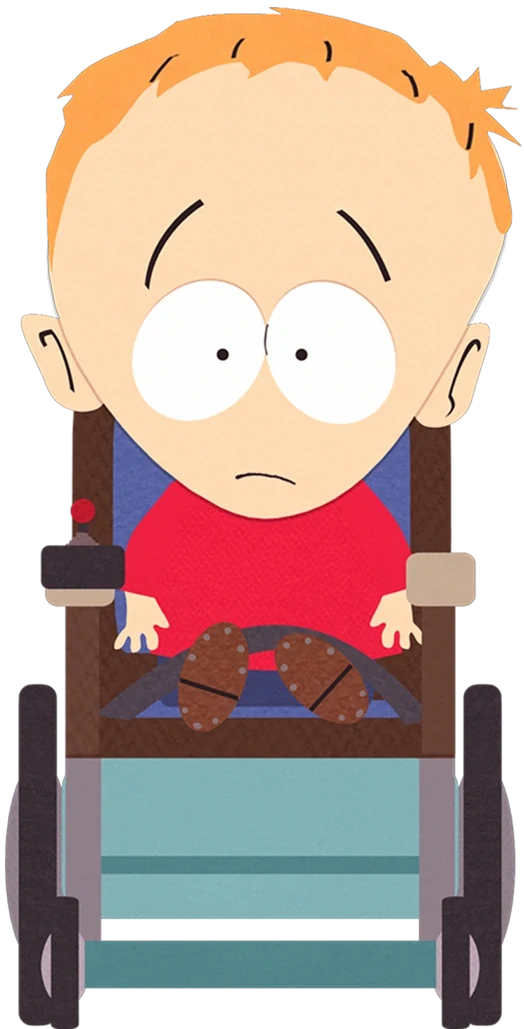
Timmy is seated in his wheelchair, with the red shirt above its blue-green lower area. A correction involving the chair must also consider posture and framing. Changing the wheels while leaving an incompatible standing body would create a larger error, so review the entire seated arrangement.
Write an edit that can be checked
A useful edit has a visible success condition. “Keep the original pose and background; shorten the hair to a small pointed tuft” can be checked against a reference. “Improve the style” cannot, unless you first explain what improvement means. Limit each round to one connected problem and inspect the result before adding another.
For an original character, keep a short identity note outside the prompt. It might say “round copper helmet, dark green coat, single canvas bag.” If a later result changes the helmet to a hood, the correction has a clear target.
People searching for a South Park character creator or South Park character maker may be trying to create a new avatar rather than identify the cast. The same method applies: distinguish your new character's design from the visual style, then describe the specific mismatch. Avoid a brief that lists several existing characters and asks the system to guess which parts you want.
Explore a visual brief on the homepage, and use the blog for other reference studies. Available editing options depend on the actual model and settings; this article does not promise a dedicated character editor. Choose one specific visual change to explore when you try South Park Character Creator.
Separate correction from redesign
A correction restores a feature that should match the reference. A redesign intentionally changes the character or outfit. Keep those requests distinct. Restoring Kyle's missing earflaps is a correction; giving an original student a different hat is a design decision. If you combine both in one note, it becomes harder to judge whether the result followed your intent.
Write the expected outcome in visible terms. For an original courier, “preserve the tan coat and pose; replace the red cap with the recorded green helmet” names what stays and what changes. After the edit, compare those features first. Do not approve the result solely because its background looks cleaner or its lighting feels more polished. An attractive image can still miss the requested accessory. If several connected features need revision, explain their relationship, such as the helmet's fit around the head, rather than issuing an unstructured list of unrelated demands.
Check image context before correcting it
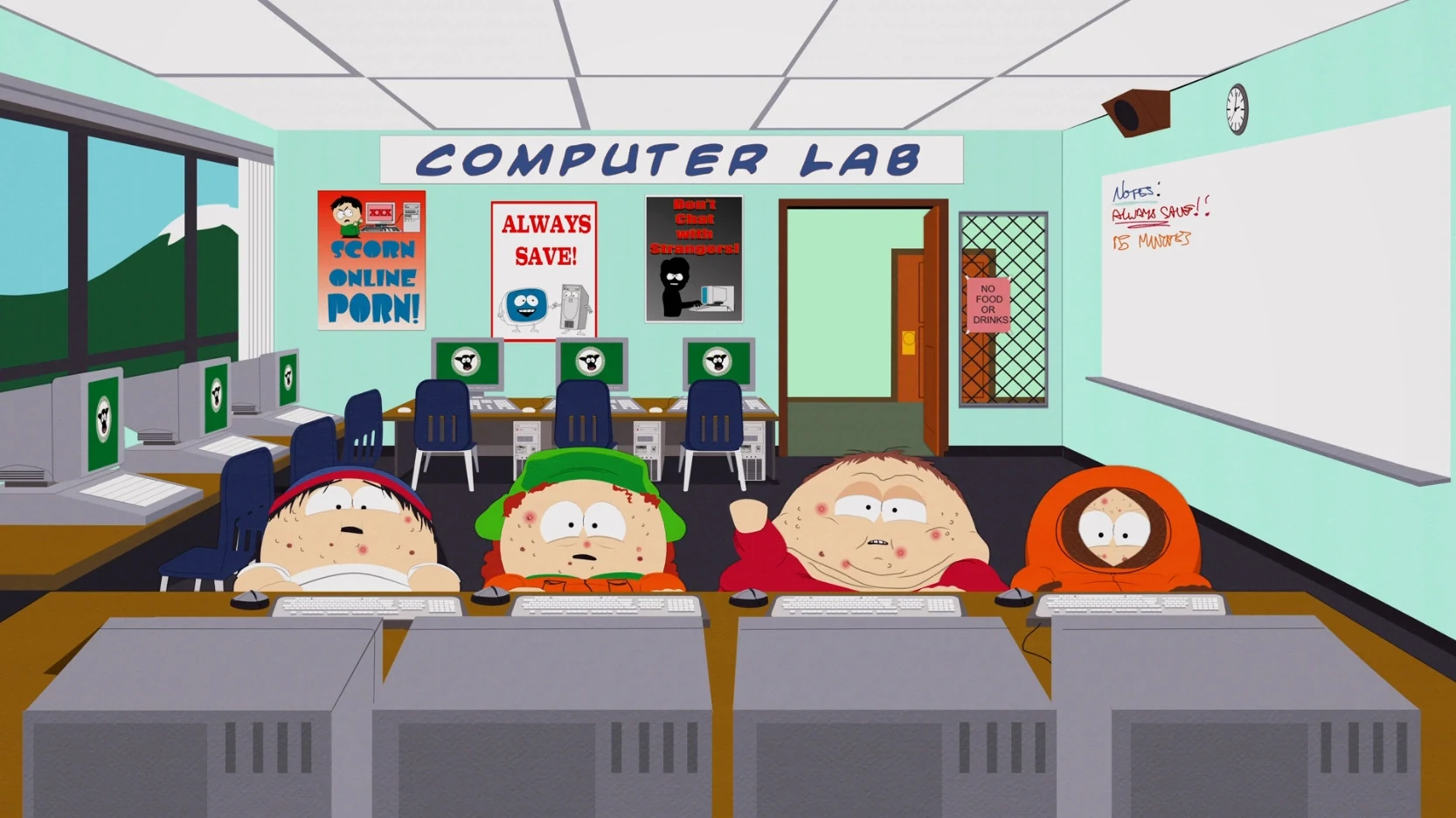
The South Park World of Warcraft topic concerns Make Love, Not Warcraft. A powerful player keeps killing the boys' game characters, so Cartman develops a plan for the group to grow stronger. Their effort changes the context and appearance of the familiar cast.
In the computer-lab frame, the altered bodies and faces are part of that episode appearance. Kyle's green hat and Kenny's orange hood still provide clear clues. Cartman wears a red jacket but no cap. Those differences should not automatically be treated as mistakes simply because they diverge from the standard portraits.
Für eine South Park Maker-Bearbeitung identifiziere die beabsichtigte Version, bevor du eine Korrektur schreibst. Cartmans übliche Kappe wiederherzustellen würde für ein Standard-South-Park-Porträt von Cartman Sinn ergeben, aber es würde verändern, was dieses spezifische Episodenbild zeigt. Die richtige Referenz bestimmt die richtige Bearbeitung. Um ein Figurenkonzept zu entwickeln, das du verfeinern kannst, probiere den South Park Character Creator aus.