
Left photo + right photo + motion video
Explore Hotel Lobby AI as a Character Study
Use a reference performance to study how your character moves in an orange-studio setting. Develop a shot, assess its continuity and carry the useful decisions into a storyboard or a short Hotel Lobby AI sequence.
Explore my character shotUpload both performer photos, generate a scene image with GPT Image 2, and review it before creating your video with Seedance 2.0. The scene image and video have separate credit quotes.
Classic Hotel Lobby Duo
Two performers, a suspended microphone and a simple orange backdrop.
Hotel Lobby AI references for storyboards
Use these collected videos to compare character pairings and performance beats before testing a storyboard. Pause a reference to study spacing and keep the observation separate from your test prompt.
Classic Hotel Lobby Duo
Two performers, a suspended microphone and a simple orange backdrop.
Grandma Rap Duo
Contrasting outfits and an energetic performance in the same studio setup.
Pet & Baby Duo
A playful pairing with a clear gap between the two subjects.
Halloween Costume Duo
Costume silhouettes make the left and right performers easy to distinguish.
Anime Duo
Illustrated characters bring a different visual treatment to the duo format.
Grandma & Grandson Duo
An intergenerational pairing uses matching staging and contrasting identities.
Animal Sidekick Duo
A character and an animal sidekick share a readable performance space.
Orange Studio Duo
A studio performance with a suspended microphone and a warm orange backdrop.
Create a visual reference board
Compare faces, costume shapes, character scale and the studio layout when deciding what your next experiment should change.
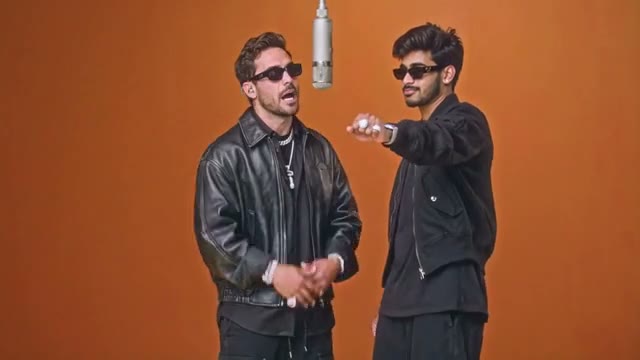
Classic Hotel Lobby Duo
Two performers, a suspended microphone and a simple orange backdrop.
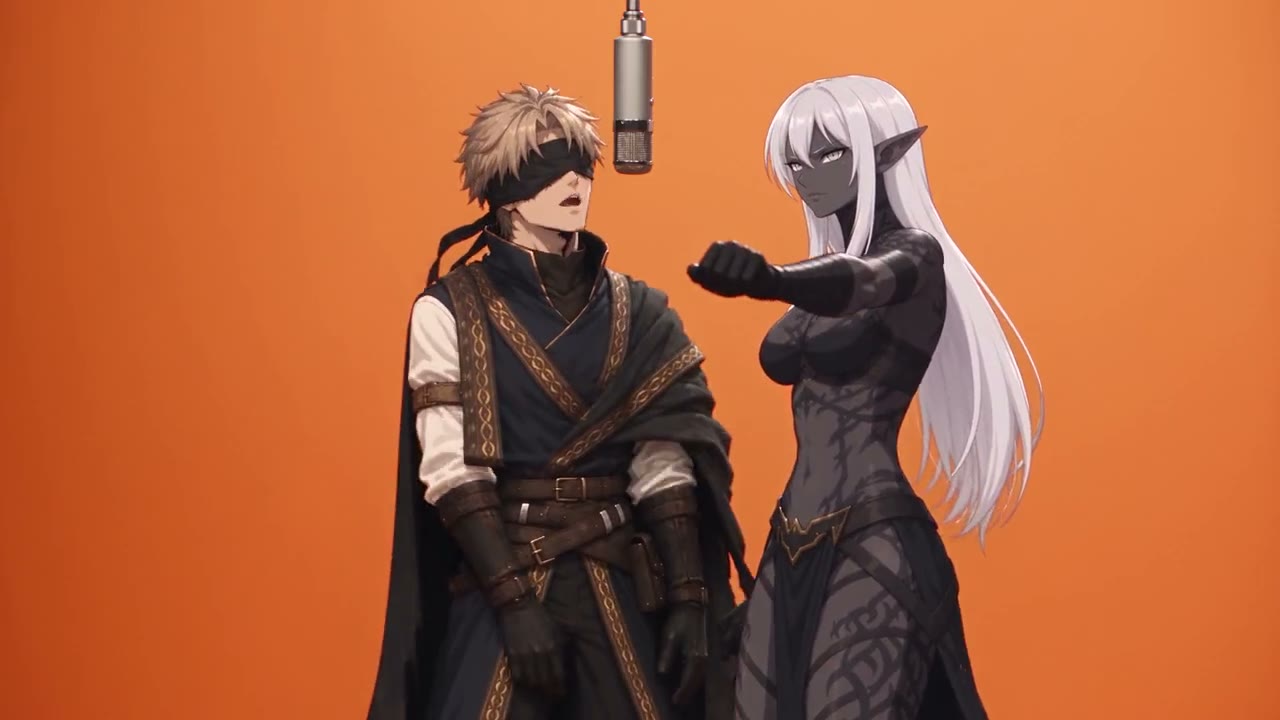
Anime Duo
Illustrated characters bring a different visual treatment to the duo format.
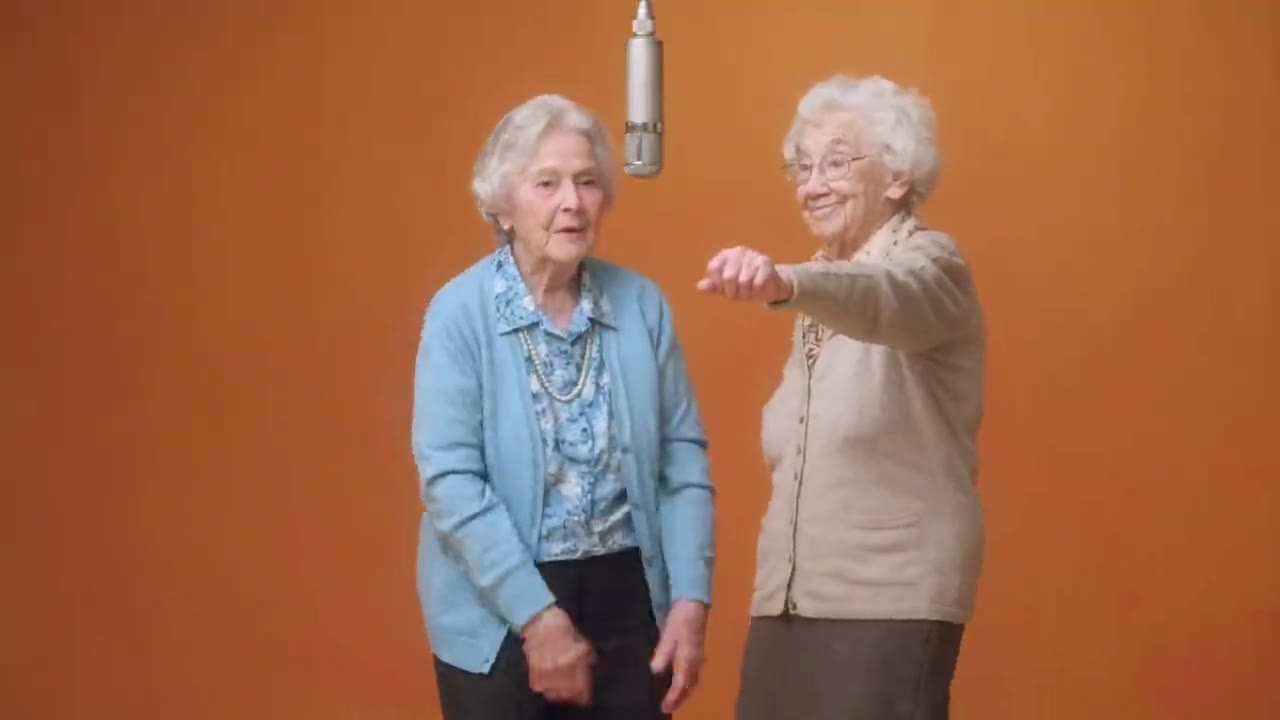
Grandma Rap Duo
Contrasting outfits and an energetic performance in the same studio setup.
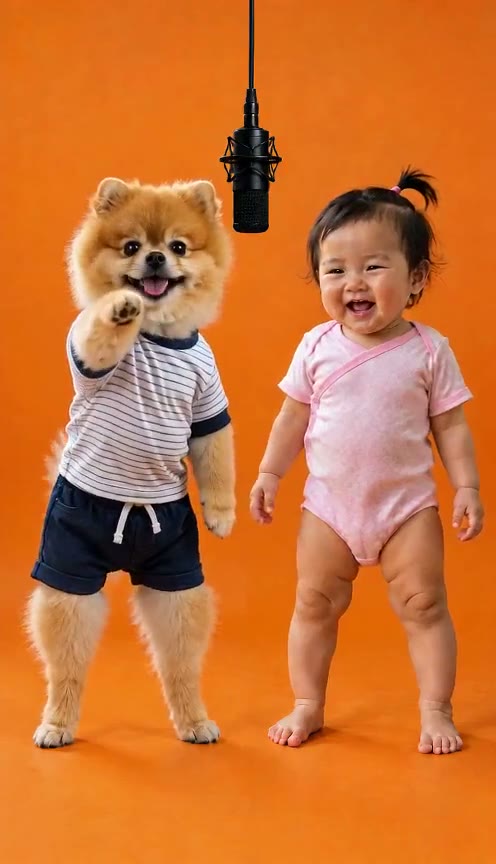
Pet & Baby Duo
A playful pairing with a clear gap between the two subjects.
Make a Hotel Lobby AI video with your own performance
Upload separate left and right performer photos, then select Generate scene image. GPT Image 2 renders the shared studio scene for review. Seedance 2.0 receives both original portraits, the scene image and the selected reference video. Review both faces and the scene before generating; likeness and motion fidelity can vary.
How to create your Hotel Lobby video
1. Choose the movement for the storyboard
Find a single action that supports the scene: an entrance, nod or gesture toward the mic. Choose the reference video in the panel; no video upload is required. Avoid references that hide the character behind other performers.
2. Prepare the two-character composition
Upload both performer portraits and generate a shared orange-studio scene with GPT Image 2. Review the rendered scene before submitting to Seedance 2.0. Both original portraits, the scene image and the motion reference video are supplied together. Identity and scene references guide the result; exact likeness and choreography are not guaranteed.
3. Evaluate the output against the brief
Read the displayed quote before rendering. Review the beginning, transitions and ending, then inspect the result in history or download it. Record what worked in the framing and what needs a better image or reference before another attempt.
Give each Hotel Lobby experiment a question
A defined question makes it easier to learn from an output.
Test the character silhouette
Ask whether the character is readable against a plain orange set. A distinctive jacket or outline may communicate more effectively than many small accessories. Keep the motion reference stable while you evaluate the image so you can understand the difference.
Test the performance beat
Ask whether a particular gesture fits the character's personality. Choose a reference where that action is visible throughout. If the camera also moves, separate its effect from the body movement before deciding whether the performance succeeds.
Keep separate shots in the same visual world
A sequence needs agreement between frames even when each task is independent.
Write a shared set brief
Record the background colour, microphone position, lighting direction and camera height. Reuse those decisions across your prompts. This helps communicate a consistent intention, but independent outputs still require visual review and may need editing to match.
Stage a duo as alternating coverage
Develop each performer in an individual shot, then alternate between them at useful beats. Give their clothing enough contrast to identify them quickly. Do not expect this page to assign separate identities to two performers from two uploaded photos.
Decide what to change after the first result
Change an input for a reason instead of repeating the same task without a diagnosis.
Replace a weak reference
When limbs disappear behind the body or the face turns out of frame, a different motion clip may help more than an elaborate prompt. Prefer clear, continuous action with limited obstructions. Match the new clip's composition to the character image.
Prepare the edit and sound separately
Check output dimensions and keep space for your intended crop. Music, vocals and exact lip sync are not guaranteed. Choose authorized sound and make the timing decisions in your editor after watching the complete visual result.
Hotel Lobby AI prompt ideas
Suggested prompts describe the intended look. They are not generated examples or guarantees of the result; motion still comes from the reference video.
A two-performer studio brief
Two original performers side by side in a minimal orange studio, clearly visible faces and shoulders, contrasting jackets, a suspended microphone between them, soft frontal lighting and a steady camera, movement guided by the uploaded performance reference.
A stylized character study
A single original illustrated character with a distinctive jacket in a warm orange booth, clean silhouette, consistent clothing and face, expressive but controlled gestures guided by the performance reference, uncluttered background.
Hotel Lobby AI questions for visual experiments
Does Hotel Lobby AI free mean unlimited experiments?
No unlimited free rendering is promised. Each generation depends on the available model and its credit quote. Check your balance, current plans and any account offer before starting; multiple experiments may each use credits.
Can I use a character image prepared elsewhere?
You can prepare a character image in an image editor, then upload it in a supported format. Use a clear image you have permission to process; project files and editor settings are not imported.
Can a writing assistant help plan the performance?
A writing assistant can help organize a shot brief. Video rendering uses the selected model and its current credit quote; written planning does not provide a video preset or a separate generation integration.
Why does a result look right in one frame but wrong later?
Motion can expose angles or body parts that the image does not clearly describe. Review turns, occlusions and transitions throughout the clip. Try an image with more useful detail or a simpler reference rather than treating a good first frame as a successful sequence.
Should I include a copyrighted performance as the reference?
Use a clip you have permission to process. A recognizable trend does not itself grant rights to a specific recording, likeness or soundtrack. You can communicate the studio idea with your own original performance and authorized character image.
How can I test a two-character reference?
Upload separate left and right performer photos, then select Generate scene image. GPT Image 2 renders the shared studio scene for review. Seedance 2.0 receives both original portraits, the scene image and the selected reference video. Review both faces and the scene before generating; likeness and motion fidelity can vary.
Can I request a refund for my purchase?
You can request a refund within 10 days of purchase if you have unused credits from that purchase and provide a clear reason, subject to our Refund Policy. If eligible, an unused purchase can be fully refunded; a partly used purchase is refunded in proportion to its remaining unused credits. Fully used purchases and free or promotional credits are not refundable.
Do credits expire or carry over?
Credit validity depends on the pack, subscription or promotion that issued them. Review the purchase terms and expiration dates in Settings > Credits. A renewal or new purchase does not extend older credits. Use credits before their stated expiration; do not assume unused subscription credits roll over indefinitely.
What happens to credits if generation fails?
Credits charged for a task that is confirmed as failed due to a system error are returned automatically. A task that is still processing has not yet been confirmed as failed. Check its status and your credit history before submitting again. If a confirmed failure still shows an unresolved charge, email support@dotsai.pro with the task ID.
Can I get credits back if I do not like the result?
AI results can vary, so a completed result that differs from your expectations is not automatically treated as a technical failure. Eligible completed image tasks can be submitted for credit refund review using the refund option where available; approval is required. For a video or another issue, contact support@dotsai.pro with the task ID and details. A credit refund returns credits, not money to your payment method.
How can I get help with billing or a generation?
Email support@dotsai.pro. For billing, include your account email and order ID; for generation, include the task ID, issue description and relevant screenshots. If you purchased as a guest, keep the original browser data and payment receipt so we can help locate the purchase.
Plan your next performance
Keep the question for each experiment small and specific. A readable character, an appropriate gesture and a consistent set brief give your next storyboard decision something concrete to build on.
Explore my character shotdotsai.pro · Updated
What's new on this page
- — Added an action to restore the existing example prompt without starting a generation.
- — Updated page copy and content.
- — Page content published.