
Verified prompt
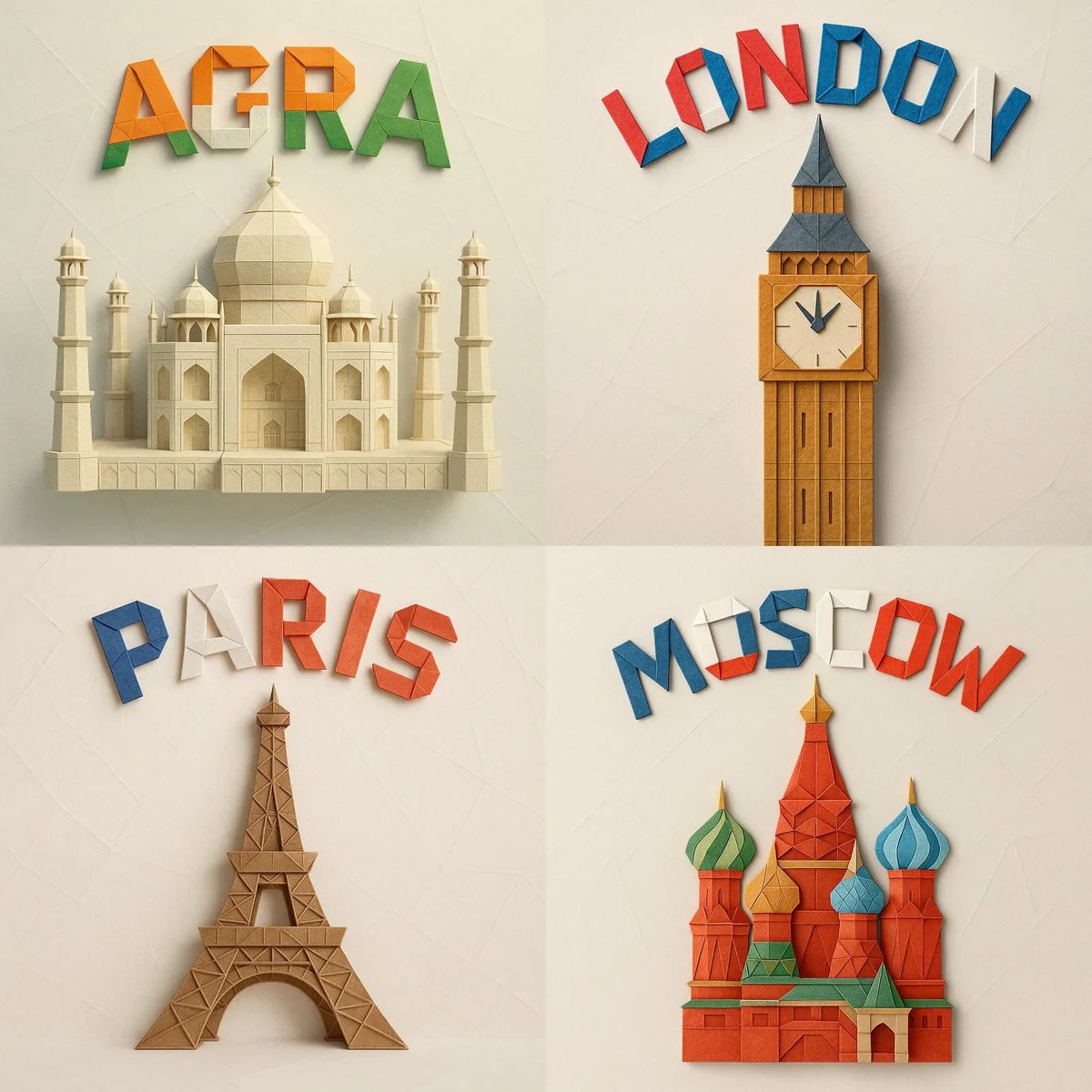
A square 1:1 format digital photograph of an intricate paper origami model representing (MONUMENT_NAME), folded from textured colored paper and centered in the frame. Above it, the word (CITY_NAME) appears in bold origami-style letters, folded from vibrant paper using the national colors of the country, and arranged in a graceful arch. The background is soft and minimal, in a light pastel or neutral tone with subtle paper textures or abstract geometric details. Lighting is soft and diffused, casting natural shadows that enhance the depth and sharpness of each fold. The overall style is clean, realistic, and handcrafted, emphasizing material texture, geometric precision, and visual harmony.
A square 1:1 format digital photograph of an intricate paper origami model representing (MONUMENT_NAME), folded from textured colored paper and centered in the frame. Above it, the word (CITY_NAME) appears in bold origami-style letters, folded from vibrant paper using the national colors of the country, and arranged in a graceful arch. The background is soft and minimal, in a light pastel or neutral tone with subtle paper textures or abstract geometric details. Lighting is soft and diffused, casting natural shadows that enhance the depth and sharpness of each fold. The overall style is clean, realistic, and handcrafted, emphasizing material texture, geometric precision, and visual harmony.
Verified prompt
Verified prompt
Verified prompt
Verified prompt
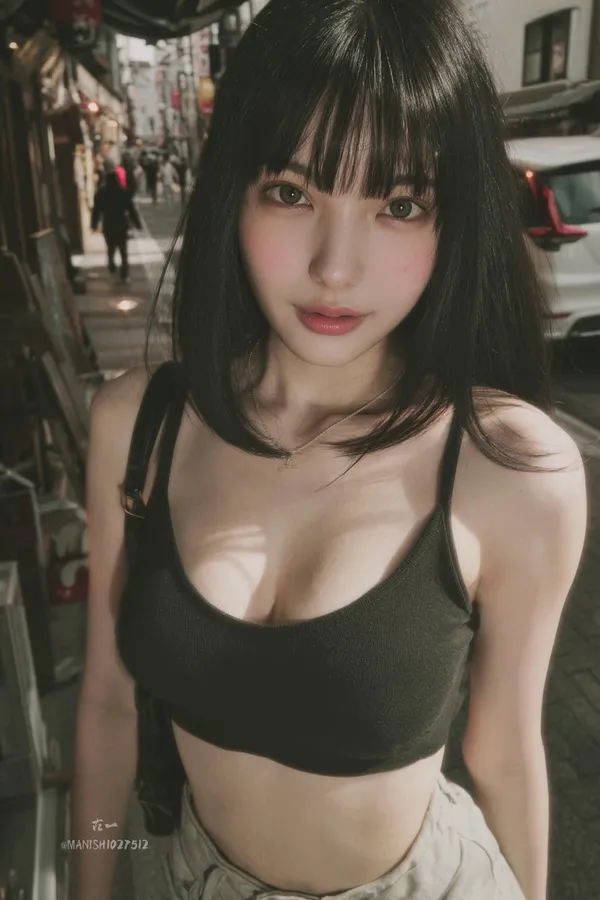
ndid snapshot of a young woman with straight black hair, blunt bangs, large expressive eyes, and fair skin, standing casually in a bustling Tokyo street, wearing a low-cut crop top and high-waisted shorts, slight motion blur on the edges, natural daylight filtering through buildings, captured as if from a hidden angle with a smartphone camera.
ndid snapshot of a young woman with straight black hair, blunt bangs, large expressive eyes, and fair skin, standing casually in a bustling Tokyo street, wearing a low-cut crop top and high-waisted shorts, slight motion blur on the edges, natural daylight filtering through buildings, captured as if from a hidden angle with a smartphone camera.
Verified prompt
Verified prompt
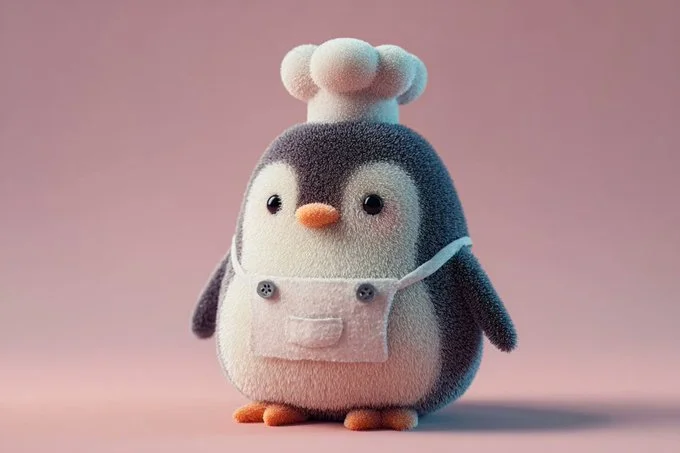
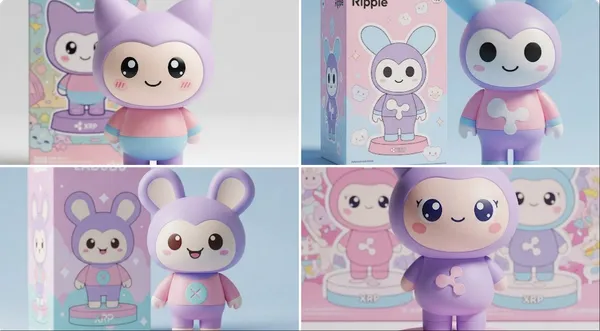
A soft and plush 3D model of a [subject] with a [key detail], rendered in a cute, stylized aesthetic. The texture appears velvety, squeezable, and toy-like, emphasizing the charm of animated [object type] designs. Clean background, centered composition, soft ambient lighting, pastel tones, subtle shadows, high-resolution render, front-facing view.
A soft and plush 3D model of a [subject] with a [key detail], rendered in a cute, stylized aesthetic. The texture appears velvety, squeezable, and toy-like, emphasizing the charm of animated [object type] designs. Clean background, centered composition, soft ambient lighting, pastel tones, subtle shadows, high-resolution render, front-facing view.
Verified prompt
Verified prompt
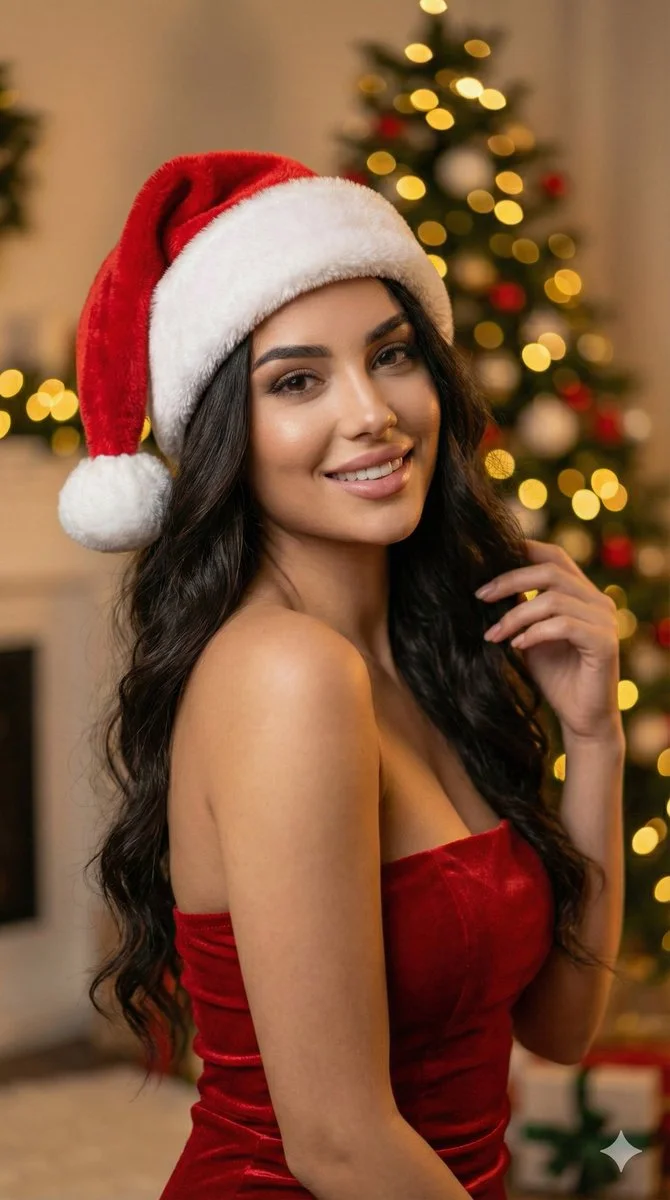
Ultra-realistic 8k portrait of a stunning young woman with long, dark, wavy hair, wearing a plush red and white Santa hat and a fitted red strapless dress. She has a soft, alluring expression looking directly at camera. Background: softly blurred Christmas tree with glowing golden bokeh lights. Warm festive atmosphere. DSLR photography, cinematic lighting, warm ambient light, high detail skin texture, bokeh effect, depth of field, f/1.8 aperture, 85mm lens. Aspect ratio 9:16, cinematic portrait style.
Ultra-realistic 8k portrait of a stunning young woman with long, dark, wavy hair, wearing a plush red and white Santa hat and a fitted red strapless dress. She has a soft, alluring expression looking directly at camera. Background: softly blurred Christmas tree with glowing golden bokeh lights. Warm festive atmosphere. DSLR photography, cinematic lighting, warm ambient light, high detail skin texture, bokeh effect, depth of field, f/1.8 aperture, 85mm lens. Aspect ratio 9:16, cinematic portrait style.
Verified prompt
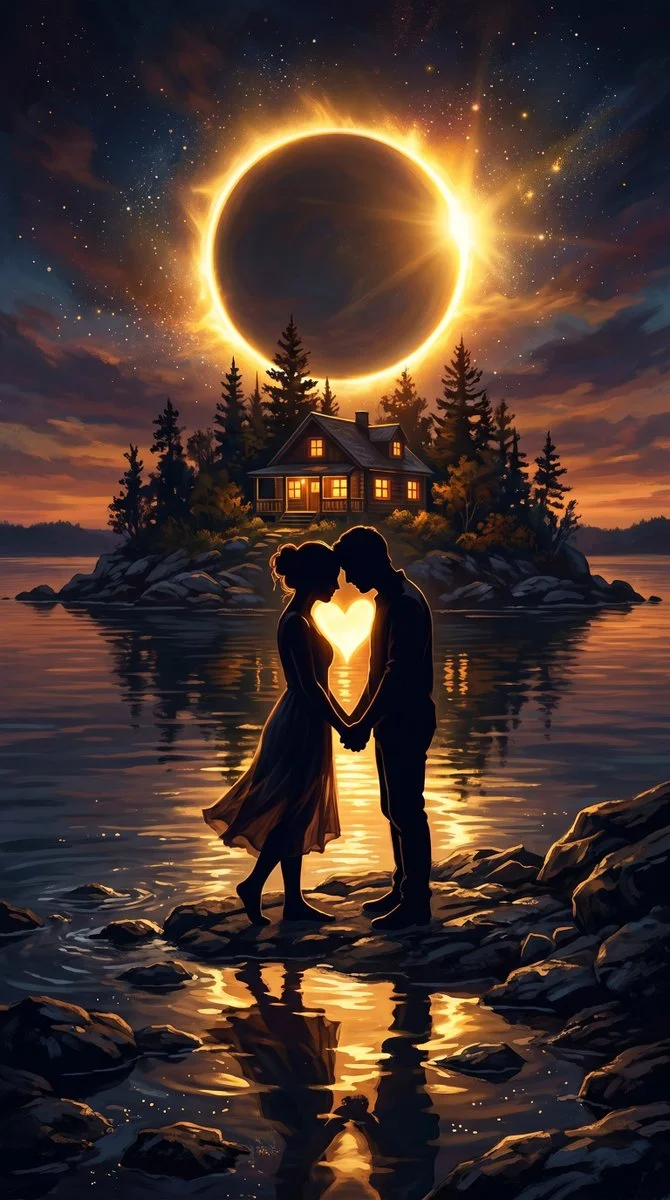
A romantic digital art scene featuring a couple in silhouette standing close together on a rocky shoreline at twilight, their bodies forming a heart-shaped space between them that glows with bright warm light. In the background a small cozy cabin with glowing windows sits atop a rocky island surrounded by dark reflective water. Above the island a massive golden solar eclipse dominates the night sky, casting a radiant ethereal ring of light and shimmering golden reflections across the calm lake surface. Serene magical deeply intimate atmosphere, rich color palette of deep blues, warm ambers, and glowing golden highlights.
A romantic digital art scene featuring a couple in silhouette standing close together on a rocky shoreline at twilight, their bodies forming a heart-shaped space between them that glows with bright warm light. In the background a small cozy cabin with glowing windows sits atop a rocky island surrounded by dark reflective water. Above the island a massive golden solar eclipse dominates the night sky, casting a radiant ethereal ring of light and shimmering golden reflections across the calm lake surface. Serene magical deeply intimate atmosphere, rich color palette of deep blues, warm ambers, and glowing golden highlights.
Verified prompt
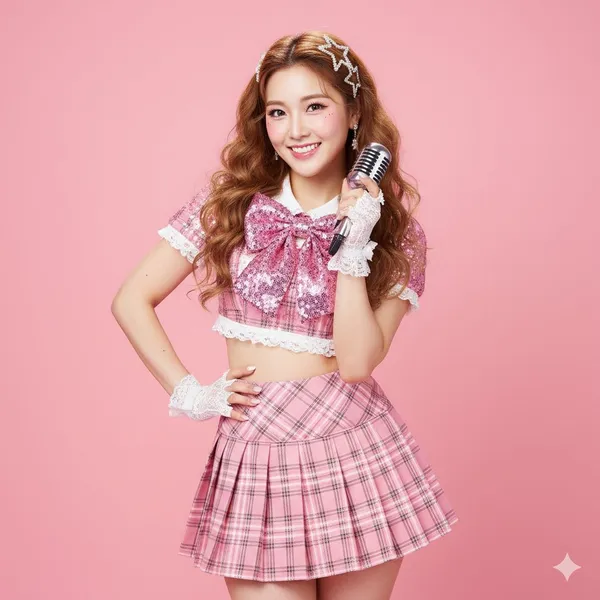
ne] Location: Bright photo studio. Background: Solid, high-saturation macaroon pink seamless background. [Subject] Age: adult. Description: East Asian woman, long curly caramel-colored hair with sparkling gold highlights, confident 'idol' gaze. Wardrobe: Sparkly 'idol' stage outfit: pink plaid pleated skirt, cropped top with white lace trim, large bow on chest, sequin details. Accessories: White lace wrist gloves, sparkly star-shaped hair clips, one hand holding a retro silver microphone (as a prop). Pose: Full body, classic idol pose: one hand on hip, other hand making a heart gesture near cheek, S-curve posture, confident. Expression: Perfect, bright 'professional' smile, sparkling eyes, full of charm. Gaze: Direct to camera (engaging with fans). Body Notes: realistic adult proportions; natural skin texture. [Camera] Sensor: full_frame. Focal Length Mm: 70. Aperture F: 3.2. Shutter S: 0.008. Iso: 100. White Balance K: 5200. Distance M: 4. Camera Height M: 1.1. Framing: Full body shot, with enough space to show the pose. Focus: eye_detect_AF on nearest eye. [Lighting] Key: Large ring flash, creating the iconic ring catchlight. Fill: Two large softboxes on the sides, providing even, high-key 'K-pop' lighting. Hair: Hard light from high-behind to create shiny hair highlights. Catchlights: Clear ring-shaped catchlights. Notes: High-key, bright, no shadows, emphasize sparkly texture of outfit. [Color Grade] Style: K-Pop / J-Pop Idol, high-key kawaii. Palette: Bright pink, white, caramel; flawless 'glass skin'. Contrast: Medium, very clean. Saturation: High saturation, vibrant. [Makeup] Eyes: Stage makeup: thick false lashes, sparkly liquid eyeshadow, highlighted aegyo-sal. Cheeks: Bright strawberry-pink blush. Lips: High-gloss gradient 'juicy lips'. [Postprocess] Retouch: Highly refined skin retouching, but maintain pore texture (not plastic). Clarity: Enhance clarity on sequins, eyes, lips, and hair highlights. Dodge Burn: Micro dodge on aegyo-sal, nose bridge, and collarbones. Vignette: None, keep background clean. [Art Direction] Mood: Sparkly, confident, energetic, sweet idol. Keywords: idol, K-Pop, J-Pop, stage outfit, heart gesture, sparkly. [Negative Prompts] nsfw, underage look, text or logos, plastic doll skin, warped hands or extra fingers, deformed limbs, dark or moody lighting, plain clothing, sad expression.
ne] Location: Bright photo studio. Background: Solid, high-saturation macaroon pink seamless background. [Subject] Age: adult. Description: East Asian woman, long curly caramel-colored hair with sparkling gold highlights, confident 'idol' gaze. Wardrobe: Sparkly 'idol' stage outfit: pink plaid pleated skirt, cropped top with white lace trim, large bow on chest, sequin details. Accessories: White lace wrist gloves, sparkly star-shaped hair clips, one hand holding a retro silver microphone (as a prop). Pose: Full body, classic idol pose: one hand on hip, other hand making a heart gesture near cheek, S-curve posture, confident. Expression: Perfect, bright 'professional' smile, sparkling eyes, full of charm. Gaze: Direct to camera (engaging with fans). Body Notes: realistic adult proportions; natural skin texture. [Camera] Sensor: full_frame. Focal Length Mm: 70. Aperture F: 3.2. Shutter S: 0.008. Iso: 100. White Balance K: 5200. Distance M: 4. Camera Height M: 1.1. Framing: Full body shot, with enough space to show the pose. Focus: eye_detect_AF on nearest eye. [Lighting] Key: Large ring flash, creating the iconic ring catchlight. Fill: Two large softboxes on the sides, providing even, high-key 'K-pop' lighting. Hair: Hard light from high-behind to create shiny hair highlights. Catchlights: Clear ring-shaped catchlights. Notes: High-key, bright, no shadows, emphasize sparkly texture of outfit. [Color Grade] Style: K-Pop / J-Pop Idol, high-key kawaii. Palette: Bright pink, white, caramel; flawless 'glass skin'. Contrast: Medium, very clean. Saturation: High saturation, vibrant. [Makeup] Eyes: Stage makeup: thick false lashes, sparkly liquid eyeshadow, highlighted aegyo-sal. Cheeks: Bright strawberry-pink blush. Lips: High-gloss gradient 'juicy lips'. [Postprocess] Retouch: Highly refined skin retouching, but maintain pore texture (not plastic). Clarity: Enhance clarity on sequins, eyes, lips, and hair highlights. Dodge Burn: Micro dodge on aegyo-sal, nose bridge, and collarbones. Vignette: None, keep background clean. [Art Direction] Mood: Sparkly, confident, energetic, sweet idol. Keywords: idol, K-Pop, J-Pop, stage outfit, heart gesture, sparkly. [Negative Prompts] nsfw, underage look, text or logos, plastic doll skin, warped hands or extra fingers, deformed limbs, dark or moody lighting, plain clothing, sad expression.
Verified prompt
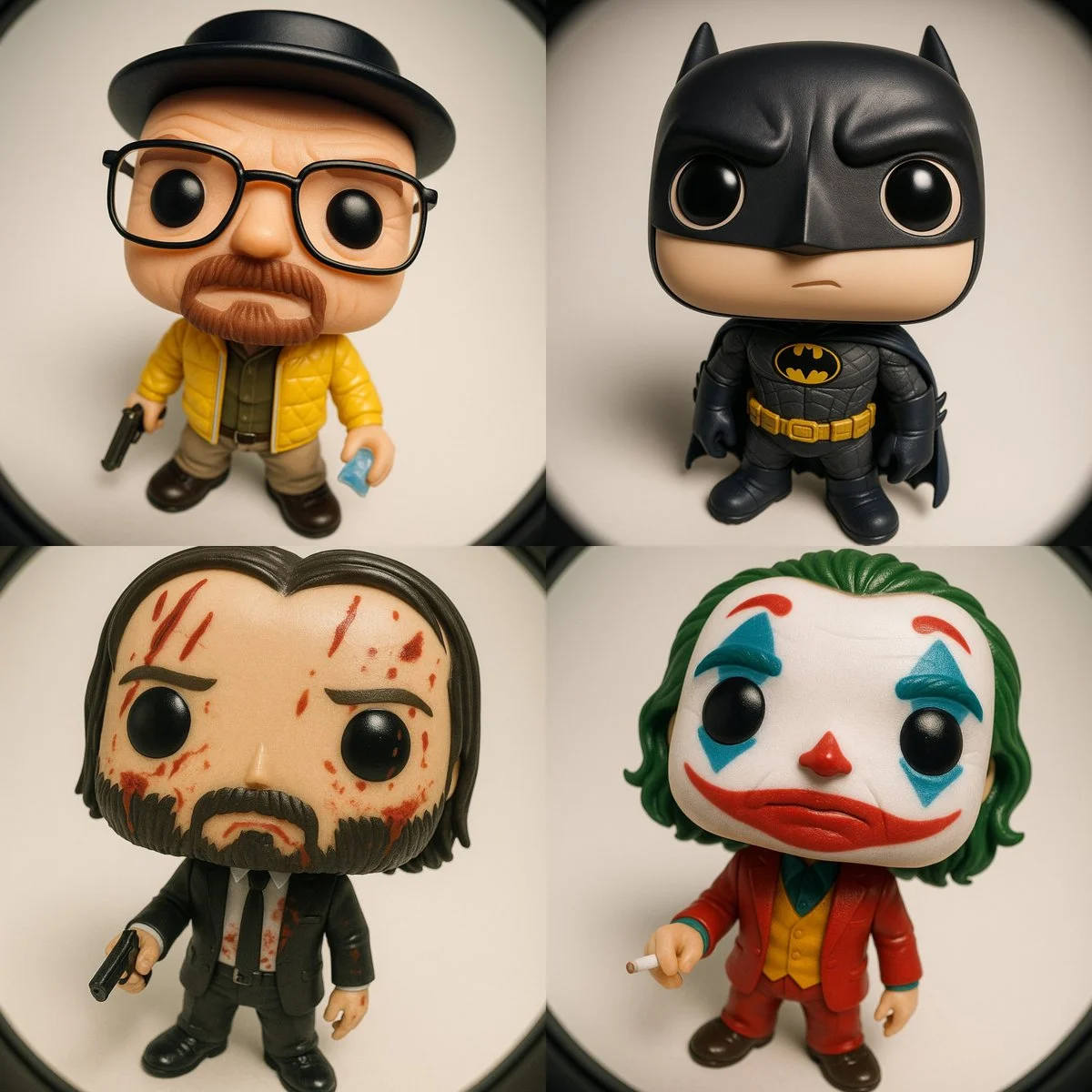
Funko Pop–style vinyl figure of [CHARACTER NAME] Wearing the iconic outfit and accessories typically associated with [CHARACTER], automatically matching their signature style and details. Pose/Expression: - Standing, looking upward toward the camera - Expression: curious yet slightly nonchalant CAMERA & LENS: - Camera positioned directly above, very close - Ultra-wide fisheye lens for dramatic perspective distortion - Gentle rounded frame edges LIGHTING & MATERIALS: - Soft studio lighting with gentle shadows - Glossy vinyl figure texture for skin and hair - Outfit materials accentuated (e.g. quilted, shiny, matte, etc.) depending on [CHARACTER]’s clothing RENDER STYLE: - High-resolution 3D render - Clean neutral background (solid or gradient) - Ultra sharp, collectible toy aesthetic
Funko Pop–style vinyl figure of [CHARACTER NAME] Wearing the iconic outfit and accessories typically associated with [CHARACTER], automatically matching their signature style and details. Pose/Expression: - Standing, looking upward toward the camera - Expression: curious yet slightly nonchalant CAMERA & LENS: - Camera positioned directly above, very close - Ultra-wide fisheye lens for dramatic perspective distortion - Gentle rounded frame edges LIGHTING & MATERIALS: - Soft studio lighting with gentle shadows - Glossy vinyl figure texture for skin and hair - Outfit materials accentuated (e.g. quilted, shiny, matte, etc.) depending on [CHARACTER]’s clothing RENDER STYLE: - High-resolution 3D render - Clean neutral background (solid or gradient) - Ultra sharp, collectible toy aesthetic
Explore Image Workflows
Explore the GPT Image 2.5 workflow and compare it with the related image pages. The generator is the source of truth for current model access and settings. Use the prompt library to study published results and the model that created them.
Create Images with Flare and Sunburst
Write your GPT Image 2.5 image brief around a subject, composition, lighting and intended style. Add a material or texture when it matters. For edits, state one precise change and explain which parts of the source should remain intact.
Write your GPT Image 2.5 image brief around a subject, composition, lighting and intended style. Add a material or texture when it matters. For edits, state one precise change and explain which parts of the source should remain intact.
Explore GPT Image 2.5Build Your GPT Image 2.5 Image Brief
Choose only the resolution and aspect ratio shown for the selected model. Check framing, fine details and any text in the completed image. A larger output size does not guarantee a more accurate result.
Advanced AI Image Generation & Customization
Choose only the resolution and aspect ratio shown for the selected model. Check framing, fine details and any text in the completed image. A larger output size does not guarantee a more accurate result.
Write Precise Editing and Style Directions
Choose only the resolution and aspect ratio shown for the selected model. Check framing, fine details and any text in the completed image. A larger output size does not guarantee a more accurate result.
Describe the Changes and Details to Preserve
Explore the GPT Image 2.5 workflow and compare it with the related image pages. The generator is the source of truth for current model access and settings. Use the prompt library to study published results and the model that created them.
Describe the Changes and Details to Preserve
Choose only the resolution and aspect ratio shown for the selected model. Check framing, fine details and any text in the completed image. A larger output size does not guarantee a more accurate result.
Review Usage Terms Before Sharing
Check the applicable model and platform terms before using a result commercially. You are responsible for the rights to uploaded images, identifiable people, logos and any other source material in your GPT Image 2.5 image brief.
Keep Your Workflow Simple
Develop your GPT Image 2.5 image brief around the result you need. Keep the main direction specific, check supported settings in the generator, and review the completed work before using it in your project.
A Clearer Creative Brief for GPT Image 2.5
Diverse Styles & Effects for Every Vision
Develop your GPT Image 2.5 image brief around the result you need. Keep the main direction specific, check supported settings in the generator, and review the completed work before using it in your project.
Write your GPT Image 2.5 image brief around a subject, composition, lighting and intended style. Add a material or texture when it matters. For edits, state one precise change and explain which parts of the source should remain intact.
Versatile GPT Image 2.5 AI Image Generator for Every Creator's Vision
Start your GPT Image 2.5 image brief with a source image you have permission to use. Name the area to change and the colors, proportions or objects to preserve. Reference count and editing support depend on the selected model.
For Architects and Designers
Write your GPT Image 2.5 image brief around a subject, composition, lighting and intended style. Add a material or texture when it matters. For edits, state one precise change and explain which parts of the source should remain intact.
For E-Commerce Professionals
List the details that matter in your GPT Image 2.5 image brief: identity, shape, colors, clothing and background. Use supported references where appropriate and compare every result; exact consistency is not guaranteed.
For Content Publishers
Choose only the resolution and aspect ratio shown for the selected model. Check framing, fine details and any text in the completed image. A larger output size does not guarantee a more accurate result.
For Event Planners
Write your GPT Image 2.5 image brief around a subject, composition, lighting and intended style. Add a material or texture when it matters. For edits, state one precise change and explain which parts of the source should remain intact.
From a Brief to a Reviewed Image: The GPT Image 2.5 Workflow
Add Your Input
Start your GPT Image 2.5 image brief with a source image you have permission to use. Name the area to change and the colors, proportions or objects to preserve. Reference count and editing support depend on the selected model.
Customize Your Options
The generator shows current model availability. When a model accepts requests, choose its supported settings and review the required credits before submitting. Review your selection and credit balance before generating.
Generate and Refine
Write your GPT Image 2.5 image brief around a subject, composition, lighting and intended style. Add a material or texture when it matters. For edits, state one precise change and explain which parts of the source should remain intact.
Review and Download Completed Results
Start your GPT Image 2.5 image brief with a source image you have permission to use. Name the area to change and the colors, proportions or objects to preserve. Reference count and editing support depend on the selected model.
GPT Image 2.5 Image Ideas for Your Projects
Choose only the resolution and aspect ratio shown for the selected model. Check framing, fine details and any text in the completed image. A larger output size does not guarantee a more accurate result.
Digital Art & Illustration
Choose only the resolution and aspect ratio shown for the selected model. Check framing, fine details and any text in the completed image. A larger output size does not guarantee a more accurate result.
Marketing & E-Commerce Visuals
For a GPT Image 2.5 product concept, specify the product shape, material, key detail and setting. Keep logos and claims accurate, allow room for your own typography, and review the result before using it in an advertisement.
Educational Content & Presentations
Use a GPT Image 2.5 visual concept to support one teaching or presentation point. Check facts and labels yourself, and add final captions in your editing workflow rather than relying on generated text.
Game Development
List the details that matter in your GPT Image 2.5 image brief: identity, shape, colors, clothing and background. Use supported references where appropriate and compare every result; exact consistency is not guaranteed.
Creative Notes for Your GPT Image 2.5 Image Brief
Give the main subject one clear action. For a GPT Image 2.5 concept, a precise brief is easier to assess than a list of competing effects.
GPT Image 2.5 Image Workflow: Questions & Answers
This dotsai.pro page explains the GPT Image 2.5 image workflow. It helps you write a focused brief and review the available inputs. Current access is shown in the generator; a model name on a guide does not mean it currently accepts requests.
Write your GPT Image 2.5 image brief around a subject, composition, lighting and intended style. Add a material or texture when it matters. For edits, state one precise change and explain which parts of the source should remain intact.
Use only the input modes and controls offered by the selected model. Describe the intended image clearly and add supported references when useful. This page does not promise separate motion-brush, audio-upload, restoration or editing tools.
Check the applicable model and platform terms before using a result commercially. You are responsible for the rights to uploaded images, identifiable people, logos and any other source material in your GPT Image 2.5 image brief.
The generator shows current model availability. When a model accepts requests, choose its supported settings and review the required credits before submitting. Review your selection and credit balance before generating.
Develop your GPT Image 2.5 image brief around the result you need. Keep the main direction specific, check supported settings in the generator, and review the completed work before using it in your project.
You can request a refund within 10 days of purchase if you have unused credits from that purchase and provide a clear reason, subject to our Refund Policy. If eligible, an unused purchase can be fully refunded; a partly used purchase is refunded in proportion to its remaining unused credits. Fully used purchases and free or promotional credits are not refundable.
Credit validity depends on the pack, subscription or promotion that issued them. Review the purchase terms and expiration dates in Settings > Credits. A renewal or new purchase does not extend older credits. Use credits before their stated expiration; do not assume unused subscription credits roll over indefinitely.
Credits charged for a task that is confirmed as failed due to a system error are returned automatically. A task that is still processing has not yet been confirmed as failed. Check its status and your credit history before submitting again. If a confirmed failure still shows an unresolved charge, email support@dotsai.pro with the task ID.
AI results can vary, so a completed result that differs from your expectations is not automatically treated as a technical failure. Eligible completed image tasks can be submitted for credit refund review using the refund option where available; approval is required. For a video or another issue, contact support@dotsai.pro with the task ID and details. A credit refund returns credits, not money to your payment method.
Email support@dotsai.pro. For billing, include your account email and order ID; for generation, include the task ID, issue description and relevant screenshots. If you purchased as a guest, keep the original browser data and payment receipt so we can help locate the purchase.
Explore Your Next GPT Image 2.5 Image Idea
Explore the GPT Image 2.5 workflow and compare it with the related image pages. The generator is the source of truth for current model access and settings. Use the prompt library to study published results and the model that created them.
dotsai.pro · Updated
What's new on this page
- — Added editable example prompts and separate drafts for text and reference modes, with an action to restore the example.
- — Updated page copy and content.
- — Page content published.