
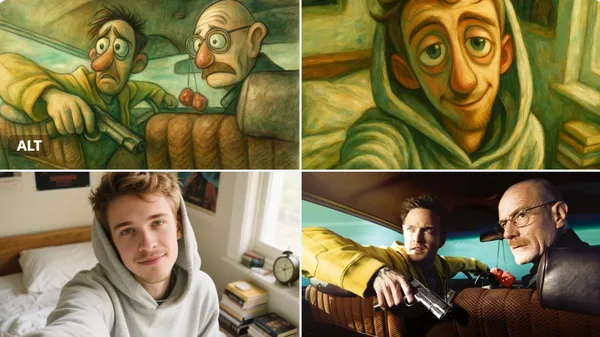
Verified prompt
sform the uploaded image into a surreal illustration with a whimsical, dream‑like vibe. • Color palette: muted tones (soft greens, browns, greys) with occasional gentle pops of green. • Lighting: soft, diffused, almost ethereal light that blends gradients and subtle highlights. • Texture & medium feel: oil‑painting‑like brushstrokes, faint watercolor washes, or loose hand‑drawn linework, with a slight grainy texture. • Mood & composition: exaggerated, expressive features (e.g., elongated faces or emotive eyes) characteristic of cartoonish or Muppet‑style illustrations, but applied in a surreal, slightly fantastical context. • Overall aesthetic: blend realistic attention to detail with a touch of surreal whimsy—think serene, slightly uncanny atmosphere.
sform the uploaded image into a surreal illustration with a whimsical, dream‑like vibe. • Color palette: muted tones (soft greens, browns, greys) with occasional gentle pops of green. • Lighting: soft, diffused, almost ethereal light that blends gradients and subtle highlights. • Texture & medium feel: oil‑painting‑like brushstrokes, faint watercolor washes, or loose hand‑drawn linework, with a slight grainy texture. • Mood & composition: exaggerated, expressive features (e.g., elongated faces or emotive eyes) characteristic of cartoonish or Muppet‑style illustrations, but applied in a surreal, slightly fantastical context. • Overall aesthetic: blend realistic attention to detail with a touch of surreal whimsy—think serene, slightly uncanny atmosphere.
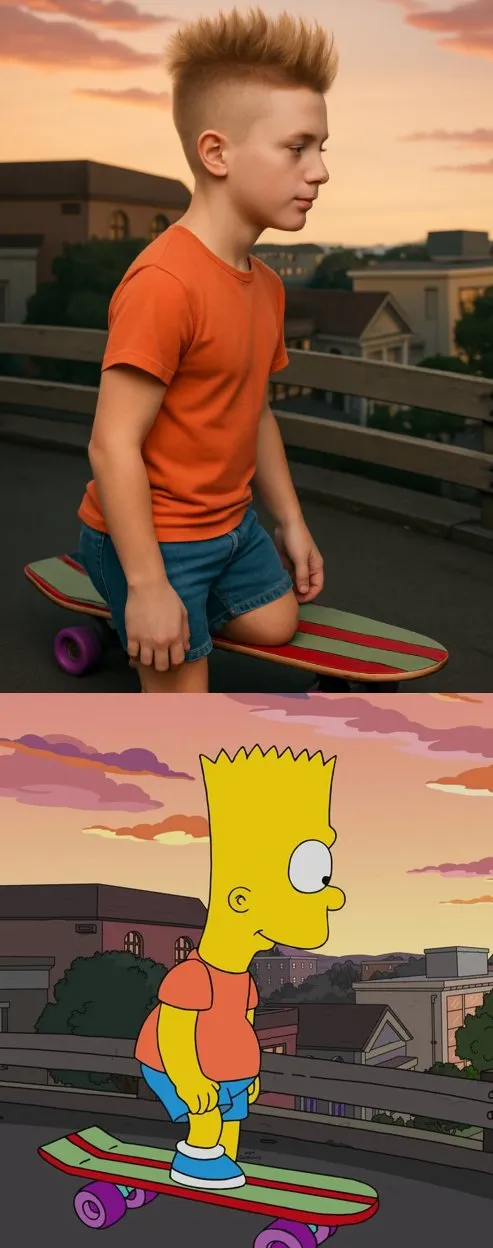
Verified prompt
sform the cartoon character from the reference image into a hyper-realistic human while maintaining their core attributes (clothing, hairstyle, facial expression, accessories, and proportions, age and so on). Create a photorealistic portrait
sform the cartoon character from the reference image into a hyper-realistic human while maintaining their core attributes (clothing, hairstyle, facial expression, accessories, and proportions, age and so on). Create a photorealistic portrait
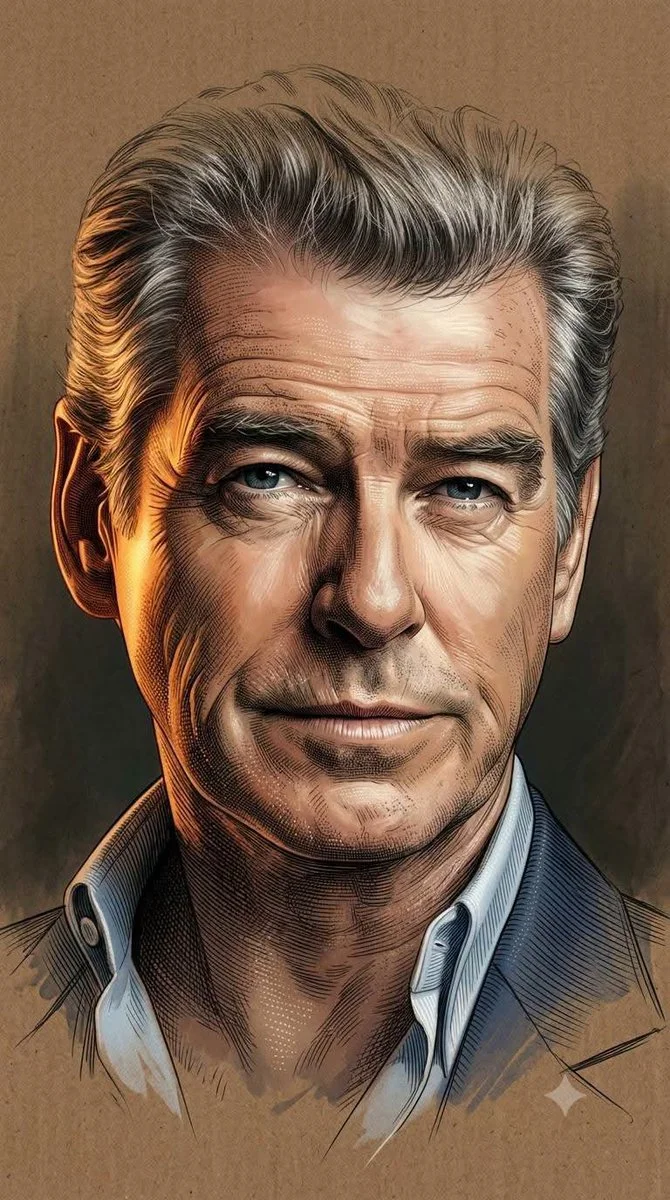
Verified prompt
Using an uploaded portrait as the subject reference, blend soft semi-realistic digital painting with highly detailed engraving illustration using painterly softness, ultra-fine crosshatching, and dotting. Apply cinematic warm golden-orange lighting on one side against cool shadows and chiaroscuro. Render skin and textures via luminous digital shading fused with dense engraving lines for gradients and intricate work. Preserve glossy eye highlights. Integrate soft brush strokes with contour lines and micro-etching. Fade head top and lower body into incomplete sketch dissolving into background. Use textured brown cardboard with matte grain merging into dark studio depth. Minimal elegant composition, warm muted palette, high contrast, museum-quality 8K finish. Aspect 9:16.
Using an uploaded portrait as the subject reference, blend soft semi-realistic digital painting with highly detailed engraving illustration using painterly softness, ultra-fine crosshatching, and dotting. Apply cinematic warm golden-orange lighting on one side against cool shadows and chiaroscuro. Render skin and textures via luminous digital shading fused with dense engraving lines for gradients and intricate work. Preserve glossy eye highlights. Integrate soft brush strokes with contour lines and micro-etching. Fade head top and lower body into incomplete sketch dissolving into background. Use textured brown cardboard with matte grain merging into dark studio depth. Minimal elegant composition, warm muted palette, high contrast, museum-quality 8K finish. Aspect 9:16.
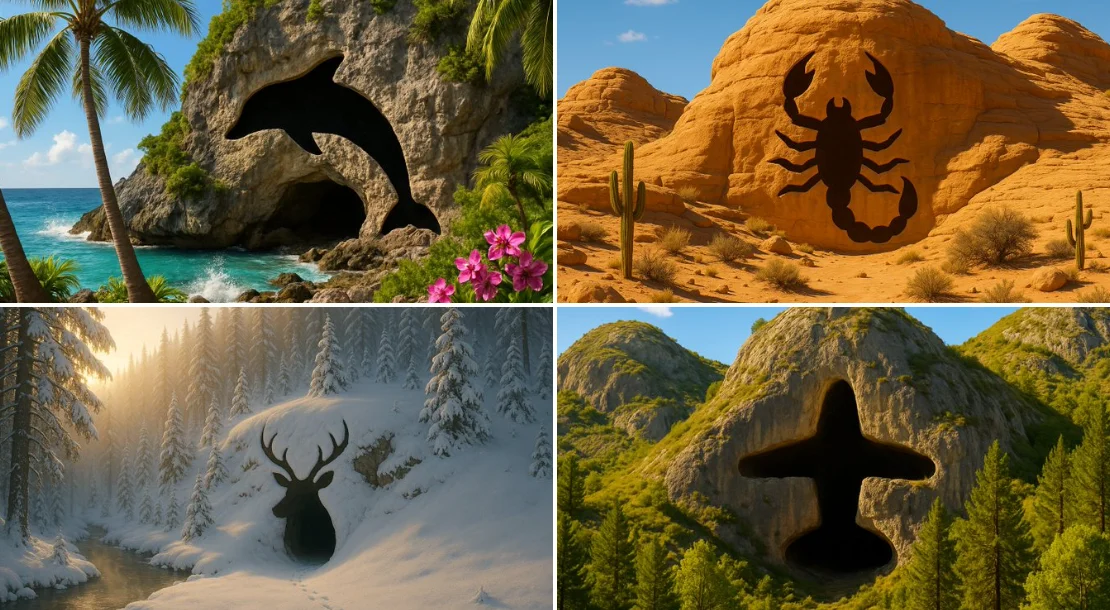
Verified prompt
Prompt: An image of a [TYPE] landscape, featuring a cave entrance that is shaped exactly like the outline of a [SHAPE]. The cave should blend naturally into the rugged terrain of the mountain, with the entrance forming a clear and unmistakable [SHAPE] shape. This [SHAPE] shape should be simple and defined, without intricate details, emphasizing just the overall [SHAPE] outline. The surrounding environment should include [DETAILS], but these elements should not distract from the cave's [SHAPE]-shaped entrance. The lighting in the scene should enhance the visibility and distinctiveness of the [SHAPE]-shaped cave entrance.
Prompt: An image of a [TYPE] landscape, featuring a cave entrance that is shaped exactly like the outline of a [SHAPE]. The cave should blend naturally into the rugged terrain of the mountain, with the entrance forming a clear and unmistakable [SHAPE] shape. This [SHAPE] shape should be simple and defined, without intricate details, emphasizing just the overall [SHAPE] outline. The surrounding environment should include [DETAILS], but these elements should not distract from the cave's [SHAPE]-shaped entrance. The lighting in the scene should enhance the visibility and distinctiveness of the [SHAPE]-shaped cave entrance.
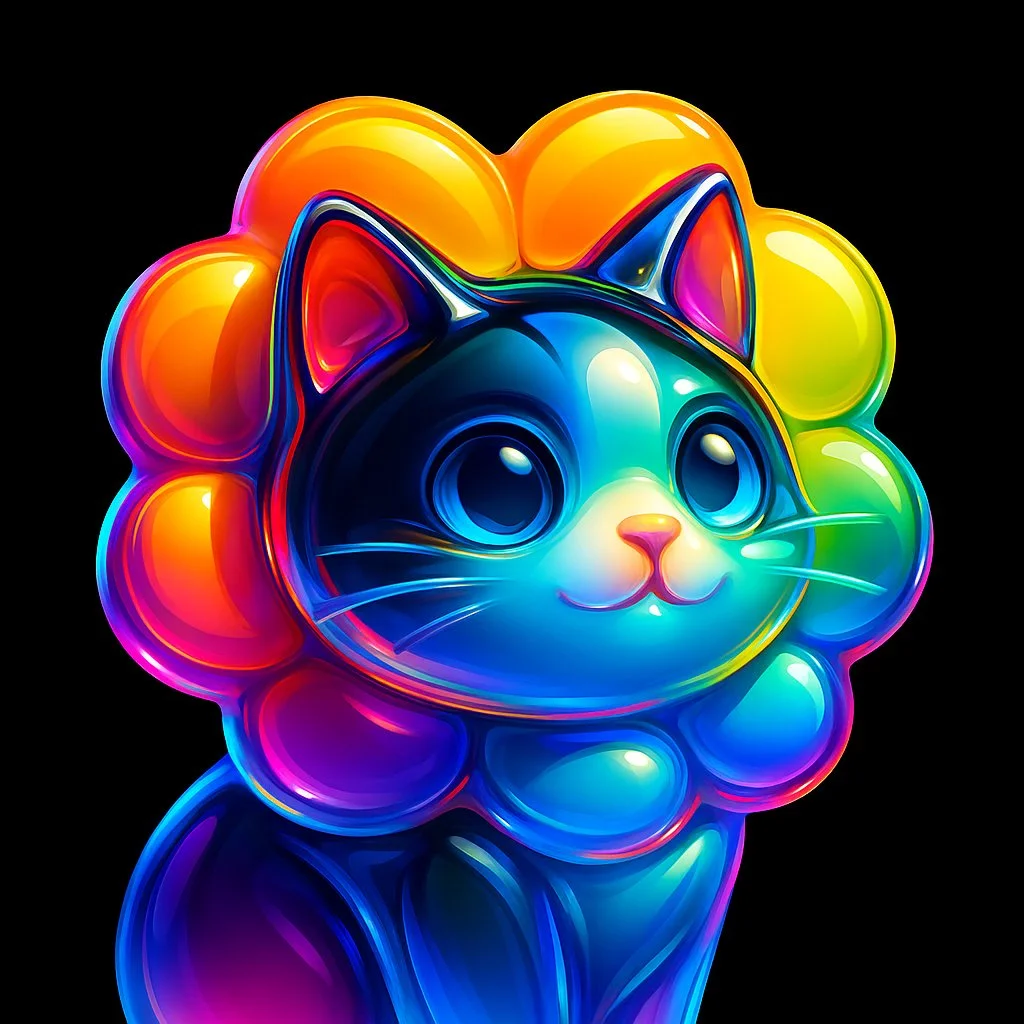
Verified prompt
Create a high-resolution illustration of a [skull] icon in the style of a glossy, translucent sculpture. The icon should appear as if made of curved, flowing glass with reflective surfaces. Infuse the form with vivid, refracted rainbow gradients that shift smoothly across its contours. The shape should be abstract yet recognizable, with a sleek, high-gloss finish and soft reflections that mimic light bending through clear material. Center the icon on a solid black background. No shadows, textures, or extra elements. Square aspect ratio.
Create a high-resolution illustration of a [skull] icon in the style of a glossy, translucent sculpture. The icon should appear as if made of curved, flowing glass with reflective surfaces. Infuse the form with vivid, refracted rainbow gradients that shift smoothly across its contours. The shape should be abstract yet recognizable, with a sleek, high-gloss finish and soft reflections that mimic light bending through clear material. Center the icon on a solid black background. No shadows, textures, or extra elements. Square aspect ratio.
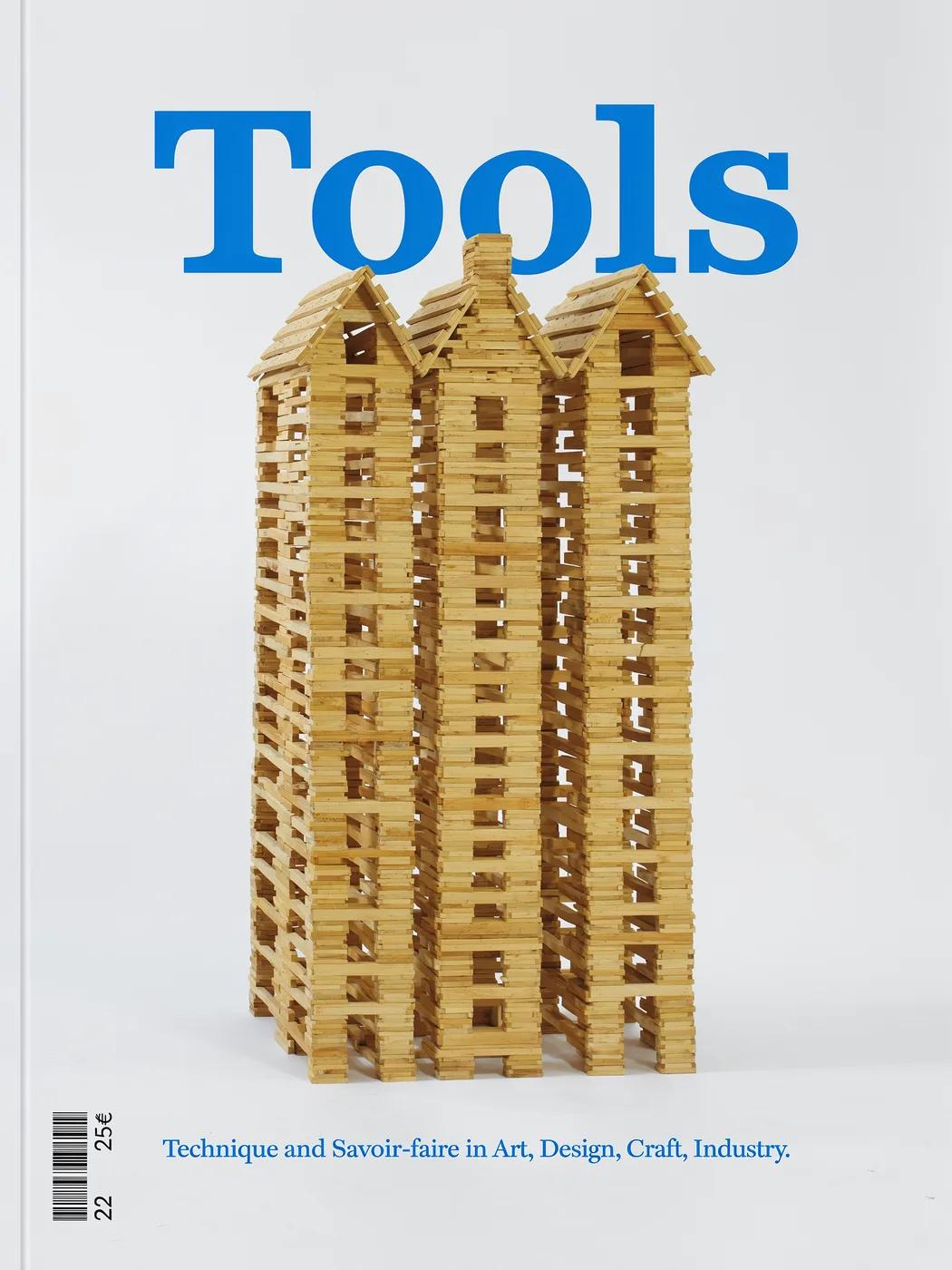
Verified prompt
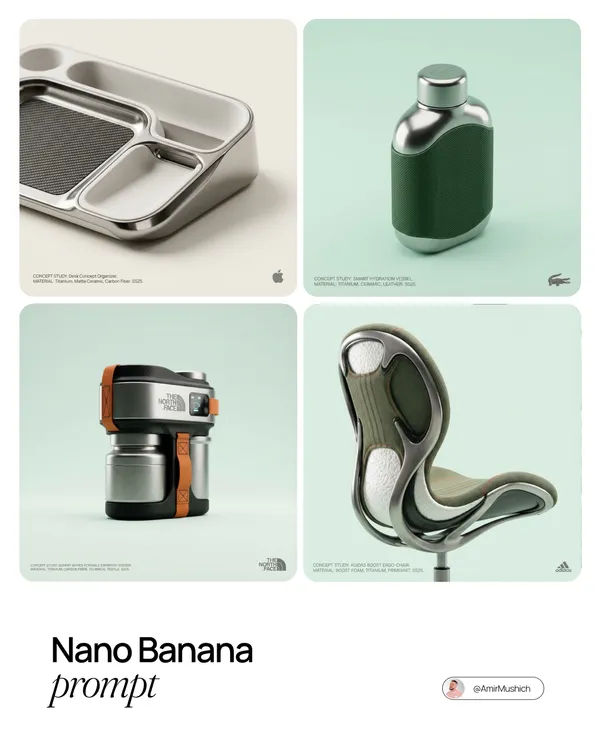
Verified prompt
ND NAME]: A high-end, glossy concept art magazine editorial photograph of a unique, unexpected functional object conceptualized and designed by the brand. **1. The Concept & Object (AI Invention):** Based on the design philosophy, heritage, and material vocabulary of the specified brand, the AI must invent a novel utility product (NOT standard clothing, shoes, or bags). Examples could be home goods, tech accessories, tools, or sporting equipment, reinterpretated through the brand's lens. The object should feel sculptural yet functional. **2. Materials & Details (Hyper-Premium):** The object is constructed from ultra-premium, highly tactile materials characteristic of the brand (e.g., patinated exotic leathers, brushed aerospace-grade titanium, sculpted matte ceramics, molded carbon fiber, or technical high-fashion textiles). Every detail is hyper-realistic: visible stitching, microscopic material grain, precision engravings, and complex texture contrasts. **3. Photography & Lighting (Cinematic Studio):** Shot on a medium format Phase One camera with a 100mm macro lens. Extremely shallow depth of field, with sharp focus on the hero details of the object and a creamy, smooth bokeh background. The lighting is sophisticated studio softbox lighting: gentle, enveloping fill light with precise rim lighting to accentuate contours and material textures. **4. Environment:** A seamless, impeccably clean studio cyclorama background in a pure, ultra-light pastel tone (e.g., desaturated mint, pale blush, or off-white), free of shadows. **5. Layout & UI Elements (Strict Placement):** - **Bottom Right Corner:** A small, understated, monochrome gray logo of the brand. - **Bottom Left Corner:** Small, minimalist monochrome gray text describing the invented product. The font style looks like Manrope Regular with very tight tracking (kerning) and balanced line spacing. Example format: "CONCEPT STUDY: [AI inserts invented product name]. MATERIAL: [AI inserts main materials]. SS25."
ND NAME]: A high-end, glossy concept art magazine editorial photograph of a unique, unexpected functional object conceptualized and designed by the brand. **1. The Concept & Object (AI Invention):** Based on the design philosophy, heritage, and material vocabulary of the specified brand, the AI must invent a novel utility product (NOT standard clothing, shoes, or bags). Examples could be home goods, tech accessories, tools, or sporting equipment, reinterpretated through the brand's lens. The object should feel sculptural yet functional. **2. Materials & Details (Hyper-Premium):** The object is constructed from ultra-premium, highly tactile materials characteristic of the brand (e.g., patinated exotic leathers, brushed aerospace-grade titanium, sculpted matte ceramics, molded carbon fiber, or technical high-fashion textiles). Every detail is hyper-realistic: visible stitching, microscopic material grain, precision engravings, and complex texture contrasts. **3. Photography & Lighting (Cinematic Studio):** Shot on a medium format Phase One camera with a 100mm macro lens. Extremely shallow depth of field, with sharp focus on the hero details of the object and a creamy, smooth bokeh background. The lighting is sophisticated studio softbox lighting: gentle, enveloping fill light with precise rim lighting to accentuate contours and material textures. **4. Environment:** A seamless, impeccably clean studio cyclorama background in a pure, ultra-light pastel tone (e.g., desaturated mint, pale blush, or off-white), free of shadows. **5. Layout & UI Elements (Strict Placement):** - **Bottom Right Corner:** A small, understated, monochrome gray logo of the brand. - **Bottom Left Corner:** Small, minimalist monochrome gray text describing the invented product. The font style looks like Manrope Regular with very tight tracking (kerning) and balanced line spacing. Example format: "CONCEPT STUDY: [AI inserts invented product name]. MATERIAL: [AI inserts main materials]. SS25."
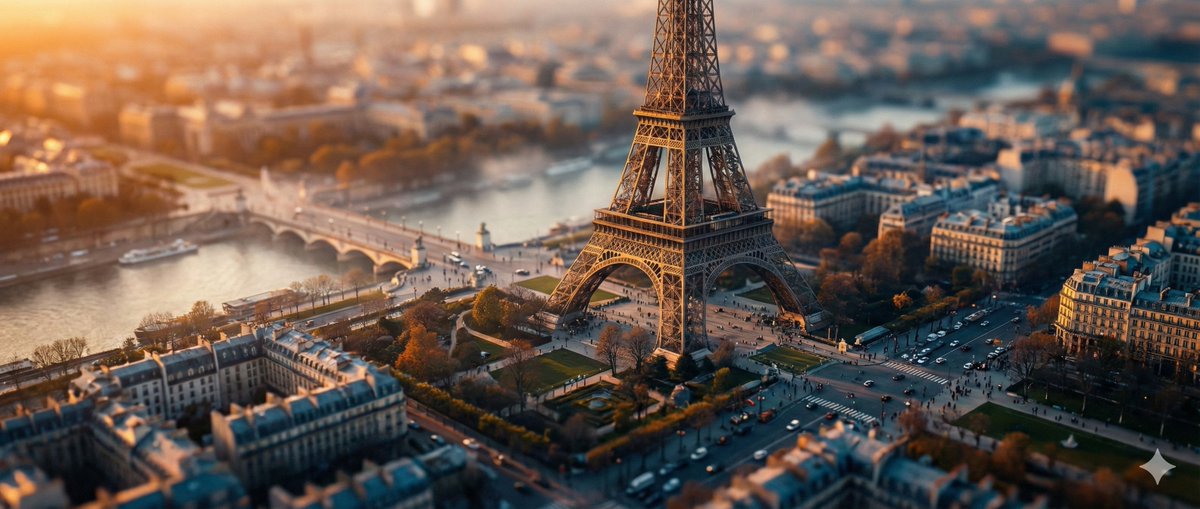
Verified prompt
ghly detailed tilt-shift photography of [LOCATION] captured from a high vantage point at [TIME OF DAY, e.g., golden hour sunset], transforming the iconic structure and surrounding landscape into a whimsical miniature toy model scene, with pinpoint sharp focus on the central elements like buildings, pathways, and key landmarks, gradually blurring into soft bokeh towards the edges and foreground/background for an exaggerated shallow depth of field effect; vibrant color palette featuring [COLOR SCHEME, e.g., warm oranges and deep blues], intricate textures on surfaces such as stone, foliage, or water reflections, subtle atmospheric haze or mist adding depth and realism, photorealistic rendering with high dynamic range lighting casting long dramatic shadows, ultra-high resolution 8K, cinematic composition emphasizing symmetry and leading lines, in the style of professional architectural miniature photography.
ghly detailed tilt-shift photography of [LOCATION] captured from a high vantage point at [TIME OF DAY, e.g., golden hour sunset], transforming the iconic structure and surrounding landscape into a whimsical miniature toy model scene, with pinpoint sharp focus on the central elements like buildings, pathways, and key landmarks, gradually blurring into soft bokeh towards the edges and foreground/background for an exaggerated shallow depth of field effect; vibrant color palette featuring [COLOR SCHEME, e.g., warm oranges and deep blues], intricate textures on surfaces such as stone, foliage, or water reflections, subtle atmospheric haze or mist adding depth and realism, photorealistic rendering with high dynamic range lighting casting long dramatic shadows, ultra-high resolution 8K, cinematic composition emphasizing symmetry and leading lines, in the style of professional architectural miniature photography.
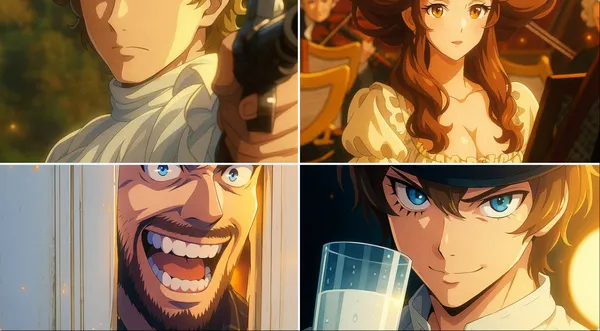
Verified prompt
sform this image into a modern digital anime TV style. Use clean and sharp outlines, vivid and high-contrast colors, and digital cel shading with subtle gradients. Add visual effects like glows, particles, or light flares if appropriate. The character design should follow modern anime proportions, with detailed hair and expressive eyes. The background can be softly blurred or cinematic. The image should look like a frame from a high-quality anime series currently airing.
sform this image into a modern digital anime TV style. Use clean and sharp outlines, vivid and high-contrast colors, and digital cel shading with subtle gradients. Add visual effects like glows, particles, or light flares if appropriate. The character design should follow modern anime proportions, with detailed hair and expressive eyes. The background can be softly blurred or cinematic. The image should look like a frame from a high-quality anime series currently airing.
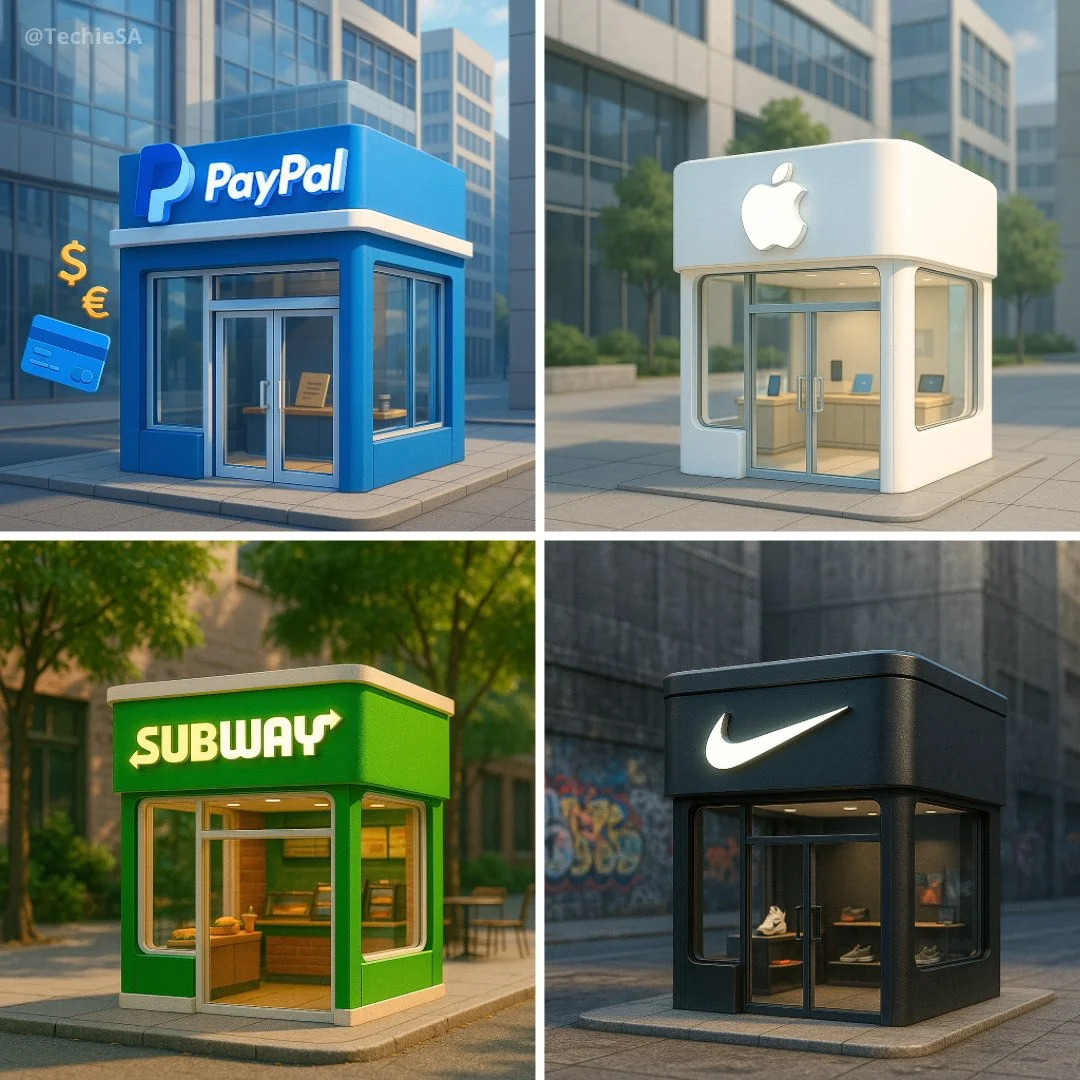
Verified prompt
Ultra-realistic 3D render of a cute, miniature [BRAND NAME] storefront building. Designed using the brand’s signature style and color palette. Features a clean, modern exterior with large glass windows and a glowing 3D [BRAND NAME] logo sign on the front. Includes subtle branded props inside the store. Background matches the brand’s identity — clean, relevant, and atmospheric. Slight isometric angle, warm lighting, soft shadows, and centered composition.
Ultra-realistic 3D render of a cute, miniature [BRAND NAME] storefront building. Designed using the brand’s signature style and color palette. Features a clean, modern exterior with large glass windows and a glowing 3D [BRAND NAME] logo sign on the front. Includes subtle branded props inside the store. Background matches the brand’s identity — clean, relevant, and atmospheric. Slight isometric angle, warm lighting, soft shadows, and centered composition.

Verified prompt
A flat isometric digital illustration of [describe the subject: e.g., a modern workspace, a city block, a group of app icons, a sports shop], clean lines and geometric forms, bright pastel colors, simplified perspective with 3D depth, minimal shading, white background or light gradient. Style resembles modern vector infographics, ideal for UI, app design or web visuals.
A flat isometric digital illustration of [describe the subject: e.g., a modern workspace, a city block, a group of app icons, a sports shop], clean lines and geometric forms, bright pastel colors, simplified perspective with 3D depth, minimal shading, white background or light gradient. Style resembles modern vector infographics, ideal for UI, app design or web visuals.
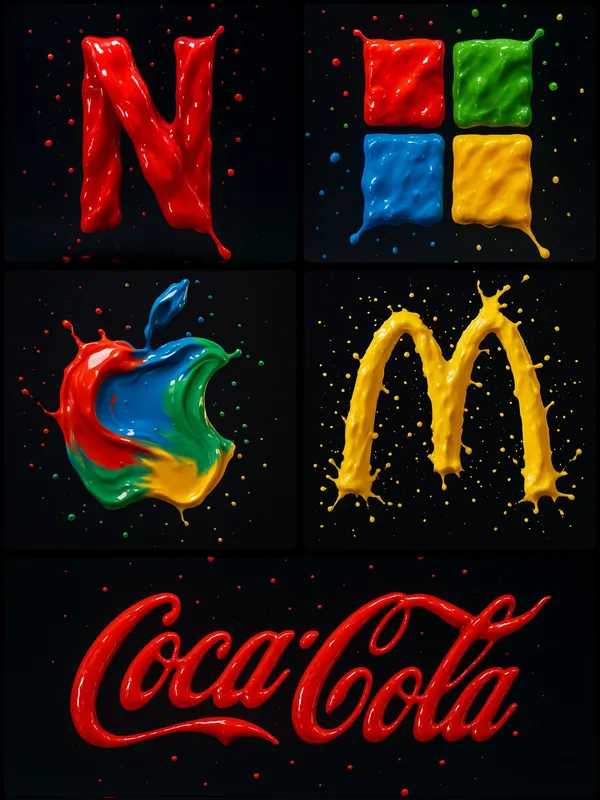
Verified prompt
te a photograph of a [BRAND] logo formed from four vibrant paint splashes: red, blue, green, and yellow, captured mid-motion. Each color flows dynamically across different parts of the logo, as if sculpted from liquid paint. Droplets are suspended in the air around it, enhancing the illusion of movement. Set against a dark background with soft, vivid lighting that accentuates the glossy texture and fluid motion Use appropriate colors for the logos.
te a photograph of a [BRAND] logo formed from four vibrant paint splashes: red, blue, green, and yellow, captured mid-motion. Each color flows dynamically across different parts of the logo, as if sculpted from liquid paint. Droplets are suspended in the air around it, enhancing the illusion of movement. Set against a dark background with soft, vivid lighting that accentuates the glossy texture and fluid motion Use appropriate colors for the logos.
Explore Image Workflows
Explore the GPT Image 2.5 workflow and compare it with the related image pages. The generator is the source of truth for current model access and settings. Use the prompt library to study published results and the model that created them.
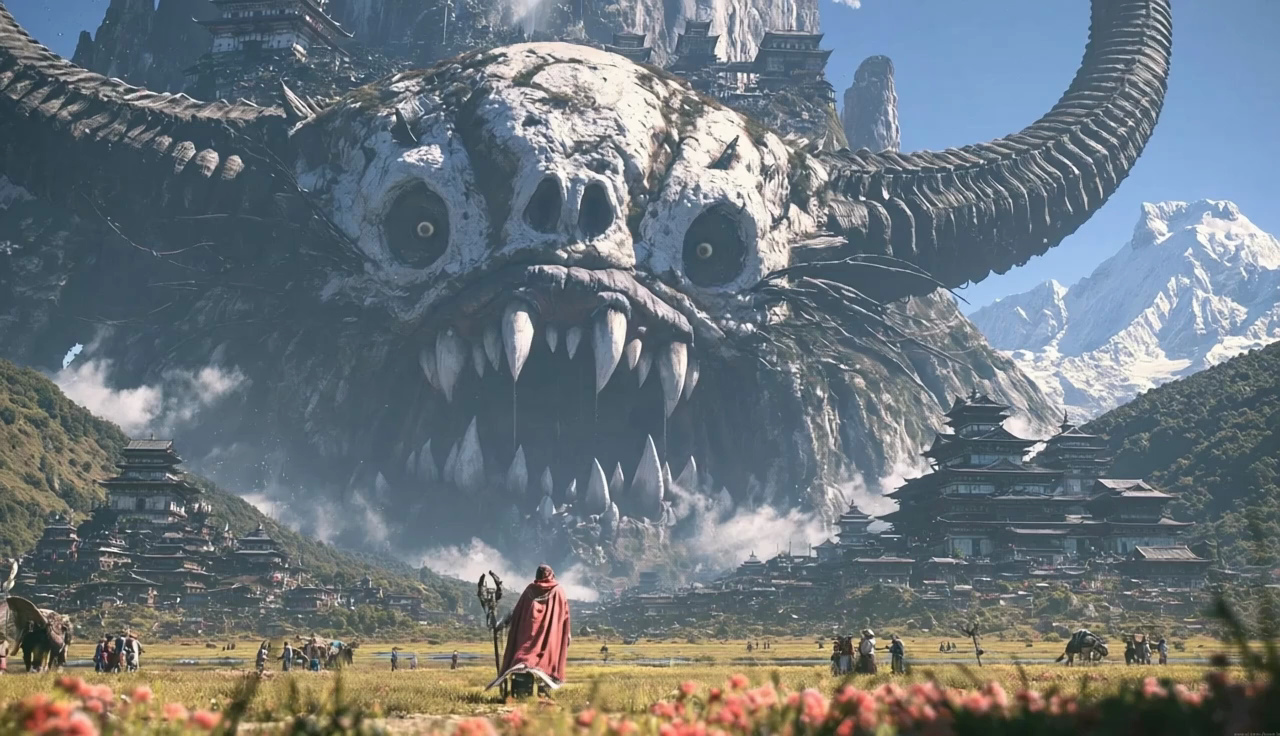
GPT Image 2.5 Image Editor
Write your GPT Image 2.5 image brief around a subject, composition, lighting and intended style. Add a material or texture when it matters. For edits, state one precise change and explain which parts of the source should remain intact.
Write your GPT Image 2.5 image brief around a subject, composition, lighting and intended style. Add a material or texture when it matters. For edits, state one precise change and explain which parts of the source should remain intact.
Explore GPT Image 2.5Edit the Details That Matter in Your Reference
Upload an image you have permission to use. Describe the exact change, such as a new background or color, and name the subject details to preserve. Choose an image-editing model and supported settings, then inspect the completed image for unintended changes.
Edit the Details That Matter in Your Reference
Upload an image you have permission to use. Describe the exact change, such as a new background or color, and name the subject details to preserve. Choose an image-editing model and supported settings, then inspect the completed image for unintended changes.
Write Precise Editing and Style Directions
Choose only the resolution and aspect ratio shown for the selected model. Check framing, fine details and any text in the completed image. A larger output size does not guarantee a more accurate result.
Describe the Changes and Details to Preserve
Upload an image you have permission to use. Describe the exact change, such as a new background or color, and name the subject details to preserve. Choose an image-editing model and supported settings, then inspect the completed image for unintended changes.
Describe the Changes and Details to Preserve
Choose only the resolution and aspect ratio shown for the selected model. Check framing, fine details and any text in the completed image. A larger output size does not guarantee a more accurate result.
Review Usage Terms Before Sharing
Check the applicable model and platform terms before using a result commercially. You are responsible for the rights to uploaded images, identifiable people, logos and any other source material in your GPT Image 2.5 image brief.
Keep Your Workflow Simple
Develop your GPT Image 2.5 image brief around the result you need. Keep the main direction specific, check supported settings in the generator, and review the completed work before using it in your project.
A Clearer Creative Brief for GPT Image 2.5
Diverse Styles & Effects for Every Vision
Develop your GPT Image 2.5 image brief around the result you need. Keep the main direction specific, check supported settings in the generator, and review the completed work before using it in your project.
Write your GPT Image 2.5 image brief around a subject, composition, lighting and intended style. Add a material or texture when it matters. For edits, state one precise change and explain which parts of the source should remain intact.
Versatile GPT Image 2.5 AI Image Generator for Every Creator's Vision
Start your GPT Image 2.5 image brief with a source image you have permission to use. Name the area to change and the colors, proportions or objects to preserve. Reference count and editing support depend on the selected model.
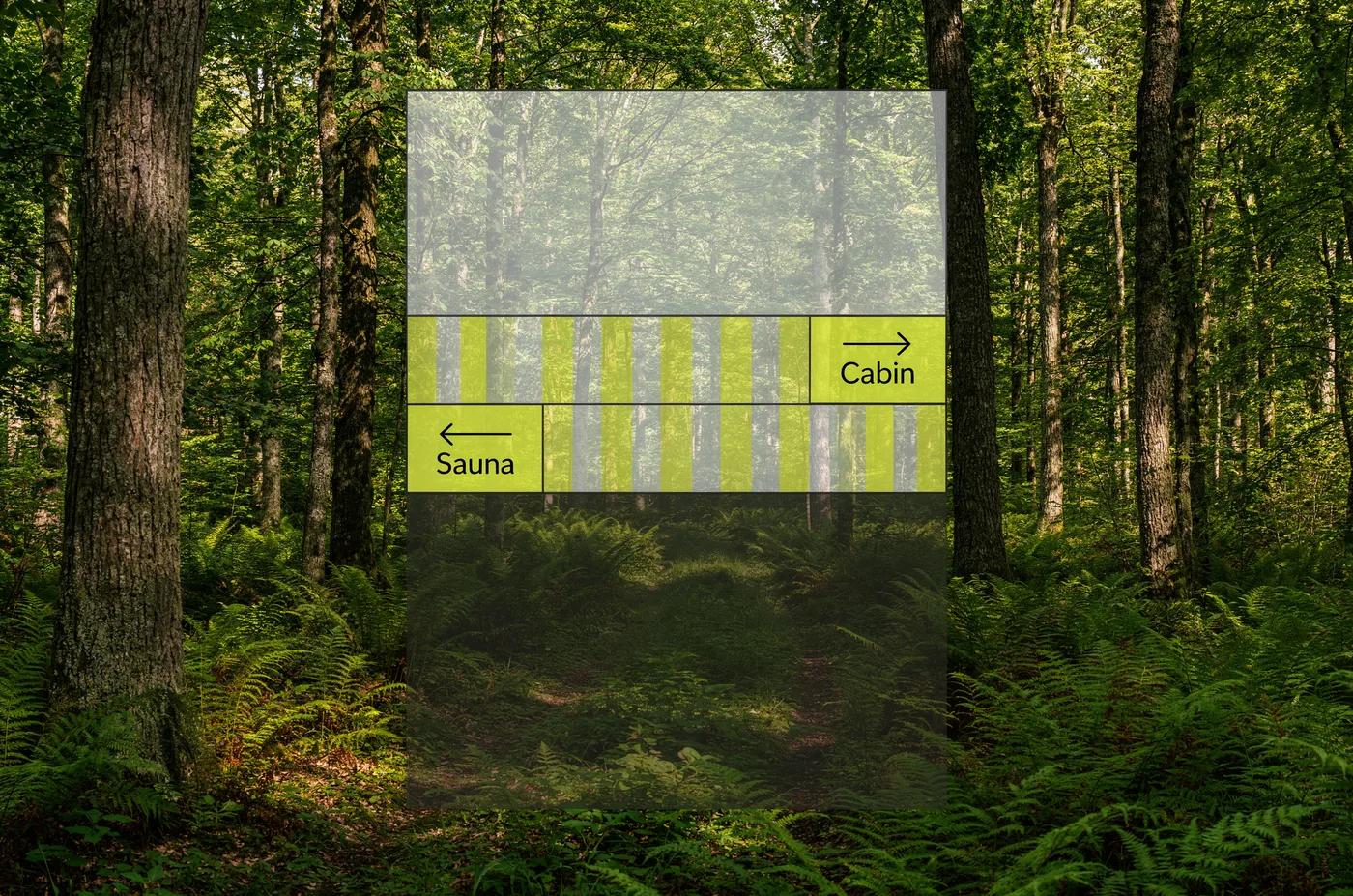
For Architects and Designers
Write your GPT Image 2.5 image brief around a subject, composition, lighting and intended style. Add a material or texture when it matters. For edits, state one precise change and explain which parts of the source should remain intact.
For E-Commerce Professionals
List the details that matter in your GPT Image 2.5 image brief: identity, shape, colors, clothing and background. Use supported references where appropriate and compare every result; exact consistency is not guaranteed.
For Content Publishers
Choose only the resolution and aspect ratio shown for the selected model. Check framing, fine details and any text in the completed image. A larger output size does not guarantee a more accurate result.
For Event Planners
Write your GPT Image 2.5 image brief around a subject, composition, lighting and intended style. Add a material or texture when it matters. For edits, state one precise change and explain which parts of the source should remain intact.
From a Brief to a Reviewed Image: The GPT Image 2.5 Workflow
Add Your Input
Start your GPT Image 2.5 image brief with a source image you have permission to use. Name the area to change and the colors, proportions or objects to preserve. Reference count and editing support depend on the selected model.
Customize Your Options
The generator shows current model availability. When a model accepts requests, choose its supported settings and review the required credits before submitting. Review your selection and credit balance before generating.
Generate and Refine
Write your GPT Image 2.5 image brief around a subject, composition, lighting and intended style. Add a material or texture when it matters. For edits, state one precise change and explain which parts of the source should remain intact.
Review and Download Completed Results
Start your GPT Image 2.5 image brief with a source image you have permission to use. Name the area to change and the colors, proportions or objects to preserve. Reference count and editing support depend on the selected model.
GPT Image 2.5 Image Ideas for Your Projects
Choose only the resolution and aspect ratio shown for the selected model. Check framing, fine details and any text in the completed image. A larger output size does not guarantee a more accurate result.
Digital Art & Illustration
Choose only the resolution and aspect ratio shown for the selected model. Check framing, fine details and any text in the completed image. A larger output size does not guarantee a more accurate result.
Marketing & E-Commerce Visuals
For a GPT Image 2.5 product concept, specify the product shape, material, key detail and setting. Keep logos and claims accurate, allow room for your own typography, and review the result before using it in an advertisement.
Educational Content & Presentations
Use a GPT Image 2.5 visual concept to support one teaching or presentation point. Check facts and labels yourself, and add final captions in your editing workflow rather than relying on generated text.
Game Development
List the details that matter in your GPT Image 2.5 image brief: identity, shape, colors, clothing and background. Use supported references where appropriate and compare every result; exact consistency is not guaranteed.
Creative Notes for Your GPT Image 2.5 Image Brief
Give the main subject one clear action. For a GPT Image 2.5 concept, a precise brief is easier to assess than a list of competing effects.
GPT Image 2.5 Image Workflow: Questions & Answers
This dotsai.pro page explains the GPT Image 2.5 image workflow. It helps you write a focused brief and review the available inputs. Current access is shown in the generator; a model name on a guide does not mean it currently accepts requests.
Write your GPT Image 2.5 image brief around a subject, composition, lighting and intended style. Add a material or texture when it matters. For edits, state one precise change and explain which parts of the source should remain intact.
Use only the input modes and controls offered by the selected model. Describe the intended image clearly and add supported references when useful. This page does not promise separate motion-brush, audio-upload, restoration or editing tools.
Check the applicable model and platform terms before using a result commercially. You are responsible for the rights to uploaded images, identifiable people, logos and any other source material in your GPT Image 2.5 image brief.
The generator shows current model availability. When a model accepts requests, choose its supported settings and review the required credits before submitting. Review your selection and credit balance before generating.
Develop your GPT Image 2.5 image brief around the result you need. Keep the main direction specific, check supported settings in the generator, and review the completed work before using it in your project.
You can request a refund within 10 days of purchase if you have unused credits from that purchase and provide a clear reason, subject to our Refund Policy. If eligible, an unused purchase can be fully refunded; a partly used purchase is refunded in proportion to its remaining unused credits. Fully used purchases and free or promotional credits are not refundable.
Credit validity depends on the pack, subscription or promotion that issued them. Review the purchase terms and expiration dates in Settings > Credits. A renewal or new purchase does not extend older credits. Use credits before their stated expiration; do not assume unused subscription credits roll over indefinitely.
Credits charged for a task that is confirmed as failed due to a system error are returned automatically. A task that is still processing has not yet been confirmed as failed. Check its status and your credit history before submitting again. If a confirmed failure still shows an unresolved charge, email support@dotsai.pro with the task ID.
AI results can vary, so a completed result that differs from your expectations is not automatically treated as a technical failure. Eligible completed image tasks can be submitted for credit refund review using the refund option where available; approval is required. For a video or another issue, contact support@dotsai.pro with the task ID and details. A credit refund returns credits, not money to your payment method.
Email support@dotsai.pro. For billing, include your account email and order ID; for generation, include the task ID, issue description and relevant screenshots. If you purchased as a guest, keep the original browser data and payment receipt so we can help locate the purchase.
Explore Your Next GPT Image 2.5 Image Idea
Explore the GPT Image 2.5 workflow and compare it with the related image pages. The generator is the source of truth for current model access and settings. Use the prompt library to study published results and the model that created them.
dotsai.pro · Updated
What's new on this page
- — Added editable example prompts and separate drafts for text and reference modes, with an action to restore the example.
- — Updated page copy and content.
- — Page content published.