
Verified prompt
Verified prompt
Replace the main character with the character from my references.
Replace the main character with the character from my references.
Verified prompt
Create a 15 second, 16:9 photorealistic nighttime fashion film built around an unbranded early-2000s silver MiniDV camcorder with a flip-out LCD. The physical camcorder dominates the foreground; its LCD stays tack-sharp while the real people and city location behind it fall into creamy shallow-focus blur. Keep one continuous believable handheld setup: close to the camcorder, drifting, breathing and making tiny human corrections, never gimbal-smooth. 0.0–1.3s Extreme close foreground view of the closed LCD panel and the operator’s fingers. Under warm street lighting, the hand flips the screen open toward camera. Focus snaps naturally from the camcorder shell to the glowing LCD. Behind it: a small fashion crowd at night, dark sky and an old stone building facade, all soft and indistinct. 1.3–3.5s The LCD shows two stylish young adults crowding the MiniDV lens, laughing, flashing quick hand gestures and leaning close. Inside the LCD use authentic low-resolution CCD video: harsh direct-camera light, clipped skin highlights, warm reds, cool cyan shadows, fine chroma noise, mild scanline texture and tiny unreadable REC/timecode icons. The exterior world stays warmer and softer, creating a convincing screen-within-screen contrast. 3.5–5.8s The operator subtly pivots right. Parallax shifts the LCD across frame while a person in a textured tan faux-fur coat drifts through the blurred background. On the LCD, cut naturally to a playful low-angle wide-lens clip of someone crouching and moving toward the lens. Allow slight exposure pumping and imperfect autofocus. 5.8–8.2s Continue the handheld orbit. A bright practical lamp blooms near the top edge, producing mild halation and realistic flare. The LCD shows a sunglasses-wearing subject and friends dancing shoulder-to-shoulder, loose and spontaneous, occasionally crossing each other, never polished choreography. 8.2–10.8s More people enter the soft background; one briefly passes close enough to become a large blurred shape. Keep the camcorder body on the right edge and LCD near center. Inside the LCD, jump between quick candid portraits: a woman smiling, a man turning his head, then a small group leaning together. Cuts happen only inside the LCD while the outer shot remains continuous. 10.8–13.0s The operator dips the camcorder slightly, then corrects upward. A warm spotlight flares from lower frame. LCD color briefly shifts greener and darker like an old auto-white-balance error, then recovers. Add one very brief analog video hiccup; no digital VFX, floating graphics or impossible distortion. 13.0–15.0s Finish on three or four friends bunching into the MiniDV frame, laughing and moving toward the lens as the real background crowd mirrors their energy in blur. End with a tiny handheld push toward the LCD and natural highlight bloom. VISUAL RULES: 24fps outer capture, 1/48 shutter feel, 35–50mm full-frame look, f/1.8–2.2, handheld micro-jitter, subtle rolling shutter during faster pivots, fine high-ISO grain, realistic skin, true fabric texture, practical tungsten streetlights mixed with cooler camera light. No plastic skin, warped hands, duplicated people, morphing faces, floating objects, synthetic bokeh, perfect symmetry or glossy CGI. The MiniDV LCD must emit believable light and clearly look like footage from an older camera. MUSIC: original 122 BPM gritty electroclash/fashion-house instrumental: dry punchy kick, tight snare-clap, rubbery bass pulse, clipped synth stabs, subtle tape hiss and short camera-mechanism clicks used rhythmically. No vocals. Build every four beats and land a clean accent on the final push-in.
Create a 15 second, 16:9 photorealistic nighttime fashion film built around an unbranded early-2000s silver MiniDV camcorder with a flip-out LCD. The physical camcorder dominates the foreground; its LCD stays tack-sharp while the real people and city location behind it fall into creamy shallow-focus blur. Keep one continuous believable handheld setup: close to the camcorder, drifting, breathing and making tiny human corrections, never gimbal-smooth. 0.0–1.3s Extreme close foreground view of the closed LCD panel and the operator’s fingers. Under warm street lighting, the hand flips the screen open toward camera. Focus snaps naturally from the camcorder shell to the glowing LCD. Behind it: a small fashion crowd at night, dark sky and an old stone building facade, all soft and indistinct. 1.3–3.5s The LCD shows two stylish young adults crowding the MiniDV lens, laughing, flashing quick hand gestures and leaning close. Inside the LCD use authentic low-resolution CCD video: harsh direct-camera light, clipped skin highlights, warm reds, cool cyan shadows, fine chroma noise, mild scanline texture and tiny unreadable REC/timecode icons. The exterior world stays warmer and softer, creating a convincing screen-within-screen contrast. 3.5–5.8s The operator subtly pivots right. Parallax shifts the LCD across frame while a person in a textured tan faux-fur coat drifts through the blurred background. On the LCD, cut naturally to a playful low-angle wide-lens clip of someone crouching and moving toward the lens. Allow slight exposure pumping and imperfect autofocus. 5.8–8.2s Continue the handheld orbit. A bright practical lamp blooms near the top edge, producing mild halation and realistic flare. The LCD shows a sunglasses-wearing subject and friends dancing shoulder-to-shoulder, loose and spontaneous, occasionally crossing each other, never polished choreography. 8.2–10.8s More people enter the soft background; one briefly passes close enough to become a large blurred shape. Keep the camcorder body on the right edge and LCD near center. Inside the LCD, jump between quick candid portraits: a woman smiling, a man turning his head, then a small group leaning together. Cuts happen only inside the LCD while the outer shot remains continuous. 10.8–13.0s The operator dips the camcorder slightly, then corrects upward. A warm spotlight flares from lower frame. LCD color briefly shifts greener and darker like an old auto-white-balance error, then recovers. Add one very brief analog video hiccup; no digital VFX, floating graphics or impossible distortion. 13.0–15.0s Finish on three or four friends bunching into the MiniDV frame, laughing and moving toward the lens as the real background crowd mirrors their energy in blur. End with a tiny handheld push toward the LCD and natural highlight bloom. VISUAL RULES: 24fps outer capture, 1/48 shutter feel, 35–50mm full-frame look, f/1.8–2.2, handheld micro-jitter, subtle rolling shutter during faster pivots, fine high-ISO grain, realistic skin, true fabric texture, practical tungsten streetlights mixed with cooler camera light. No plastic skin, warped hands, duplicated people, morphing faces, floating objects, synthetic bokeh, perfect symmetry or glossy CGI. The MiniDV LCD must emit believable light and clearly look like footage from an older camera. MUSIC: original 122 BPM gritty electroclash/fashion-house instrumental: dry punchy kick, tight snare-clap, rubbery bass pulse, clipped synth stabs, subtle tape hiss and short camera-mechanism clicks used rhythmically. No vocals. Build every four beats and land a clean accent on the final push-in.
Verified prompt
Verified prompt
8-panel cinematic storyboard, 16:9 aspect ratio, Pixar-style 3D animated football story, emotional sports narrative, FIFA World Cup commercial style, ultra detailed concept art, professional animation pitch board layout, clean grid system, white panel borders, numbered frames, timestamp labels, storyboard presentation design. STORY: A global football dream journey, showing kids playing street football and evolving into professional stadium level players. STYLE: Pixar / DreamWorks 3D animation style, cinematic lighting, ultra realistic textures, shallow depth of field, dynamic motion blur, dramatic camera angles, warm golden sunset tones transitioning into cool stadium lighting, high energy sports atmosphere, emotional storytelling, ultra detailed characters. CHARACTERS: young boy football player, curly hair, red or blue jersey, passionate expression young girl football player, athletic build, determined expression street kids defenders, varied outfits, local neighborhood vibe STORY STRUCTURE (8 PANELS): 1. 0–2s — Small town street at sunset, boy dribbling football with passion, cinematic wide shot, warm golden light. 2. 2–4s — Extreme close-up of football flying fast through motion blur, dramatic speed effect. 3. 4–6s — Street match, boy weaves through defenders in dusty local field, intense action. 4. 6–8s — Powerful shot toward goal, dust and motion particles flying. 5. 8–10s — Girl player takes control in neon-lit city court, night atmosphere, energetic dribbling. 6. 10–12s — Beach sunset football game, community watching, emotional growth moment. 7. 12–14s — Ball rising into sky, transition to stadium lights, dream escalation, cinematic zoom out. 8. 14–15s — World stadium final scene, confetti explosion, victory moment, dream achieved. VISUAL DESIGN: storyboard grid layout, each panel with caption text below, clean typography, arrows indicating motion direction, professional animation pitch presentation, film production board style, balanced composition, high readability, art director layout. COLOR GRADING: warm orange sunset → neon night blues → stadium white-gold lights → celebration confetti gold QUALITY: ultra high resolution, 8k, masterpiece, professional film storyboard, animation pre-production board, Disney Pixar level cinematic concept art
8-panel cinematic storyboard, 16:9 aspect ratio, Pixar-style 3D animated football story, emotional sports narrative, FIFA World Cup commercial style, ultra detailed concept art, professional animation pitch board layout, clean grid system, white panel borders, numbered frames, timestamp labels, storyboard presentation design. STORY: A global football dream journey, showing kids playing street football and evolving into professional stadium level players. STYLE: Pixar / DreamWorks 3D animation style, cinematic lighting, ultra realistic textures, shallow depth of field, dynamic motion blur, dramatic camera angles, warm golden sunset tones transitioning into cool stadium lighting, high energy sports atmosphere, emotional storytelling, ultra detailed characters. CHARACTERS: young boy football player, curly hair, red or blue jersey, passionate expression young girl football player, athletic build, determined expression street kids defenders, varied outfits, local neighborhood vibe STORY STRUCTURE (8 PANELS): 1. 0–2s — Small town street at sunset, boy dribbling football with passion, cinematic wide shot, warm golden light. 2. 2–4s — Extreme close-up of football flying fast through motion blur, dramatic speed effect. 3. 4–6s — Street match, boy weaves through defenders in dusty local field, intense action. 4. 6–8s — Powerful shot toward goal, dust and motion particles flying. 5. 8–10s — Girl player takes control in neon-lit city court, night atmosphere, energetic dribbling. 6. 10–12s — Beach sunset football game, community watching, emotional growth moment. 7. 12–14s — Ball rising into sky, transition to stadium lights, dream escalation, cinematic zoom out. 8. 14–15s — World stadium final scene, confetti explosion, victory moment, dream achieved. VISUAL DESIGN: storyboard grid layout, each panel with caption text below, clean typography, arrows indicating motion direction, professional animation pitch presentation, film production board style, balanced composition, high readability, art director layout. COLOR GRADING: warm orange sunset → neon night blues → stadium white-gold lights → celebration confetti gold QUALITY: ultra high resolution, 8k, masterpiece, professional film storyboard, animation pre-production board, Disney Pixar level cinematic concept art
Verified prompt
A cinematic 15-second continuous one-take shot on a luxury yacht at night, surrounded by a glowing city skyline and reflections on the ocean. The video opens with a close-up of champagne being poured into a crystal glass, bubbles sparkling under ambient LED lights. The camera smoothly pulls back and transitions into a steady glide across the deck, revealing a stylish party in motion—well-dressed people laughing, dancing, and enjoying the night. Neon accent lights reflect off polished surfaces while the ocean gently moves beneath. The camera weaves effortlessly between guests in one fluid motion, passing a DJ setup and a couple dancing near the edge of the yacht. As the beat drops, the camera rotates slightly to reveal fireworks lighting up the sky in the background. The shot ends with a wide cinematic view of the yacht cutting through dark water under vibrant lights. Ultra-realistic, cinematic lighting, smooth stabilization, no cuts, luxury nightlife vibe.
A cinematic 15-second continuous one-take shot on a luxury yacht at night, surrounded by a glowing city skyline and reflections on the ocean. The video opens with a close-up of champagne being poured into a crystal glass, bubbles sparkling under ambient LED lights. The camera smoothly pulls back and transitions into a steady glide across the deck, revealing a stylish party in motion—well-dressed people laughing, dancing, and enjoying the night. Neon accent lights reflect off polished surfaces while the ocean gently moves beneath. The camera weaves effortlessly between guests in one fluid motion, passing a DJ setup and a couple dancing near the edge of the yacht. As the beat drops, the camera rotates slightly to reveal fireworks lighting up the sky in the background. The shot ends with a wide cinematic view of the yacht cutting through dark water under vibrant lights. Ultra-realistic, cinematic lighting, smooth stabilization, no cuts, luxury nightlife vibe.
Verified prompt
Replace the two men in the video with the two people from the reference images. Person 1 replaces the man on the left and Person 2 replaces the man on the right. Keep the original camera movement, timing, lighting, and body performance of both men, including their interactions and positions in the frame. Preserve Person 1's bald head, beard, black glasses, white t-shirt, light blue jeans, white sneakers with burgundy detail, and gold chain. Preserve Person 2's face, hair, and outfit exactly as shown in the reference images. Keep both identities distinct and consistent throughout the video, and do not mix or swap their features.
Replace the two men in the video with the two people from the reference images. Person 1 replaces the man on the left and Person 2 replaces the man on the right. Keep the original camera movement, timing, lighting, and body performance of both men, including their interactions and positions in the frame. Preserve Person 1's bald head, beard, black glasses, white t-shirt, light blue jeans, white sneakers with burgundy detail, and gold chain. Preserve Person 2's face, hair, and outfit exactly as shown in the reference images. Keep both identities distinct and consistent throughout the video, and do not mix or swap their features.
Verified prompt
この背景で故障しているの女性型ロボットの視界を作ってください。「システムエラー」「システムシャットダウン」などの警告メッセージとノイズはいっぱいで視界を被る。全てのメッセージは英語で書く。
この背景で故障しているの女性型ロボットの視界を作ってください。「システムエラー」「システムシャットダウン」などの警告メッセージとノイズはいっぱいで視界を被る。全てのメッセージは英語で書く。
Verified prompt
the monumental entrance to a colossal futuristic silver arena, anime style, advanced techno-medieval architecture, towering polished silver arches, elegant engraved metalwork, glowing futuristic details, massive statues of heroic warriors and ancient kings standing on both sides of the gateway, vast plaza crowded with people for scale, long banners and flags fluttering in the cold wind, reflective metallic surfaces, icy atmosphere, dramatic cinematic lighting, grand sense of scale, ultra-wide composition, low-angle shot, layered depth, epic worldbuilding, highly detailed anime background art, sharp linework, rich shading, cinematic atmosphere, masterpiece --ar 16:9 --sref 2258610803 --stylize 250 --preview
the monumental entrance to a colossal futuristic silver arena, anime style, advanced techno-medieval architecture, towering polished silver arches, elegant engraved metalwork, glowing futuristic details, massive statues of heroic warriors and ancient kings standing on both sides of the gateway, vast plaza crowded with people for scale, long banners and flags fluttering in the cold wind, reflective metallic surfaces, icy atmosphere, dramatic cinematic lighting, grand sense of scale, ultra-wide composition, low-angle shot, layered depth, epic worldbuilding, highly detailed anime background art, sharp linework, rich shading, cinematic atmosphere, masterpiece --ar 16:9 --sref 2258610803 --stylize 250 --preview
Verified prompt
@image1(完全按照该参考图呈现,不进行任何重新设计)年轻女性,黑色长发,白色衬衫外搭黑色背心,牛仔短裤 场景:现代化室内空间,一面巨大落地窗正对着晴朗的城市天际线,午后阳光大片洒入室内,窗外蓝天白云清晰可见。 画面风格:电影级写实质感,慢动作玻璃破碎特效(风格化处理,强调美感而非危险血腥),高对比度光影,粒子特效浓郁,杜绝任何血腥或写实伤害画面。 总时长:15秒 | 画面比例:16:9横屏 | 分辨率:4K | 帧率:24帧 分镜脚本(每2秒切换一次运镜): 0-2秒 — 静谧日常(平视中景镜头): 镜头平视拍摄,她静静站在巨大落地窗前,阳光洒满全身,神情放松地望向窗外晴朗的城市天际线,一切祥和明亮。 2-3秒 — 震动前兆(正面反应特写镜头): 镜头切至正面特写,她脚下地面开始传来细微震动,身旁悬挂的窗帘轻轻晃动,她眉头微蹙,神情从放松转为警觉。 对白(女声,疑惑): 「あれ、地震?」 3-4秒 — 剧烈摇晃(手持晃动镜头,声音锚点): 一阵剧烈的地面震动骤然袭来,伴随低沉的隆隆声响——镜头手持剧烈晃动,她惊慌地伸手扶住墙壁试图站稳,窗户玻璃开始出现细密裂纹。 对白(女声,惊呼): 「きゃっ!」 4-5.5秒 — 玻璃碎裂启动(超慢动作特写镜头): 镜头切至极致慢动作,玻璃裂纹以风格化的美感迅速蔓延扩散,如蛛网般覆盖整片落地窗,她惊恐地转身后退,长发因动作甩起。 5.5-7秒 — 碎片飞舞(360°环绕慢动作镜头): 镜头以360度环绕她展开的慢动作,巨大的玻璃瞬间爆裂成千万晶莹碎片,每一片碎玻璃在阳光下折射出彩虹般的光芒,如钻石雨般悬浮飞散于空气中,她惊讶地抬手护住面部。 7-9秒 — 碎片悬浮凝视(仰角特写镜头): 镜头仰角特写她从指缝间惊愕地望着眼前这片美丽而危险的碎片风暴,阳光穿透飞舞的玻璃碎片形成无数细碎光斑洒在她脸上,发丝因气流飘扬。 对白(女声,惊叹又害怕): 「うそ…」 9-11秒 — 碎片穿越瞬间(慢动作侧向追踪镜头): 镜头侧向追踪捕捉数片玻璃碎片以慢动作从她身侧擦身而过却奇迹般未曾伤及她分毫(风格化处理),她下意识闭眼侧身,气流吹动衣摆。 11-12.5秒 — 尘埃落定(俯拍广角镜头): 镜头俯拍拉远,玻璃碎片如雪花般缓缓飘落满地,阳光透过破碎的窗框缺口洒入室内形成斑驳光影,她惊魂未定地站立在碎片之中。 12.5-14秒 — 惊魂回神(正面缓慢推近镜头): 镜头缓慢推近她的正脸,她大口喘息,望向破碎的窗户与满地晶莹碎片,眼神从恐惧逐渐转为庆幸的复杂神情。 对白(女声,松了口气): 「大丈夫…生きてる。」 14-15秒 — FREEZE FRAME(定格收尾): 镜头拉远至广角,她站立在阳光洒落的破碎窗前,满地碎玻璃反射着午后阳光如星辰般闪烁——画面在此刻凝固定格,渐暗淡出。 运镜手法:平视中景、正面反应特写、手持晃动、超慢动作特写、360°环绕慢动作、仰角特写、慢动作侧向追踪、俯拍广角、正面缓慢推近、freeze frame定格——每1.5-2秒切换一次运镜,地震发生后运镜节奏刻意放缓强化慢动作美感。 特效强化:窗帘晃动前兆、玻璃裂纹蛛网状蔓延、碎片阳光下彩虹反光、碎片如钻石雨悬浮飞散、气流吹动发丝衣摆、破碎窗框斑驳光影、满地碎玻璃星辰般闪烁。 音效设计:0-2秒平静室内环境音→2-3秒细微震动隆隆声渐强→3-4秒剧烈地震声(声音锚点)→4-9秒玻璃碎裂清脆声效延展拉长(慢动作音效处理)→9-12秒气流呼啸声→12-15秒渐归平静的喘息声与环境音。 负面提示词:禁止任何血腥、割伤或写实伤害画面、禁止玻璃碎片显得危险致命、禁止角色比例前后不一致、禁止连续重复同一运镜角度、禁止freeze frame画面失焦模糊。
@image1(完全按照该参考图呈现,不进行任何重新设计)年轻女性,黑色长发,白色衬衫外搭黑色背心,牛仔短裤 场景:现代化室内空间,一面巨大落地窗正对着晴朗的城市天际线,午后阳光大片洒入室内,窗外蓝天白云清晰可见。 画面风格:电影级写实质感,慢动作玻璃破碎特效(风格化处理,强调美感而非危险血腥),高对比度光影,粒子特效浓郁,杜绝任何血腥或写实伤害画面。 总时长:15秒 | 画面比例:16:9横屏 | 分辨率:4K | 帧率:24帧 分镜脚本(每2秒切换一次运镜): 0-2秒 — 静谧日常(平视中景镜头): 镜头平视拍摄,她静静站在巨大落地窗前,阳光洒满全身,神情放松地望向窗外晴朗的城市天际线,一切祥和明亮。 2-3秒 — 震动前兆(正面反应特写镜头): 镜头切至正面特写,她脚下地面开始传来细微震动,身旁悬挂的窗帘轻轻晃动,她眉头微蹙,神情从放松转为警觉。 对白(女声,疑惑): 「あれ、地震?」 3-4秒 — 剧烈摇晃(手持晃动镜头,声音锚点): 一阵剧烈的地面震动骤然袭来,伴随低沉的隆隆声响——镜头手持剧烈晃动,她惊慌地伸手扶住墙壁试图站稳,窗户玻璃开始出现细密裂纹。 对白(女声,惊呼): 「きゃっ!」 4-5.5秒 — 玻璃碎裂启动(超慢动作特写镜头): 镜头切至极致慢动作,玻璃裂纹以风格化的美感迅速蔓延扩散,如蛛网般覆盖整片落地窗,她惊恐地转身后退,长发因动作甩起。 5.5-7秒 — 碎片飞舞(360°环绕慢动作镜头): 镜头以360度环绕她展开的慢动作,巨大的玻璃瞬间爆裂成千万晶莹碎片,每一片碎玻璃在阳光下折射出彩虹般的光芒,如钻石雨般悬浮飞散于空气中,她惊讶地抬手护住面部。 7-9秒 — 碎片悬浮凝视(仰角特写镜头): 镜头仰角特写她从指缝间惊愕地望着眼前这片美丽而危险的碎片风暴,阳光穿透飞舞的玻璃碎片形成无数细碎光斑洒在她脸上,发丝因气流飘扬。 对白(女声,惊叹又害怕): 「うそ…」 9-11秒 — 碎片穿越瞬间(慢动作侧向追踪镜头): 镜头侧向追踪捕捉数片玻璃碎片以慢动作从她身侧擦身而过却奇迹般未曾伤及她分毫(风格化处理),她下意识闭眼侧身,气流吹动衣摆。 11-12.5秒 — 尘埃落定(俯拍广角镜头): 镜头俯拍拉远,玻璃碎片如雪花般缓缓飘落满地,阳光透过破碎的窗框缺口洒入室内形成斑驳光影,她惊魂未定地站立在碎片之中。 12.5-14秒 — 惊魂回神(正面缓慢推近镜头): 镜头缓慢推近她的正脸,她大口喘息,望向破碎的窗户与满地晶莹碎片,眼神从恐惧逐渐转为庆幸的复杂神情。 对白(女声,松了口气): 「大丈夫…生きてる。」 14-15秒 — FREEZE FRAME(定格收尾): 镜头拉远至广角,她站立在阳光洒落的破碎窗前,满地碎玻璃反射着午后阳光如星辰般闪烁——画面在此刻凝固定格,渐暗淡出。 运镜手法:平视中景、正面反应特写、手持晃动、超慢动作特写、360°环绕慢动作、仰角特写、慢动作侧向追踪、俯拍广角、正面缓慢推近、freeze frame定格——每1.5-2秒切换一次运镜,地震发生后运镜节奏刻意放缓强化慢动作美感。 特效强化:窗帘晃动前兆、玻璃裂纹蛛网状蔓延、碎片阳光下彩虹反光、碎片如钻石雨悬浮飞散、气流吹动发丝衣摆、破碎窗框斑驳光影、满地碎玻璃星辰般闪烁。 音效设计:0-2秒平静室内环境音→2-3秒细微震动隆隆声渐强→3-4秒剧烈地震声(声音锚点)→4-9秒玻璃碎裂清脆声效延展拉长(慢动作音效处理)→9-12秒气流呼啸声→12-15秒渐归平静的喘息声与环境音。 负面提示词:禁止任何血腥、割伤或写实伤害画面、禁止玻璃碎片显得危险致命、禁止角色比例前后不一致、禁止连续重复同一运镜角度、禁止freeze frame画面失焦模糊。
Verified prompt
Create a 15 second cinematic outdoor food film in a 16:9 frame, set in a quiet autumn woodland cooking camp during warm late afternoon light. Show only the cook’s natural adult hands and forearms, never the face. Keep every hand anatomically correct with five fingers, realistic skin texture, short clean nails, and consistent sleeves and wristwatch throughout. 0 to 2 seconds. Begin with a tight macro shot of a thick fresh beef patty landing on a richly grained live edge wooden board. A real wood fire burns softly in the background with drifting blue smoke and circular forest bokeh. The camera is almost locked, with a tiny human handheld settling motion. Natural sunlight comes from camera left and warm firelight adds a subtle orange rim. 2 to 5 seconds. Cut on hand movement to close details of coarse salt, cracked pepper, dried herbs, and finely chopped garlic falling onto the meat. The cook presses a deep center pocket, fills it generously with shredded mozzarella, folds the beef around the cheese, and seals it into one thick burger. Show true meat compression, moisture, fingerprints, loose herb fragments, and small crumbs on the board. Use shallow depth of field and physically believable contact between fingers and food. 5 to 9 seconds. Place the stuffed burger onto a black cast iron grate above glowing hardwood coals. Capture loud natural sizzle, tiny grease sparks, curling smoke, and one brief controlled flame flare. Use a low three quarter food level angle, then a precise match cut to metal tongs flipping the burger. Reveal an irregular dark brown crust with visible grill marks, rendered with realistic heat shimmer and no exaggerated fire. 9 to 12 seconds. Cut to a toasted rustic bun on the same board. Add thick slices of fresh mozzarella, then place the cooked burger onto the lower bun. Keep ingredient positions, hand direction, board grain, clothing, fire, and sunlight continuous. Make the camera perform a gentle five percent push closer while steam rises naturally. 12 to 15 seconds. Finish with a centered hero close up as both hands slowly pull the burger into two halves. A heavy ribbon of molten mozzarella stretches between the charred beef layers, trembling and thinning under gravity before partially breaking. Steam, glistening juices, toasted bread texture, ash, smoke, and fire bokeh must feel completely photographic. Hold the final cheese stretch for the last half second. Visual treatment. Premium food cinematography, realistic 4K detail, 30 frames per second, natural motion blur, 50 millimeter macro lens character, shallow depth of field, warm but restrained color grade, rich reds and browns, soft forest greens, preserved highlight detail, mild sensor grain, subtle focus breathing, practical imperfections, no artificial smoothness. Compose all key actions in the central safe area while using the wide frame to reveal fire, foliage, smoke, and rustic tools at the edges. Audio. Energetic instrumental music around 152 beats per minute with dry hand percussion, muted bass, and light acoustic plucks. Synchronize cuts to the beat while preserving detailed location sound, knife contact, seasoning taps, meat landing, charcoal crackle, grease sizzle, flame whoosh, bun movement, and sticky cheese pull. No lyrics, no dialogue, no text, no logos, no watermark, no interface graphics, no duplicated objects, no changing wardrobe, no warped tools, no rubbery food, and no extra fingers.
Create a 15 second cinematic outdoor food film in a 16:9 frame, set in a quiet autumn woodland cooking camp during warm late afternoon light. Show only the cook’s natural adult hands and forearms, never the face. Keep every hand anatomically correct with five fingers, realistic skin texture, short clean nails, and consistent sleeves and wristwatch throughout. 0 to 2 seconds. Begin with a tight macro shot of a thick fresh beef patty landing on a richly grained live edge wooden board. A real wood fire burns softly in the background with drifting blue smoke and circular forest bokeh. The camera is almost locked, with a tiny human handheld settling motion. Natural sunlight comes from camera left and warm firelight adds a subtle orange rim. 2 to 5 seconds. Cut on hand movement to close details of coarse salt, cracked pepper, dried herbs, and finely chopped garlic falling onto the meat. The cook presses a deep center pocket, fills it generously with shredded mozzarella, folds the beef around the cheese, and seals it into one thick burger. Show true meat compression, moisture, fingerprints, loose herb fragments, and small crumbs on the board. Use shallow depth of field and physically believable contact between fingers and food. 5 to 9 seconds. Place the stuffed burger onto a black cast iron grate above glowing hardwood coals. Capture loud natural sizzle, tiny grease sparks, curling smoke, and one brief controlled flame flare. Use a low three quarter food level angle, then a precise match cut to metal tongs flipping the burger. Reveal an irregular dark brown crust with visible grill marks, rendered with realistic heat shimmer and no exaggerated fire. 9 to 12 seconds. Cut to a toasted rustic bun on the same board. Add thick slices of fresh mozzarella, then place the cooked burger onto the lower bun. Keep ingredient positions, hand direction, board grain, clothing, fire, and sunlight continuous. Make the camera perform a gentle five percent push closer while steam rises naturally. 12 to 15 seconds. Finish with a centered hero close up as both hands slowly pull the burger into two halves. A heavy ribbon of molten mozzarella stretches between the charred beef layers, trembling and thinning under gravity before partially breaking. Steam, glistening juices, toasted bread texture, ash, smoke, and fire bokeh must feel completely photographic. Hold the final cheese stretch for the last half second. Visual treatment. Premium food cinematography, realistic 4K detail, 30 frames per second, natural motion blur, 50 millimeter macro lens character, shallow depth of field, warm but restrained color grade, rich reds and browns, soft forest greens, preserved highlight detail, mild sensor grain, subtle focus breathing, practical imperfections, no artificial smoothness. Compose all key actions in the central safe area while using the wide frame to reveal fire, foliage, smoke, and rustic tools at the edges. Audio. Energetic instrumental music around 152 beats per minute with dry hand percussion, muted bass, and light acoustic plucks. Synchronize cuts to the beat while preserving detailed location sound, knife contact, seasoning taps, meat landing, charcoal crackle, grease sizzle, flame whoosh, bun movement, and sticky cheese pull. No lyrics, no dialogue, no text, no logos, no watermark, no interface graphics, no duplicated objects, no changing wardrobe, no warped tools, no rubbery food, and no extra fingers.
Verified prompt
Explore Video Workflows
Explore the Seedance 2.5 workflow and compare it with the related video pages. The generator is the source of truth for current model access and settings. Use the prompt library to study published results and the model that created them.
Seedance 2.5 AI Video Generator
The generator shows current model availability. When a model accepts requests, choose its supported settings and review the required credits before submitting. Review your selection and credit balance before generating.
Check the applicable model and platform terms before using a result commercially. You are responsible for the rights to uploaded images, identifiable people, logos and any other source material in your Seedance 2.5 video brief.
Explore Seedance 2.5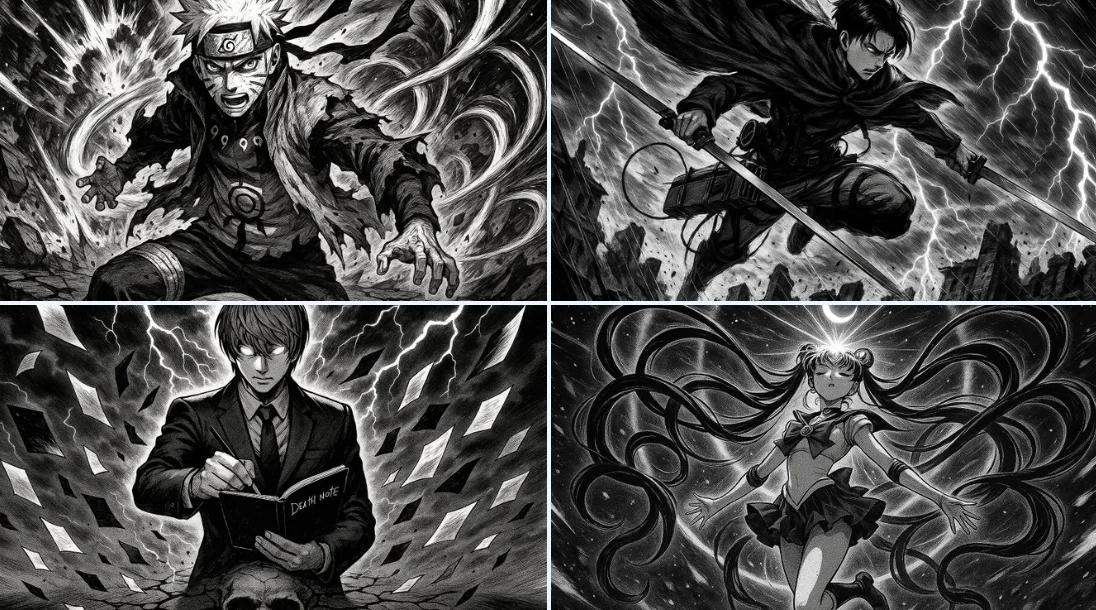
A Clearer Creative Brief for Seedance 2.5
Write a Clear Subject and Action
Write your Seedance 2.5 video brief around one visible action. Add the setting, shot size, camera movement and lighting. Keep dialogue and sound cues separate from the visual instructions so the intended scene is easy to understand.
Explore Related Video Workflows
Explore the Seedance 2.5 workflow and compare it with the related video pages. The generator is the source of truth for current model access and settings. Use the prompt library to study published results and the model that created them.
Build Your Seedance 2.5 Video Brief
The generator shows current model availability. When a model accepts requests, choose its supported settings and review the required credits before submitting. Review your selection and credit balance before generating.
Review Model and Input Options
Explore the Seedance 2.5 workflow and compare it with the related video pages. The generator is the source of truth for current model access and settings. Use the prompt library to study published results and the model that created them.
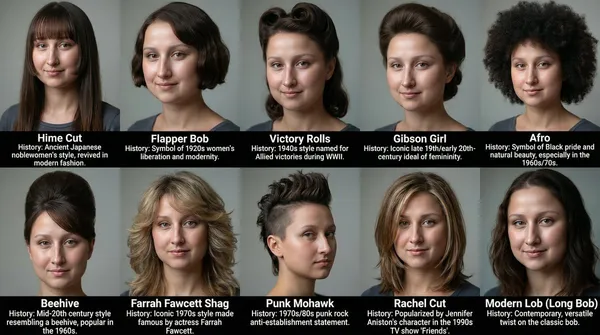
Plan Sound and Visuals for Your Seedance 2.5 Video
The generator shows current model availability. When a model accepts requests, choose its supported settings and review the required credits before submitting. Review your selection and credit balance before generating.
Use References to Explain the Intended Result
Choose only the resolution and aspect ratio shown for the selected model. Check framing, fine details and any text in the completed video. A larger output size does not guarantee a more accurate result.
How Seedance 2.5 AI Video Generator Works — 4 Steps
When a request completes, inspect the video in History and download the result you want to keep. Review the composition and any unintended details before sharing it with your team or publishing it.
1. Write a Prompt or Upload an Image
For your Seedance 2.5 video brief, describe how the subject should move from its starting pose. If the selected model supports an image or ending frame, use it to explain composition and continuity. Do not assume every reference type is accepted.
2. Choose a Model & Generate
The generator shows current model availability. When a model accepts requests, choose its supported settings and review the required credits before submitting. Review your selection and credit balance before generating.
3. Download & Publish
When a request completes, inspect the video in History and download the result you want to keep. Review the composition and any unintended details before sharing it with your team or publishing it.
Iterate & Refine
Write your Seedance 2.5 video brief around one visible action. Add the setting, shot size, camera movement and lighting. Keep dialogue and sound cues separate from the visual instructions so the intended scene is easy to understand.
What You Can Create with Seedance 2.5 AI Video Generator
Write your Seedance 2.5 video brief around one visible action. Add the setting, shot size, camera movement and lighting. Keep dialogue and sound cues separate from the visual instructions so the intended scene is easy to understand.
Marketing & Ad Creative
For a Seedance 2.5 product concept, specify the product shape, material, key detail and setting. Keep logos and claims accurate, allow room for your own typography, and review the result before using it in an advertisement.
Short-Form Social Content
Plan your Seedance 2.5 social video around one clear message. Decide the framing for the target channel, place the main subject where it stays visible, and check small-screen readability before sharing.
Explainer & Training Videos
Use a Seedance 2.5 visual concept to support one teaching or presentation point. Check facts and labels yourself, and add final captions in your editing workflow rather than relying on generated text.
Corporate & Investor Presentations
Use a Seedance 2.5 visual concept to support one teaching or presentation point. Check facts and labels yourself, and add final captions in your editing workflow rather than relying on generated text.
Short Films & Concept Reels
Write your Seedance 2.5 video brief around one visible action. Add the setting, shot size, camera movement and lighting. Keep dialogue and sound cues separate from the visual instructions so the intended scene is easy to understand.
Personal Stories & Passion Projects
Write your Seedance 2.5 video brief around one visible action. Add the setting, shot size, camera movement and lighting. Keep dialogue and sound cues separate from the visual instructions so the intended scene is easy to understand.
Creative Notes for Your Seedance 2.5 Video Brief
Give the main subject one clear action. For a Seedance 2.5 concept, a precise brief is easier to assess than a list of competing effects.
Seedance 2.5 Video Workflow: Questions & Answers
This dotsai.pro page explains the Seedance 2.5 video workflow. It helps you write a focused brief and review the available inputs. Current access is shown in the generator; a model name on a guide does not mean it currently accepts requests.
The generator shows current model availability. When a model accepts requests, choose its supported settings and review the required credits before submitting. Review your selection and credit balance before generating.
Develop your Seedance 2.5 video brief around the result you need. Keep the main direction specific, check supported settings in the generator, and review the completed work before using it in your project.
Check the applicable model and platform terms before using a result commercially. You are responsible for the rights to uploaded images, identifiable people, logos and any other source material in your Seedance 2.5 video brief.
Choose only the resolution and aspect ratio shown for the selected model. Check framing, fine details and any text in the completed video. A larger output size does not guarantee a more accurate result.
Prompts, uploaded references and generated results may be stored to provide your history and process requests. Review the Privacy Policy before uploading sensitive material. Published cases and public media links can be viewed by other people.
You can request a refund within 10 days of purchase if you have unused credits from that purchase and provide a clear reason, subject to our Refund Policy. If eligible, an unused purchase can be fully refunded; a partly used purchase is refunded in proportion to its remaining unused credits. Fully used purchases and free or promotional credits are not refundable.
Credit validity depends on the pack, subscription or promotion that issued them. Review the purchase terms and expiration dates in Settings > Credits. A renewal or new purchase does not extend older credits. Use credits before their stated expiration; do not assume unused subscription credits roll over indefinitely.
Credits charged for a task that is confirmed as failed due to a system error are returned automatically. A task that is still processing has not yet been confirmed as failed. Check its status and your credit history before submitting again. If a confirmed failure still shows an unresolved charge, email support@dotsai.pro with the task ID.
AI results can vary, so a completed result that differs from your expectations is not automatically treated as a technical failure. Eligible completed image tasks can be submitted for credit refund review using the refund option where available; approval is required. For a video or another issue, contact support@dotsai.pro with the task ID and details. A credit refund returns credits, not money to your payment method.
Email support@dotsai.pro. For billing, include your account email and order ID; for generation, include the task ID, issue description and relevant screenshots. If you purchased as a guest, keep the original browser data and payment receipt so we can help locate the purchase.
Explore Your Next Seedance 2.5 Video Idea
The generator shows current model availability. When a model accepts requests, choose its supported settings and review the required credits before submitting. Review your selection and credit balance before generating.
dotsai.pro · Updated
What's new on this page
- — Added editable example prompts and separate drafts for text and reference modes, with an action to restore the example.
- — Updated page copy and content.
- — Page content published.