
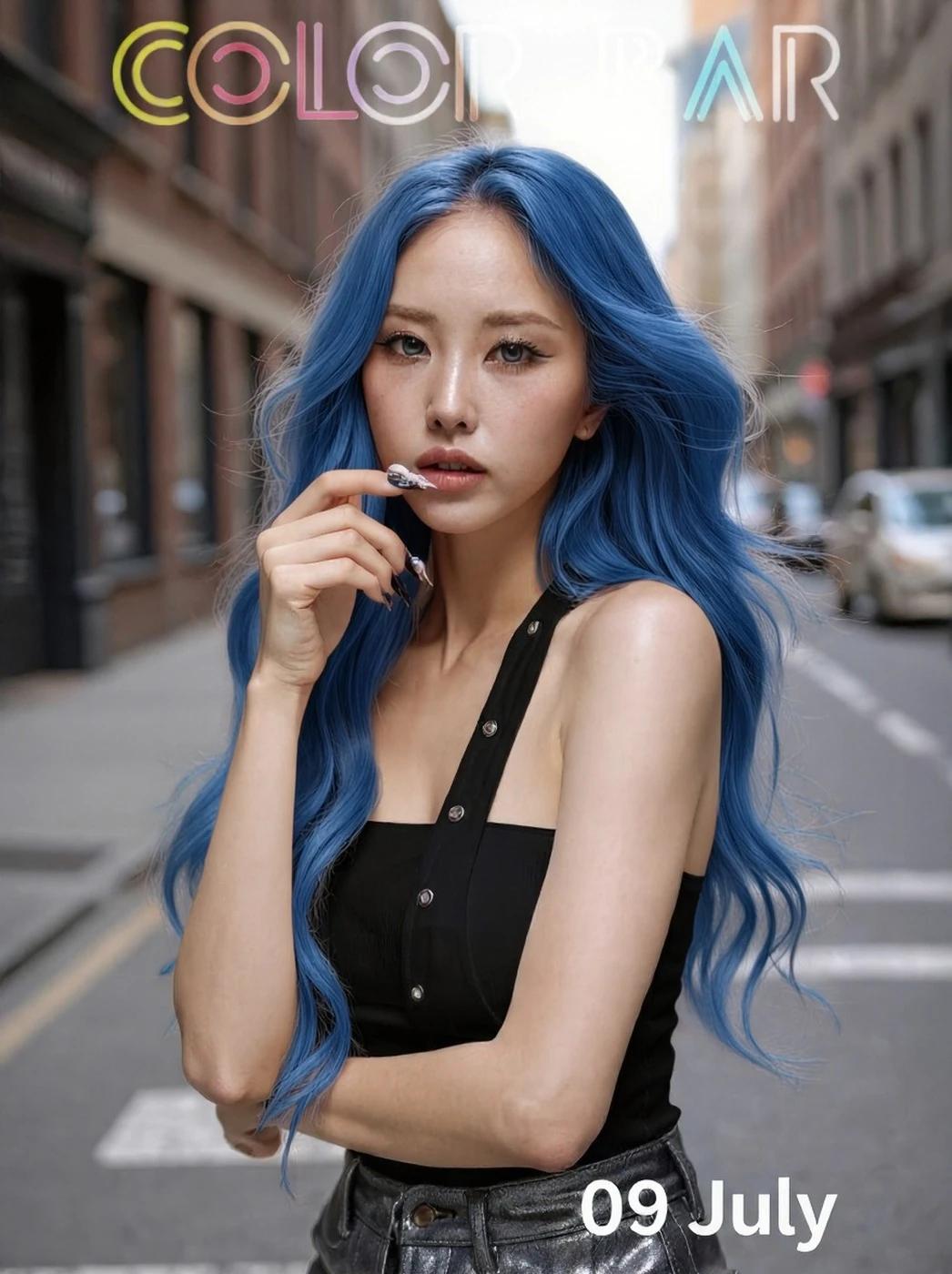
Verified prompt
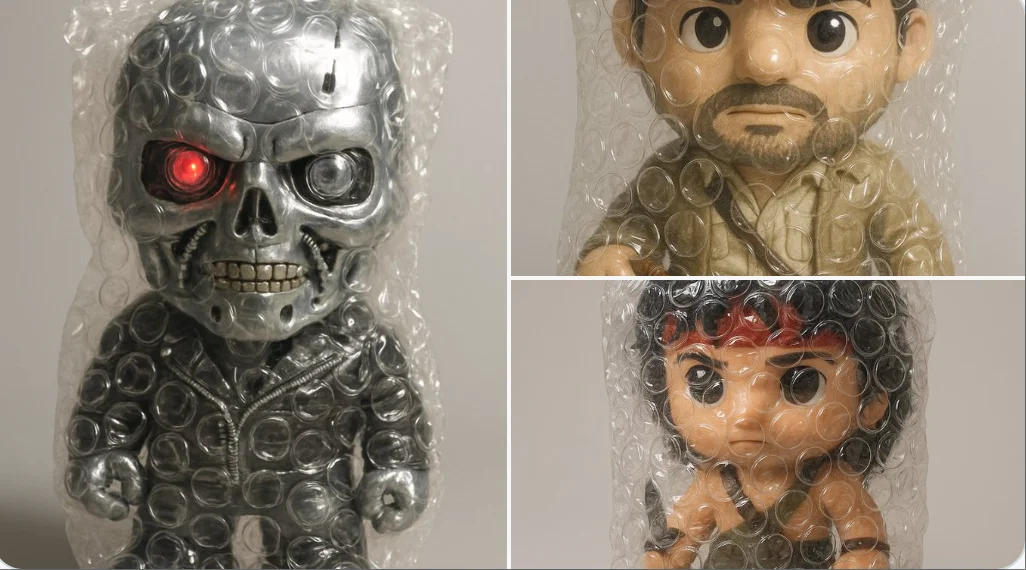
Verified prompt
A hyper-realistic 3D render of the emoji [❤️🔥], entirely wrapped in transparent bubble wrap. The plastic is tightly fitted, with clearly visible air-filled bubbles creating overlaid reflections and soft distortions of the emoji underneath. The wrap has a glossy, crinkled texture that catches the light in detailed highlights. Set against a soft, neutral grey background with subtle shadows. Studio lighting should emphasize the tactile quality of the bubble wrap and the surreal effect it creates. Whimsical, satisfying, and visually clean.
A hyper-realistic 3D render of the emoji [❤️🔥], entirely wrapped in transparent bubble wrap. The plastic is tightly fitted, with clearly visible air-filled bubbles creating overlaid reflections and soft distortions of the emoji underneath. The wrap has a glossy, crinkled texture that catches the light in detailed highlights. Set against a soft, neutral grey background with subtle shadows. Studio lighting should emphasize the tactile quality of the bubble wrap and the surreal effect it creates. Whimsical, satisfying, and visually clean.
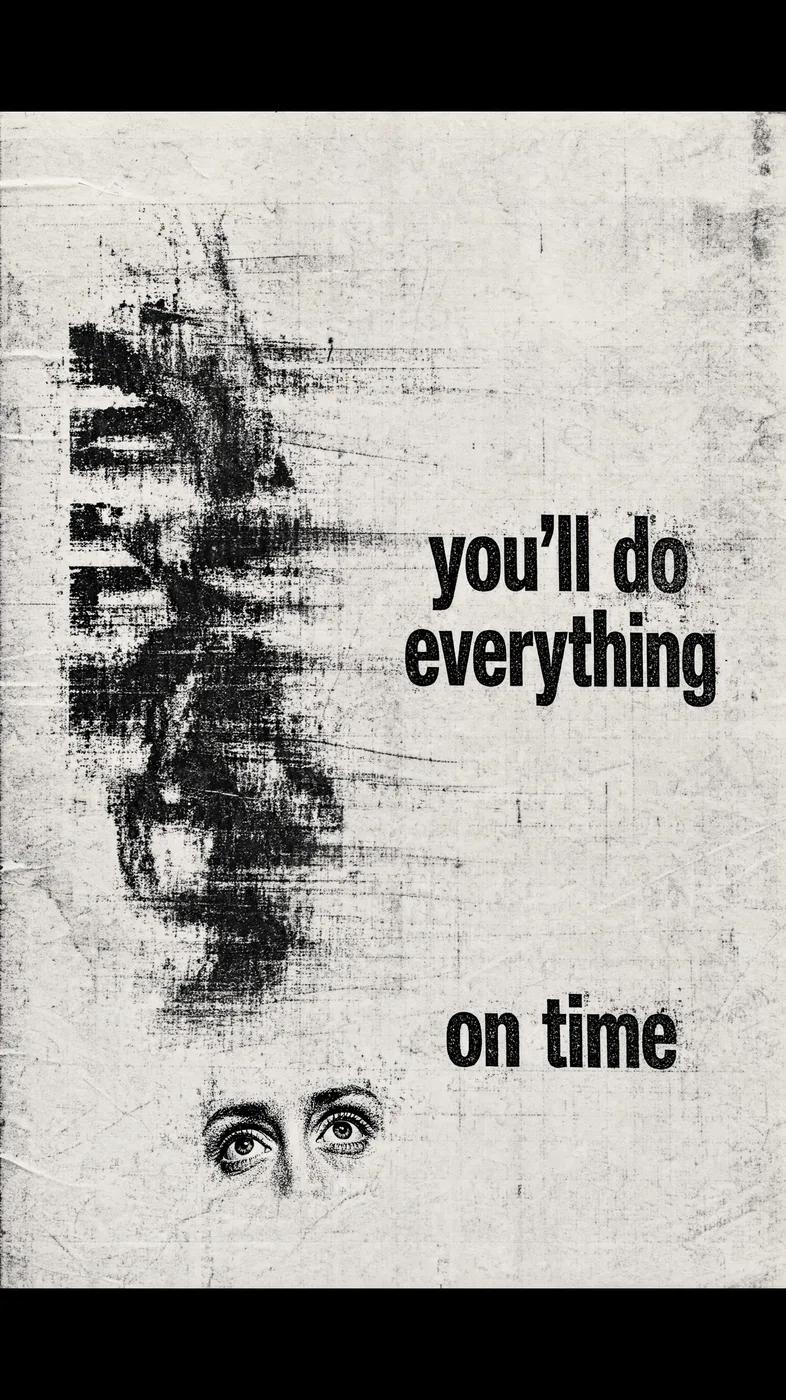
Verified prompt
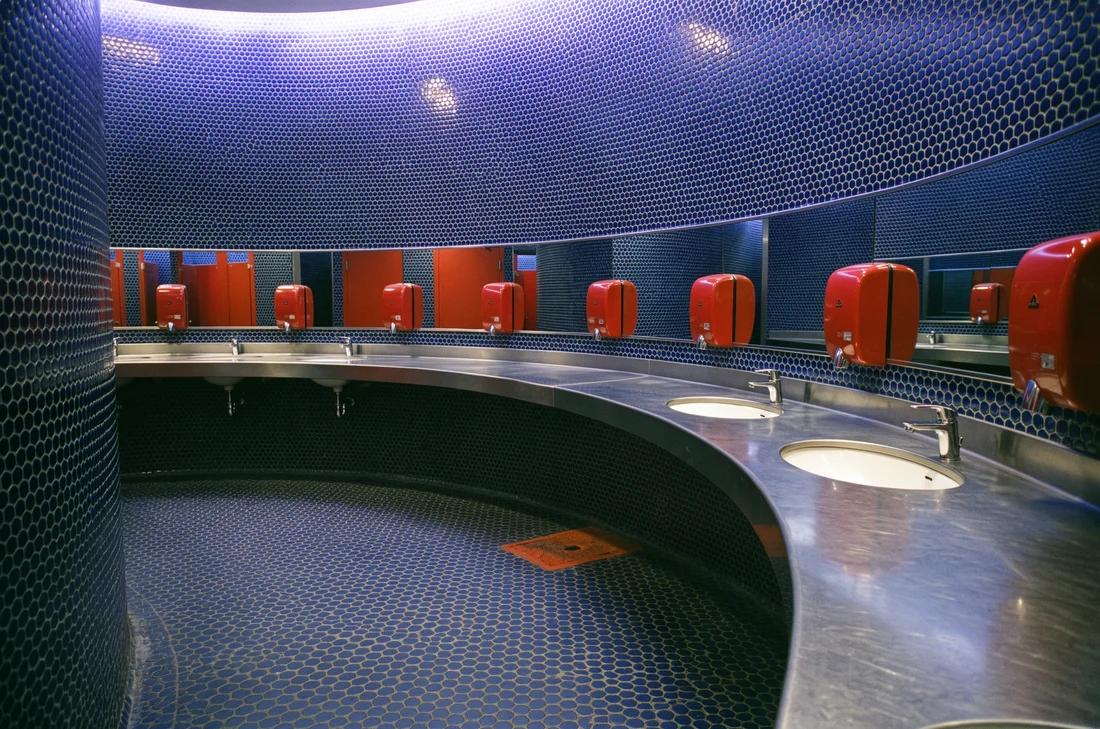
Verified prompt
Verified prompt
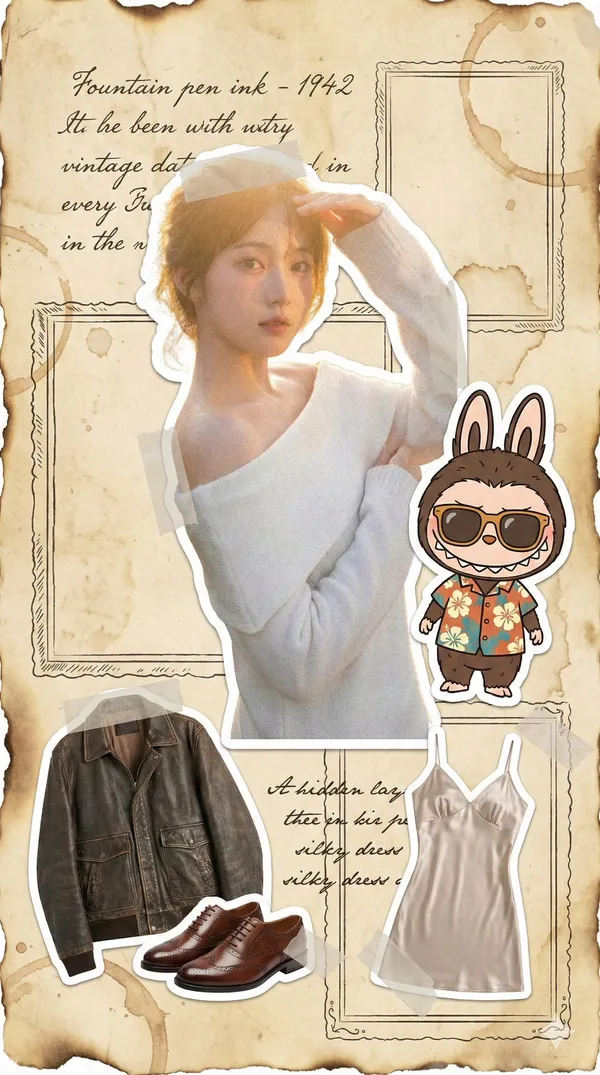
age yellowed newspaper journal A 9:16 fashion illustration in retro nostalgic style. The background mimics aged yellowed parchment paper with hand-drawn burnt edges and coffee stain textures. At the center is a user's retro outfit sticker processed with film grain effect while retaining white sticker borders. A Labubu doll sticker wearing vintage sunglasses and floral shirt sits beside it. Deconstructed clothing sections showcase retro leather jacket and Oxford shoes stickers. A hidden layer sticker reveals a vintage silk slip dress with smooth texture. Elegant cursive English dates and retro picture frame doodles are drawn in steel pen ink style around the composition. Sticker edges are secured with translucent washi tape patterns. The layout is flat with no writing tools or hands visible, presenting pure retro graphic design.
age yellowed newspaper journal A 9:16 fashion illustration in retro nostalgic style. The background mimics aged yellowed parchment paper with hand-drawn burnt edges and coffee stain textures. At the center is a user's retro outfit sticker processed with film grain effect while retaining white sticker borders. A Labubu doll sticker wearing vintage sunglasses and floral shirt sits beside it. Deconstructed clothing sections showcase retro leather jacket and Oxford shoes stickers. A hidden layer sticker reveals a vintage silk slip dress with smooth texture. Elegant cursive English dates and retro picture frame doodles are drawn in steel pen ink style around the composition. Sticker edges are secured with translucent washi tape patterns. The layout is flat with no writing tools or hands visible, presenting pure retro graphic design.
Verified prompt
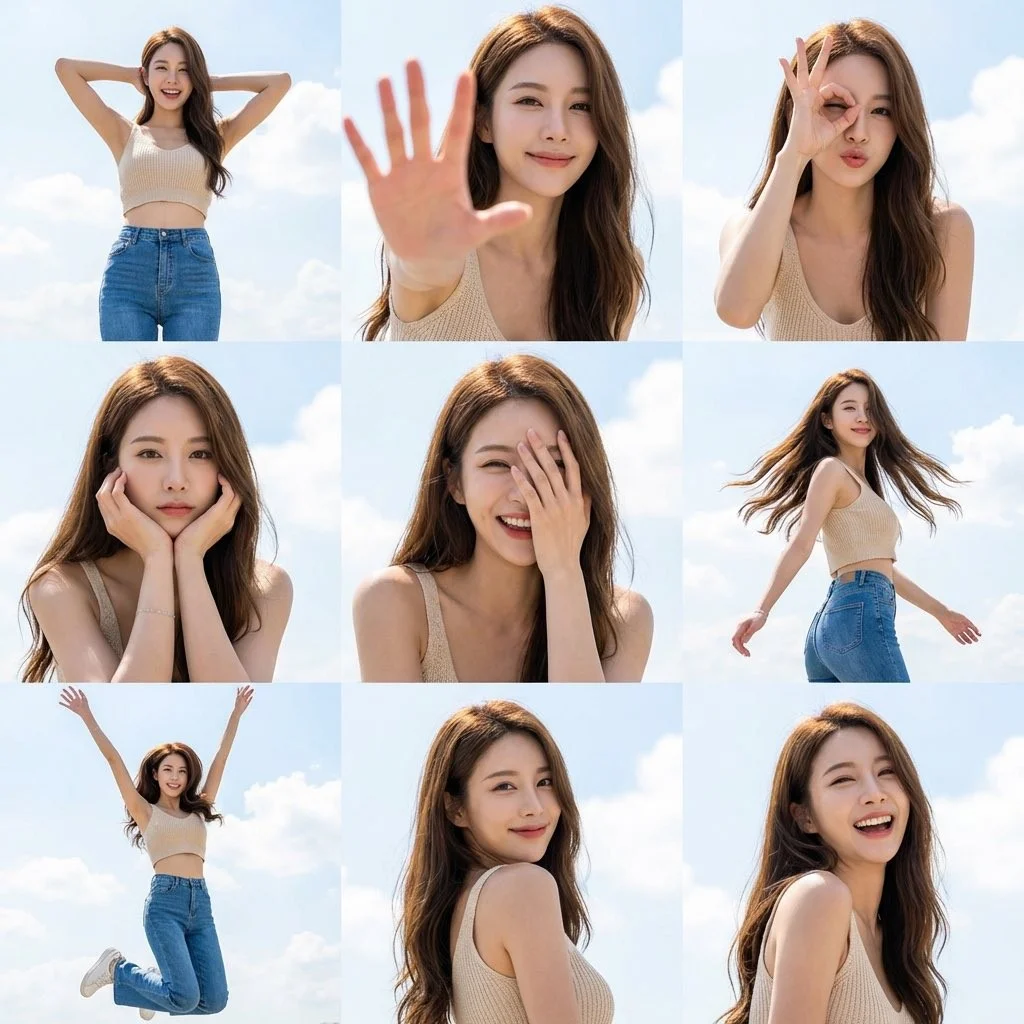
Create a 3x3 grid photo collage of nine dynamic poses of a female subject with sunny sky aesthetics. Strict face preservation mode. Use uploaded reference for exact facial features. Face identical across all nine frames. 3x3 grid layout. 35mm full-body to 85mm close-ups focal length mix. Pose variety: Wide stance hands behind head, Palm extended toward camera, OK gesture over eye playful, Chin resting in both hands, Half face covered by hand, Twirling with hair flowing, Jumping with arms up, Looking over shoulder, Candid laughing. Light beige knit crop top, high-waisted blue jeans, delicate gold necklace. Confident, radiant, approachable presence. Outdoor open sky setting. Vibrant azure sky with clouds background. Harsh high-key natural sunlight with crisp defined shadows. 8K hyper-realistic resolution. High-end lifestyle campaign aesthetic.
Create a 3x3 grid photo collage of nine dynamic poses of a female subject with sunny sky aesthetics. Strict face preservation mode. Use uploaded reference for exact facial features. Face identical across all nine frames. 3x3 grid layout. 35mm full-body to 85mm close-ups focal length mix. Pose variety: Wide stance hands behind head, Palm extended toward camera, OK gesture over eye playful, Chin resting in both hands, Half face covered by hand, Twirling with hair flowing, Jumping with arms up, Looking over shoulder, Candid laughing. Light beige knit crop top, high-waisted blue jeans, delicate gold necklace. Confident, radiant, approachable presence. Outdoor open sky setting. Vibrant azure sky with clouds background. Harsh high-key natural sunlight with crisp defined shadows. 8K hyper-realistic resolution. High-end lifestyle campaign aesthetic.
Verified prompt
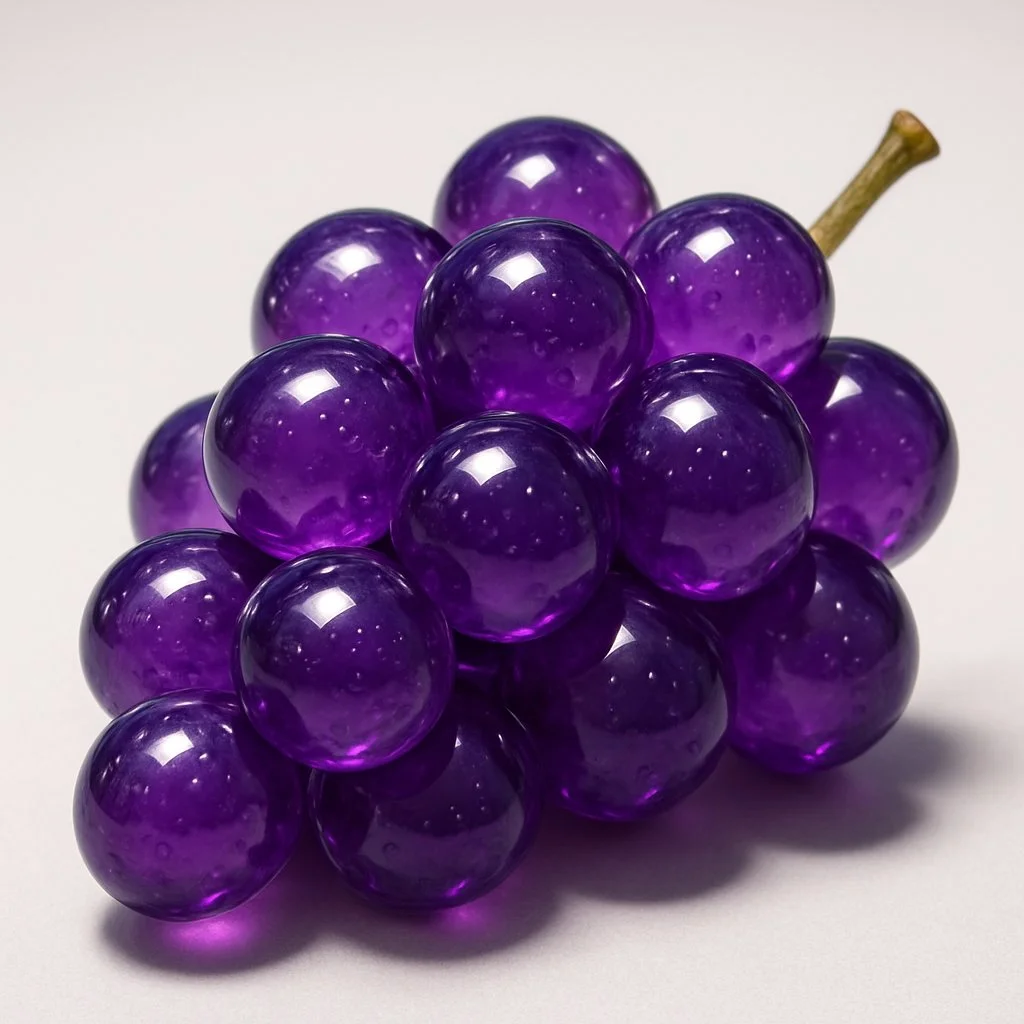
Hyper-realistic [fruit name] made of translucent glass, smooth, rounded surface with fine air bubbles inside, placed on a clean surface, sharp lighting with strong reflections and highlights, minimal background, photorealistic, glossy texture, 3D render style, crystal-like appearance, soft shadows, macro photography
Hyper-realistic [fruit name] made of translucent glass, smooth, rounded surface with fine air bubbles inside, placed on a clean surface, sharp lighting with strong reflections and highlights, minimal background, photorealistic, glossy texture, 3D render style, crystal-like appearance, soft shadows, macro photography
Verified prompt
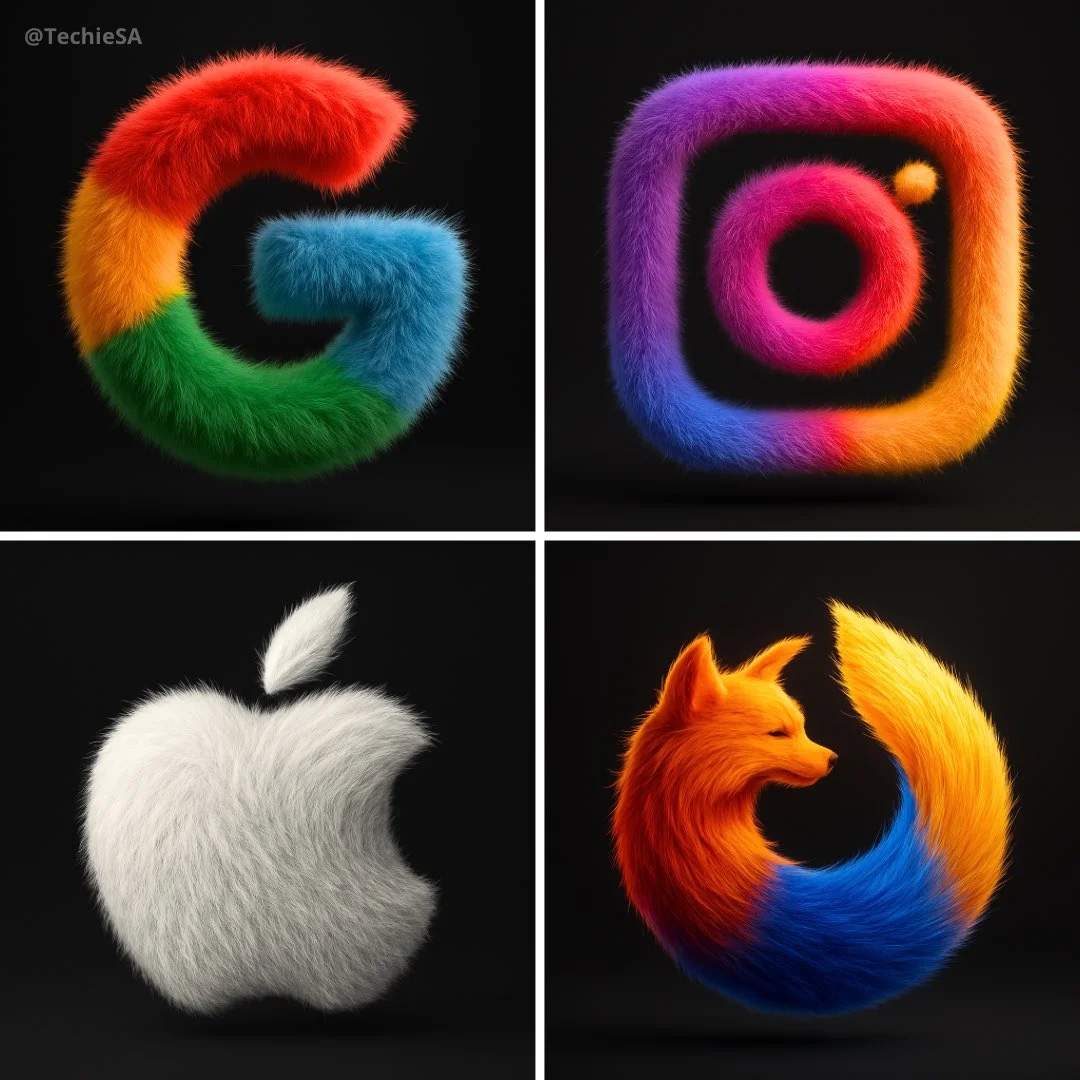
Transform the [BRAND NAME] logo into a hyper-realistic, 3D fluffy object. Keep the original shape and exact brand colors. Cover the entire surface in soft, detailed fur with a realistic hair texture. Use cinematic lighting to create subtle backlighting and soft shadows, making the logo appear tactile and surreal. Place the logo in the center of a clean black background, floating gently with a modern, stylish look. The style should feel cozy, playful, and visually striking. Render in ultra-high 4K resolution with photorealistic quality.
Transform the [BRAND NAME] logo into a hyper-realistic, 3D fluffy object. Keep the original shape and exact brand colors. Cover the entire surface in soft, detailed fur with a realistic hair texture. Use cinematic lighting to create subtle backlighting and soft shadows, making the logo appear tactile and surreal. Place the logo in the center of a clean black background, floating gently with a modern, stylish look. The style should feel cozy, playful, and visually striking. Render in ultra-high 4K resolution with photorealistic quality.
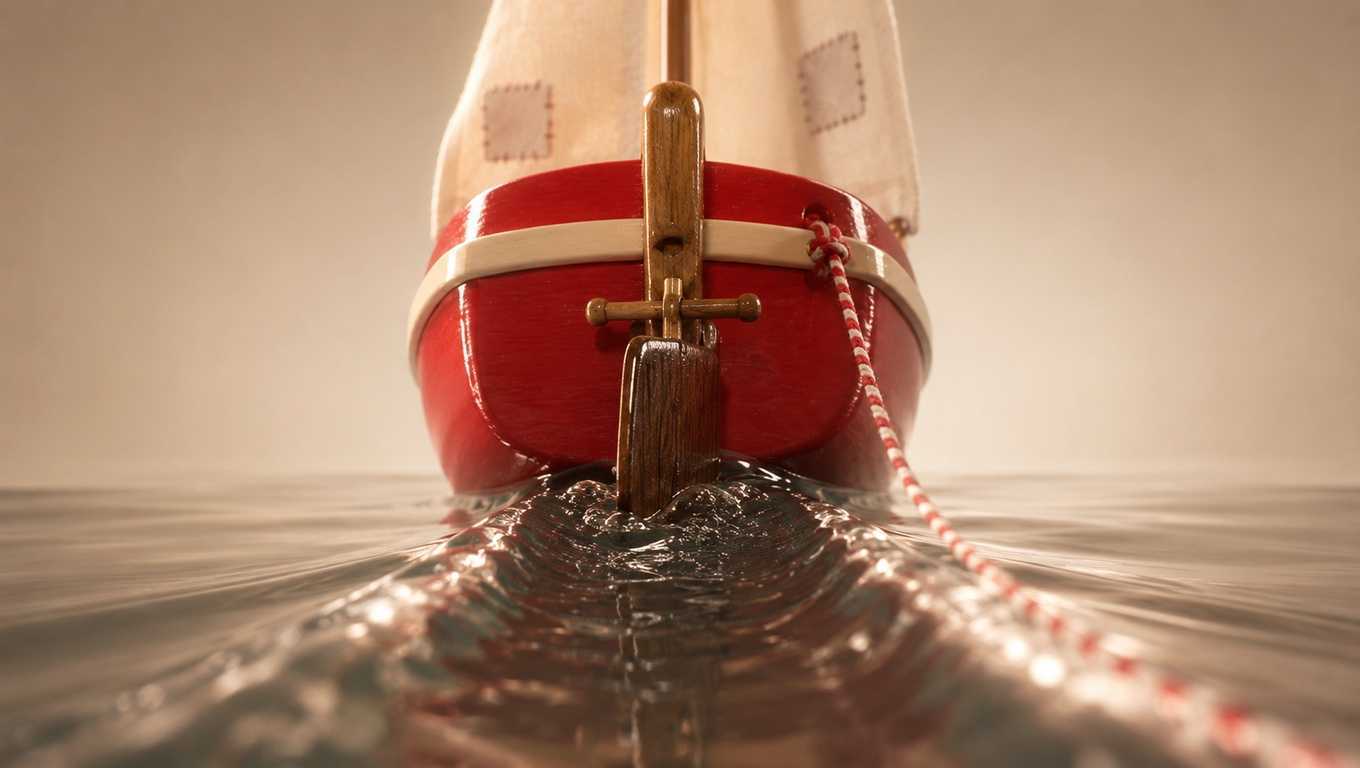
Verified prompt
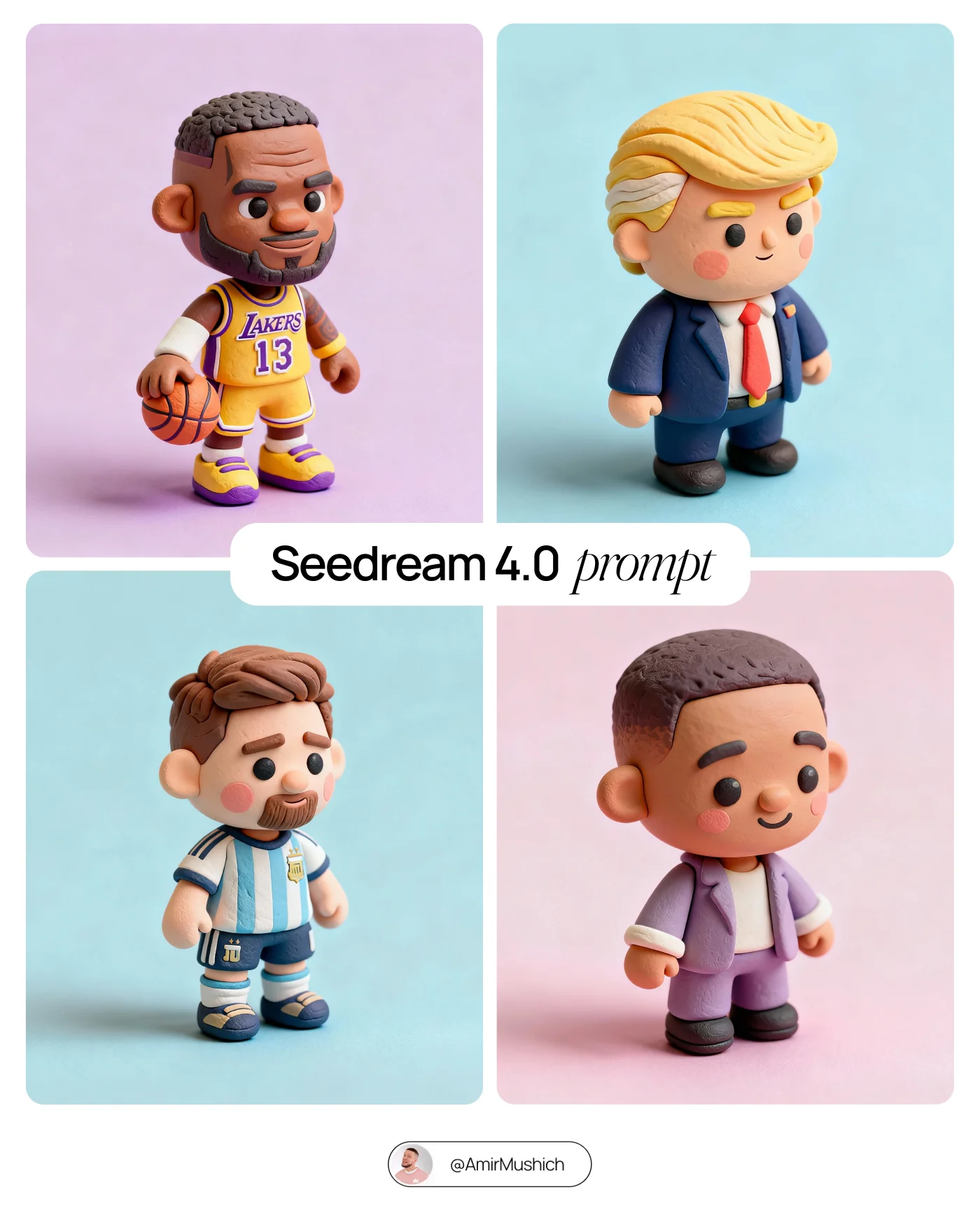
Verified prompt
Tiny cute isometric [CHARACTER or PRODUCT], soft lighting, soft pastel colors, 3d icon clay render, substance 3d, pastel background
Tiny cute isometric [CHARACTER or PRODUCT], soft lighting, soft pastel colors, 3d icon clay render, substance 3d, pastel background
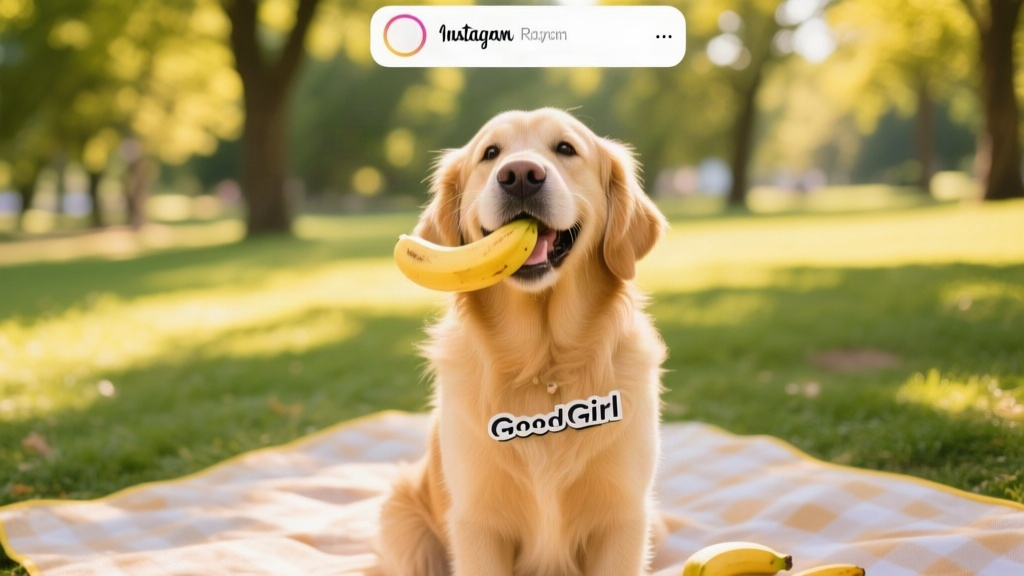
Verified prompt
A social media image of a cheerful golden retriever labeled as a good girl, holding a banana gently in her mouth while sitting on a picnic blanket in a sunny park, vibrant greens and warm yellows, natural sunlight with dappled shadows, candid lifestyle photography style, low-angle shot at dog eye level, blurred background of trees, centered composition with room at the top for a caption overlay.
A social media image of a cheerful golden retriever labeled as a good girl, holding a banana gently in her mouth while sitting on a picnic blanket in a sunny park, vibrant greens and warm yellows, natural sunlight with dappled shadows, candid lifestyle photography style, low-angle shot at dog eye level, blurred background of trees, centered composition with room at the top for a caption overlay.
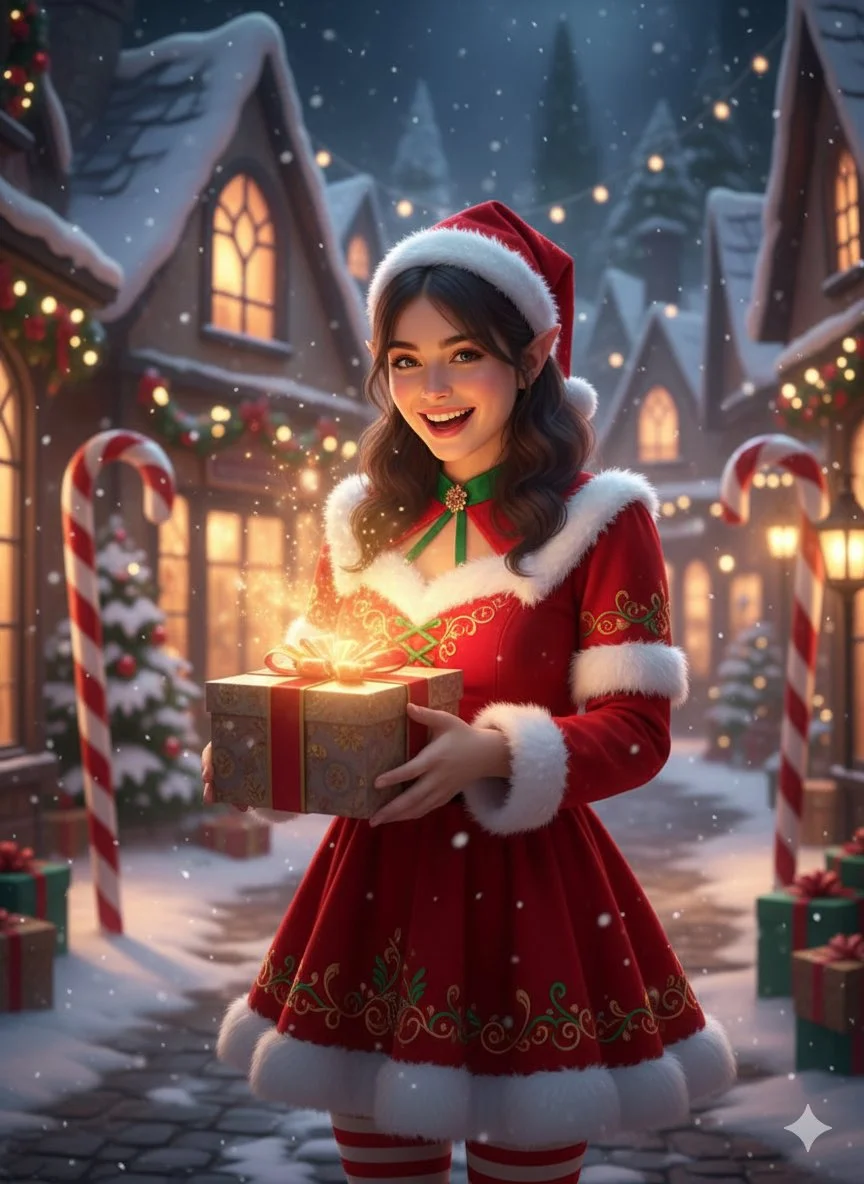
Verified prompt
Fantasy hyper-realistic Christmas portrait with magical vibe. Female subject, mid-20s, holding a gift with glowing light, cheerful and playful expression. Wearing red and white festive dress with elf-like details. Location: snowy enchanted village with twinkling lights, candy canes, snow-covered rooftops, magical winter glow atmosphere. Soft magical cinematic lighting, reds, whites, soft warm glow color palette.
Fantasy hyper-realistic Christmas portrait with magical vibe. Female subject, mid-20s, holding a gift with glowing light, cheerful and playful expression. Wearing red and white festive dress with elf-like details. Location: snowy enchanted village with twinkling lights, candy canes, snow-covered rooftops, magical winter glow atmosphere. Soft magical cinematic lighting, reds, whites, soft warm glow color palette.
Explore Image Workflows
Explore the GPT Image 2.5 workflow and compare it with the related image pages. The generator is the source of truth for current model access and settings. Use the prompt library to study published results and the model that created them.
Create Images with Flare and Sunburst
Write your GPT Image 2.5 image brief around a subject, composition, lighting and intended style. Add a material or texture when it matters. For edits, state one precise change and explain which parts of the source should remain intact.
Write your GPT Image 2.5 image brief around a subject, composition, lighting and intended style. Add a material or texture when it matters. For edits, state one precise change and explain which parts of the source should remain intact.
Explore GPT Image 2.5Build Your GPT Image 2.5 Image Brief
Choose only the resolution and aspect ratio shown for the selected model. Check framing, fine details and any text in the completed image. A larger output size does not guarantee a more accurate result.
Advanced AI Image Generation & Customization
Choose only the resolution and aspect ratio shown for the selected model. Check framing, fine details and any text in the completed image. A larger output size does not guarantee a more accurate result.
Write Precise Editing and Style Directions
Choose only the resolution and aspect ratio shown for the selected model. Check framing, fine details and any text in the completed image. A larger output size does not guarantee a more accurate result.
Describe the Changes and Details to Preserve
Explore the GPT Image 2.5 workflow and compare it with the related image pages. The generator is the source of truth for current model access and settings. Use the prompt library to study published results and the model that created them.
Describe the Changes and Details to Preserve
Choose only the resolution and aspect ratio shown for the selected model. Check framing, fine details and any text in the completed image. A larger output size does not guarantee a more accurate result.
Review Usage Terms Before Sharing
Check the applicable model and platform terms before using a result commercially. You are responsible for the rights to uploaded images, identifiable people, logos and any other source material in your GPT Image 2.5 image brief.
Keep Your Workflow Simple
Develop your GPT Image 2.5 image brief around the result you need. Keep the main direction specific, check supported settings in the generator, and review the completed work before using it in your project.
A Clearer Creative Brief for GPT Image 2.5
Diverse Styles & Effects for Every Vision
Develop your GPT Image 2.5 image brief around the result you need. Keep the main direction specific, check supported settings in the generator, and review the completed work before using it in your project.
Write your GPT Image 2.5 image brief around a subject, composition, lighting and intended style. Add a material or texture when it matters. For edits, state one precise change and explain which parts of the source should remain intact.
Versatile GPT Image 2.5 AI Image Generator for Every Creator's Vision
Start your GPT Image 2.5 image brief with a source image you have permission to use. Name the area to change and the colors, proportions or objects to preserve. Reference count and editing support depend on the selected model.
For Architects and Designers
Write your GPT Image 2.5 image brief around a subject, composition, lighting and intended style. Add a material or texture when it matters. For edits, state one precise change and explain which parts of the source should remain intact.
For E-Commerce Professionals
List the details that matter in your GPT Image 2.5 image brief: identity, shape, colors, clothing and background. Use supported references where appropriate and compare every result; exact consistency is not guaranteed.
For Content Publishers
Choose only the resolution and aspect ratio shown for the selected model. Check framing, fine details and any text in the completed image. A larger output size does not guarantee a more accurate result.
For Event Planners
Write your GPT Image 2.5 image brief around a subject, composition, lighting and intended style. Add a material or texture when it matters. For edits, state one precise change and explain which parts of the source should remain intact.
From a Brief to a Reviewed Image: The GPT Image 2.5 Workflow
Add Your Input
Start your GPT Image 2.5 image brief with a source image you have permission to use. Name the area to change and the colors, proportions or objects to preserve. Reference count and editing support depend on the selected model.
Customize Your Options
The generator shows current model availability. When a model accepts requests, choose its supported settings and review the required credits before submitting. Review your selection and credit balance before generating.
Generate and Refine
Write your GPT Image 2.5 image brief around a subject, composition, lighting and intended style. Add a material or texture when it matters. For edits, state one precise change and explain which parts of the source should remain intact.
Review and Download Completed Results
Start your GPT Image 2.5 image brief with a source image you have permission to use. Name the area to change and the colors, proportions or objects to preserve. Reference count and editing support depend on the selected model.
GPT Image 2.5 Image Ideas for Your Projects
Choose only the resolution and aspect ratio shown for the selected model. Check framing, fine details and any text in the completed image. A larger output size does not guarantee a more accurate result.
Digital Art & Illustration
Choose only the resolution and aspect ratio shown for the selected model. Check framing, fine details and any text in the completed image. A larger output size does not guarantee a more accurate result.
Marketing & E-Commerce Visuals
For a GPT Image 2.5 product concept, specify the product shape, material, key detail and setting. Keep logos and claims accurate, allow room for your own typography, and review the result before using it in an advertisement.
Educational Content & Presentations
Use a GPT Image 2.5 visual concept to support one teaching or presentation point. Check facts and labels yourself, and add final captions in your editing workflow rather than relying on generated text.
Game Development
List the details that matter in your GPT Image 2.5 image brief: identity, shape, colors, clothing and background. Use supported references where appropriate and compare every result; exact consistency is not guaranteed.
Creative Notes for Your GPT Image 2.5 Image Brief
Give the main subject one clear action. For a GPT Image 2.5 concept, a precise brief is easier to assess than a list of competing effects.
GPT Image 2.5 Image Workflow: Questions & Answers
This dotsai.pro page explains the GPT Image 2.5 image workflow. It helps you write a focused brief and review the available inputs. Current access is shown in the generator; a model name on a guide does not mean it currently accepts requests.
Write your GPT Image 2.5 image brief around a subject, composition, lighting and intended style. Add a material or texture when it matters. For edits, state one precise change and explain which parts of the source should remain intact.
Use only the input modes and controls offered by the selected model. Describe the intended image clearly and add supported references when useful. This page does not promise separate motion-brush, audio-upload, restoration or editing tools.
Check the applicable model and platform terms before using a result commercially. You are responsible for the rights to uploaded images, identifiable people, logos and any other source material in your GPT Image 2.5 image brief.
The generator shows current model availability. When a model accepts requests, choose its supported settings and review the required credits before submitting. Review your selection and credit balance before generating.
Develop your GPT Image 2.5 image brief around the result you need. Keep the main direction specific, check supported settings in the generator, and review the completed work before using it in your project.
You can request a refund within 10 days of purchase if you have unused credits from that purchase and provide a clear reason, subject to our Refund Policy. If eligible, an unused purchase can be fully refunded; a partly used purchase is refunded in proportion to its remaining unused credits. Fully used purchases and free or promotional credits are not refundable.
Credit validity depends on the pack, subscription or promotion that issued them. Review the purchase terms and expiration dates in Settings > Credits. A renewal or new purchase does not extend older credits. Use credits before their stated expiration; do not assume unused subscription credits roll over indefinitely.
Credits charged for a task that is confirmed as failed due to a system error are returned automatically. A task that is still processing has not yet been confirmed as failed. Check its status and your credit history before submitting again. If a confirmed failure still shows an unresolved charge, email support@dotsai.pro with the task ID.
AI results can vary, so a completed result that differs from your expectations is not automatically treated as a technical failure. Eligible completed image tasks can be submitted for credit refund review using the refund option where available; approval is required. For a video or another issue, contact support@dotsai.pro with the task ID and details. A credit refund returns credits, not money to your payment method.
Email support@dotsai.pro. For billing, include your account email and order ID; for generation, include the task ID, issue description and relevant screenshots. If you purchased as a guest, keep the original browser data and payment receipt so we can help locate the purchase.
Explore Your Next GPT Image 2.5 Image Idea
Explore the GPT Image 2.5 workflow and compare it with the related image pages. The generator is the source of truth for current model access and settings. Use the prompt library to study published results and the model that created them.
dotsai.pro · Updated
What's new on this page
- — Added editable example prompts and separate drafts for text and reference modes, with an action to restore the example.
- — Updated page copy and content.
- — Page content published.