
Plan Focused Image Edits with Nano Banana 2
Explain Your Subject, Changes and References
List the details that matter in your Nano Banana 2 image brief: identity, shape, colors, clothing and background. Use supported references where appropriate and compare every result; exact consistency is not guaranteed.
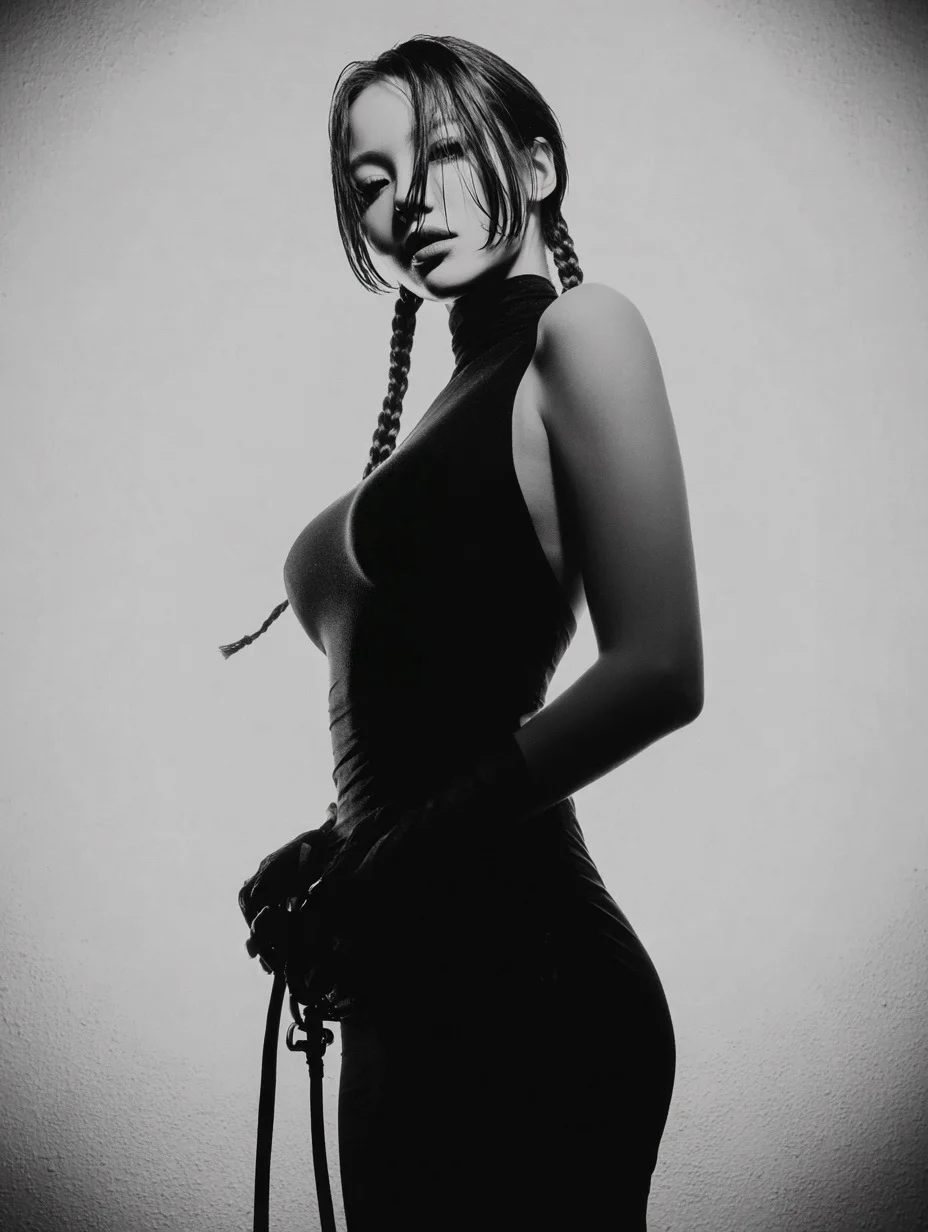
Verified prompt
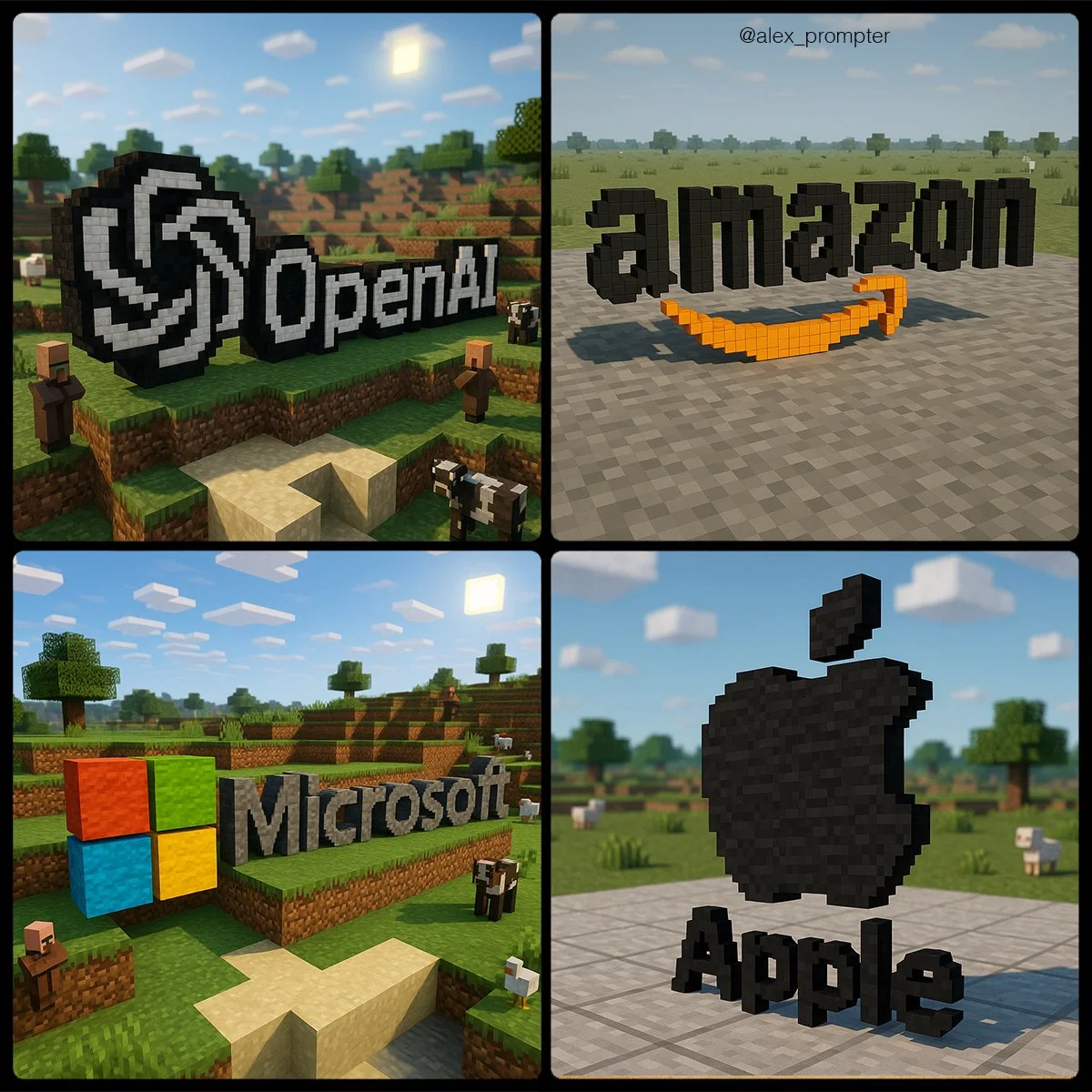
Recreate the [BRAND NAME] logo following the JSON Aesthetic below: { "style": "Minecraft-style voxel 3D rendering", "logo_handling": { "adapt_to_uploaded_logo": true, "rebuild_logo_using_voxel_blocks": true, "use_original_logo_as_strict_pixel-color map": true, "preserve_text_in_logo": true, "preserve_text_case": true, "preserve_original_logo_colors": true, "preserve_shape_and_layout": true "aspect_ratio": [INSERT ASPECT RATIO] }, "minecraft_conversion": { "voxel_depth": "medium thickness to show 3D volume", "block_style": "authentic Minecraft texture mapping", "color_strategy": "each block in the logo must match a pixel from the uploaded logo exactly — no estimation or stylistic substitution", "voxel_material_match": "map logo pixels to Minecraft block colors that visually match pixel color as closely as possible — no creative enhancements", "disable_palette_expansion": true }, "scene_environment": { "base": "neutral terrain (gray concrete or light stone)", "background": "simple sky (clouds, no sun flare)", "optional_elements": [ "Minecraft animals at a distance", "terrain vegetation in background only" ], "environment_color_policy": "environment must not share colors used in the logo to prevent blending or confusion" }, "lighting": { "neutral directional light": true, "do_not_adjust_logo_colors_for_lighting": true, "prevent_ambient_light_color_bleed": true }, "camera": { "angle": "slightly top-down with 3D logo centered", "focus": "sharp focus on voxel logo only, environment softly rendered" }, "render_quality": { "voxel_texture_resolution": "high", "shadows": "natural voxel-style ambient shadows only", "disable_artistic_effects": true }, "post_processing": { "no glow effects": true, "no color correction": true, "disable AI reinterpretation of tones or palette": true }, "image_constraints": { "transparent_background": false, "include_text": true, "preserve_text_case": true, "preserve_original_logo_colors": true, "obey_uploaded_logo_shape": true, "match_uploaded_logo_layout": true, "enforce_color_source_from_logo_only": true }, "notes": "Rebuild the uploaded logo using Minecraft-style voxel blocks. Every block must represent one pixel from the logo's original image. No creative license is allowed in color, shape, or layout. The environment is decorative only and must not affect logo readability or color perception. The final image should appear as if the logo were physically constructed in a Minecraft world using blocks that match its exact colors and shapes." }
Recreate the [BRAND NAME] logo following the JSON Aesthetic below: { "style": "Minecraft-style voxel 3D rendering", "logo_handling": { "adapt_to_uploaded_logo": true, "rebuild_logo_using_voxel_blocks": true, "use_original_logo_as_strict_pixel-color map": true, "preserve_text_in_logo": true, "preserve_text_case": true, "preserve_original_logo_colors": true, "preserve_shape_and_layout": true "aspect_ratio": [INSERT ASPECT RATIO] }, "minecraft_conversion": { "voxel_depth": "medium thickness to show 3D volume", "block_style": "authentic Minecraft texture mapping", "color_strategy": "each block in the logo must match a pixel from the uploaded logo exactly — no estimation or stylistic substitution", "voxel_material_match": "map logo pixels to Minecraft block colors that visually match pixel color as closely as possible — no creative enhancements", "disable_palette_expansion": true }, "scene_environment": { "base": "neutral terrain (gray concrete or light stone)", "background": "simple sky (clouds, no sun flare)", "optional_elements": [ "Minecraft animals at a distance", "terrain vegetation in background only" ], "environment_color_policy": "environment must not share colors used in the logo to prevent blending or confusion" }, "lighting": { "neutral directional light": true, "do_not_adjust_logo_colors_for_lighting": true, "prevent_ambient_light_color_bleed": true }, "camera": { "angle": "slightly top-down with 3D logo centered", "focus": "sharp focus on voxel logo only, environment softly rendered" }, "render_quality": { "voxel_texture_resolution": "high", "shadows": "natural voxel-style ambient shadows only", "disable_artistic_effects": true }, "post_processing": { "no glow effects": true, "no color correction": true, "disable AI reinterpretation of tones or palette": true }, "image_constraints": { "transparent_background": false, "include_text": true, "preserve_text_case": true, "preserve_original_logo_colors": true, "obey_uploaded_logo_shape": true, "match_uploaded_logo_layout": true, "enforce_color_source_from_logo_only": true }, "notes": "Rebuild the uploaded logo using Minecraft-style voxel blocks. Every block must represent one pixel from the logo's original image. No creative license is allowed in color, shape, or layout. The environment is decorative only and must not affect logo readability or color perception. The final image should appear as if the logo were physically constructed in a Minecraft world using blocks that match its exact colors and shapes." }
Verified prompt
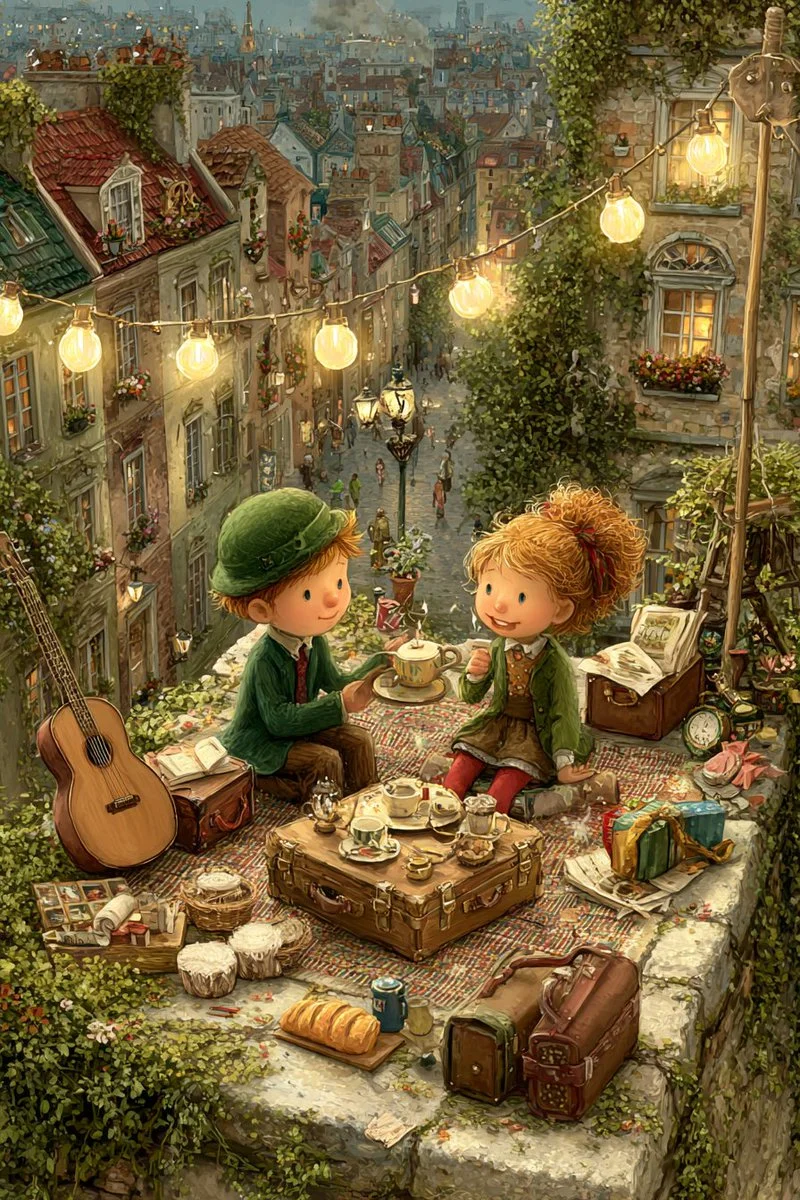
A moonlight rooftop tea party between a girl and a boy, dreamy, gentle, painterly.
A moonlight rooftop tea party between a girl and a boy, dreamy, gentle, painterly.

Verified prompt
A highly stylized 3D caricature of me, with expressive facial features, and playful exaggeration. Rendered in a smooth, polished style with clean materials and soft ambient lighting. Bold color background to emphasize the character’s charm and presence.
A highly stylized 3D caricature of me, with expressive facial features, and playful exaggeration. Rendered in a smooth, polished style with clean materials and soft ambient lighting. Bold color background to emphasize the character’s charm and presence.
Verified prompt
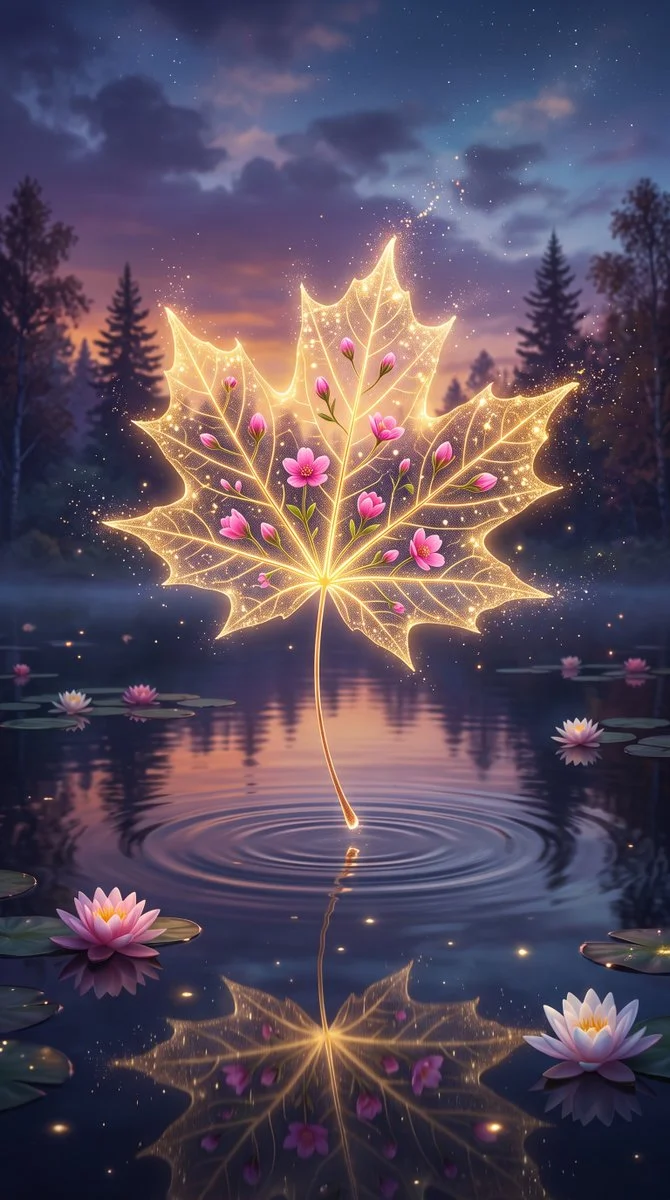
An enchanting surreal digital art of a translucent golden maple leaf hovering magically above calm dark water, glowing internally with visible veins and embedded tiny vibrant pink flowers and buds. Sparkling golden glitter edges drift as magic dust. Stem touches water creating concentric ripples with faint reflection below. Dreamy twilight forest background of silhouetted pines against purple-orange-blue gradient sky, pink water lilies on surface. Soft cinematic magical lighting highlighting glassy bioluminescent textures. Centered vertical symmetrical composition evoking tranquility, mystical nature, and fairy-tale beauty in hyper-realistic precision.
An enchanting surreal digital art of a translucent golden maple leaf hovering magically above calm dark water, glowing internally with visible veins and embedded tiny vibrant pink flowers and buds. Sparkling golden glitter edges drift as magic dust. Stem touches water creating concentric ripples with faint reflection below. Dreamy twilight forest background of silhouetted pines against purple-orange-blue gradient sky, pink water lilies on surface. Soft cinematic magical lighting highlighting glassy bioluminescent textures. Centered vertical symmetrical composition evoking tranquility, mystical nature, and fairy-tale beauty in hyper-realistic precision.
Verified prompt
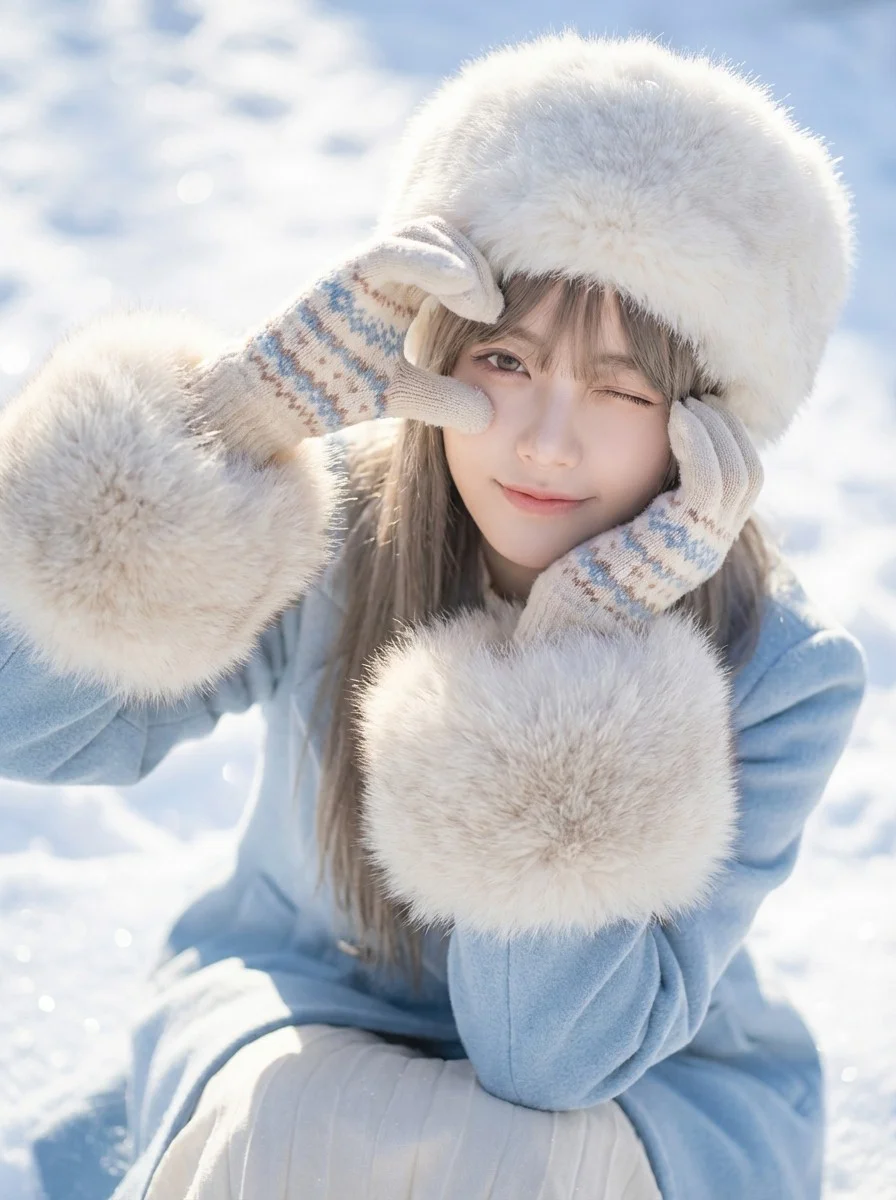
Close-up portrait of a young woman in winter attire making a heart shape with her gloved hands around her eye. Social media aesthetic photography, soft focus, high-key exposure, stylish portrait. Bright natural daylight, strong snow reflection acting as fill light, crisp shadows on snow surface. Dominant icy blues and bright whites, pastel accents, creamy fur tones. Playful, cute, romantic, wintery, innocent mood. High angle shot looking down, subject sitting in snow. Wearing a fluffy white fur hat, light blue coat with large fur cuffs, cute patterned gloves, winking playfully, snowy background texture. High-quality lifestyle photography. Soft, airy, dreamy filter, optimized color grading for fresh skin tones and vibrant snow. Radiant, airy, high-key, sparkling lighting. Cheerful, romantic, cute, lively winter atmosphere. 8k resolution, sparkling snow texture.
Close-up portrait of a young woman in winter attire making a heart shape with her gloved hands around her eye. Social media aesthetic photography, soft focus, high-key exposure, stylish portrait. Bright natural daylight, strong snow reflection acting as fill light, crisp shadows on snow surface. Dominant icy blues and bright whites, pastel accents, creamy fur tones. Playful, cute, romantic, wintery, innocent mood. High angle shot looking down, subject sitting in snow. Wearing a fluffy white fur hat, light blue coat with large fur cuffs, cute patterned gloves, winking playfully, snowy background texture. High-quality lifestyle photography. Soft, airy, dreamy filter, optimized color grading for fresh skin tones and vibrant snow. Radiant, airy, high-key, sparkling lighting. Cheerful, romantic, cute, lively winter atmosphere. 8k resolution, sparkling snow texture.
Verified prompt
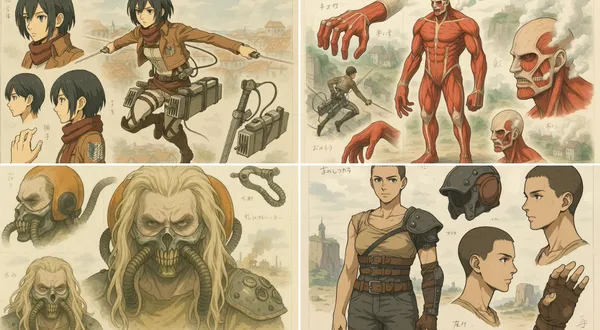
sform this image into a stylized mechanical design sheet inspired by Japanese anime mecha blueprints. Render the subject with precise, clean linework and semi-realistic cel-shading, as if it were a technical illustration from an anime artbook. Break down the design into parts (e.g. head, hand, accessory, full body) and arrange them like a reference sheet, with different angles and views. Include soft handwritten notes or Japanese characters scattered like concept annotations. Use muted digital colors (red, gray, metallic tones) and draw the background in a loose watercolor anime landscape style — cliffs, cityscapes, or grassland ruins. The final composition should feel like an official design page for an animated sci-fi series or manga. Keep the format horizontal, like a blueprint or character sheet, with a balance between precision and artistic flair.
sform this image into a stylized mechanical design sheet inspired by Japanese anime mecha blueprints. Render the subject with precise, clean linework and semi-realistic cel-shading, as if it were a technical illustration from an anime artbook. Break down the design into parts (e.g. head, hand, accessory, full body) and arrange them like a reference sheet, with different angles and views. Include soft handwritten notes or Japanese characters scattered like concept annotations. Use muted digital colors (red, gray, metallic tones) and draw the background in a loose watercolor anime landscape style — cliffs, cityscapes, or grassland ruins. The final composition should feel like an official design page for an animated sci-fi series or manga. Keep the format horizontal, like a blueprint or character sheet, with a balance between precision and artistic flair.
Verified prompt
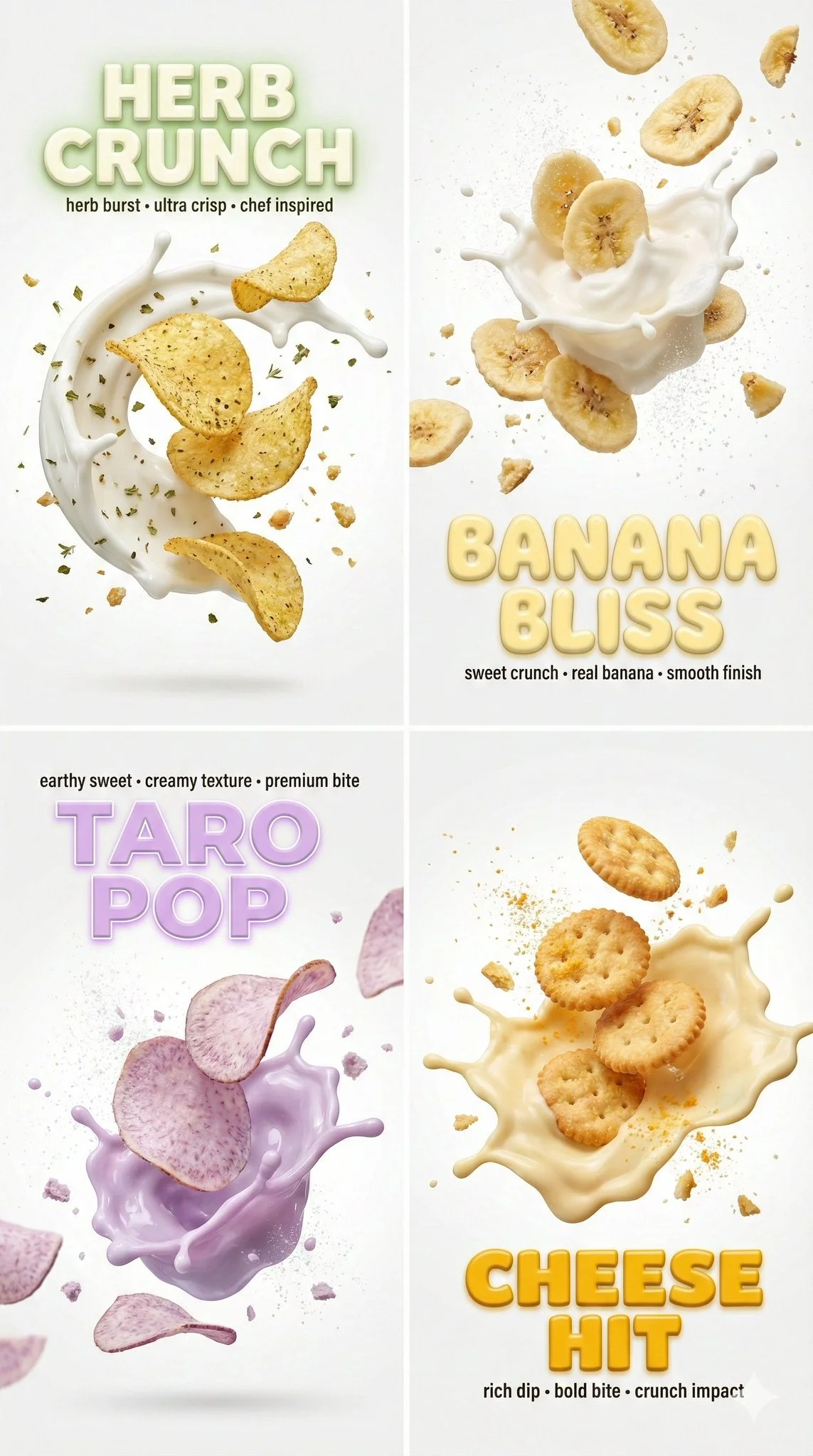
Macro still image, aspect ratio 9:16. Clean white backdrop with cinematic bloom lighting and ethereal atmosphere. Canon EOS R5 with 85mm f/1.2 lens, shallow bokeh depth of field. Multiple snack items suspended mid-air: herb-seasoned chips with Mediterranean herb cream frozen splash arc; banana chips with vanilla cream frozen burst; taro chips with pastel-purple taro cream frozen eruption; cheese crackers with pale-yellow cheese dip frozen splash. Each item has frozen liquid droplets, spice particles (oregano, thyme, sugar dust, cheddar powder), and hyper-detailed crumbs. Bold extruded 3D text overlays matching each item's color palette. High-key color profile, 8k resolution.
Macro still image, aspect ratio 9:16. Clean white backdrop with cinematic bloom lighting and ethereal atmosphere. Canon EOS R5 with 85mm f/1.2 lens, shallow bokeh depth of field. Multiple snack items suspended mid-air: herb-seasoned chips with Mediterranean herb cream frozen splash arc; banana chips with vanilla cream frozen burst; taro chips with pastel-purple taro cream frozen eruption; cheese crackers with pale-yellow cheese dip frozen splash. Each item has frozen liquid droplets, spice particles (oregano, thyme, sugar dust, cheddar powder), and hyper-detailed crumbs. Bold extruded 3D text overlays matching each item's color palette. High-key color profile, 8k resolution.
Verified prompt
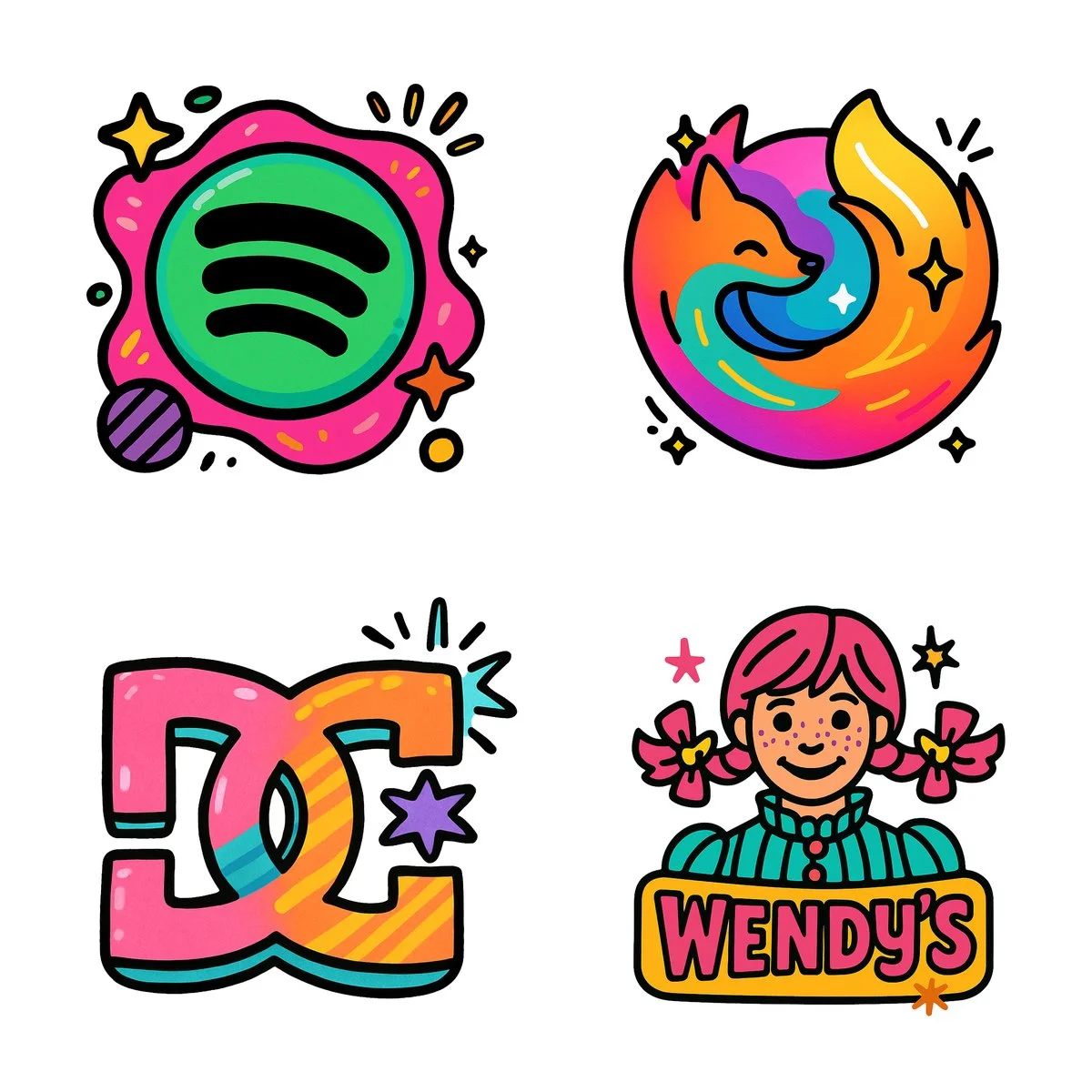
Create a 2D digital illustration of the [FIREFOX] logo in a colorful cartoon style with bold black outlines. The icon design should feature playful, vibrant solid colors such as pink, teal, orange, yellow, and purple, applied in a flat, bold way. Give the shapes a slightly exaggerated, bubbly form with rounded edges and fun details like starbursts, stripes, or spark effects if relevant. Keep the illustration simple and stylized with a hand-drawn look. Use thick outlines to emphasize form. Vector friendly. White background. Square aspect ratio.
Create a 2D digital illustration of the [FIREFOX] logo in a colorful cartoon style with bold black outlines. The icon design should feature playful, vibrant solid colors such as pink, teal, orange, yellow, and purple, applied in a flat, bold way. Give the shapes a slightly exaggerated, bubbly form with rounded edges and fun details like starbursts, stripes, or spark effects if relevant. Keep the illustration simple and stylized with a hand-drawn look. Use thick outlines to emphasize form. Vector friendly. White background. Square aspect ratio.
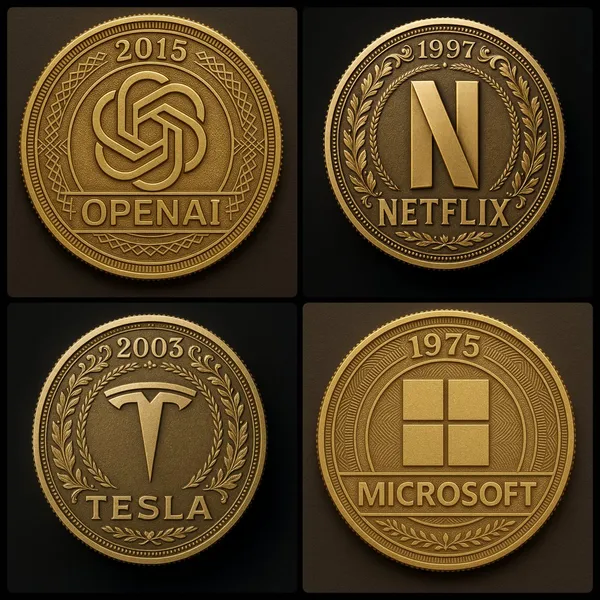
Verified prompt
pt: A high-resolution photograph of a gold coin featuring the [COMPANY NAME] logo at the center. The coin should have the year [YEAR] engraved at the top. Include finely detailed engravings, ornamental border patterns, and authentic coin textures like reeded edges, matte
pt: A high-resolution photograph of a gold coin featuring the [COMPANY NAME] logo at the center. The coin should have the year [YEAR] engraved at the top. Include finely detailed engravings, ornamental border patterns, and authentic coin textures like reeded edges, matte
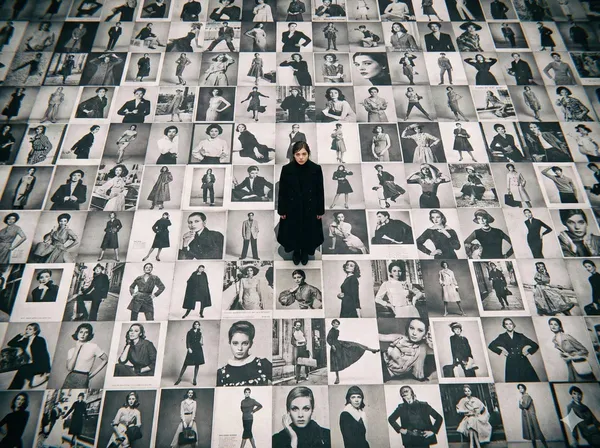
Verified prompt
high-resolution bird's-eye view photograph was taken with a LOMO Ic-a. The ground is covered with countless black-and-white billboard advertisements of beautiful fashion models, and standing on top of the advertisements is an incredibly beautiful Japanese film actress wearing a long black coat.
high-resolution bird's-eye view photograph was taken with a LOMO Ic-a. The ground is covered with countless black-and-white billboard advertisements of beautiful fashion models, and standing on top of the advertisements is an incredibly beautiful Japanese film actress wearing a long black coat.
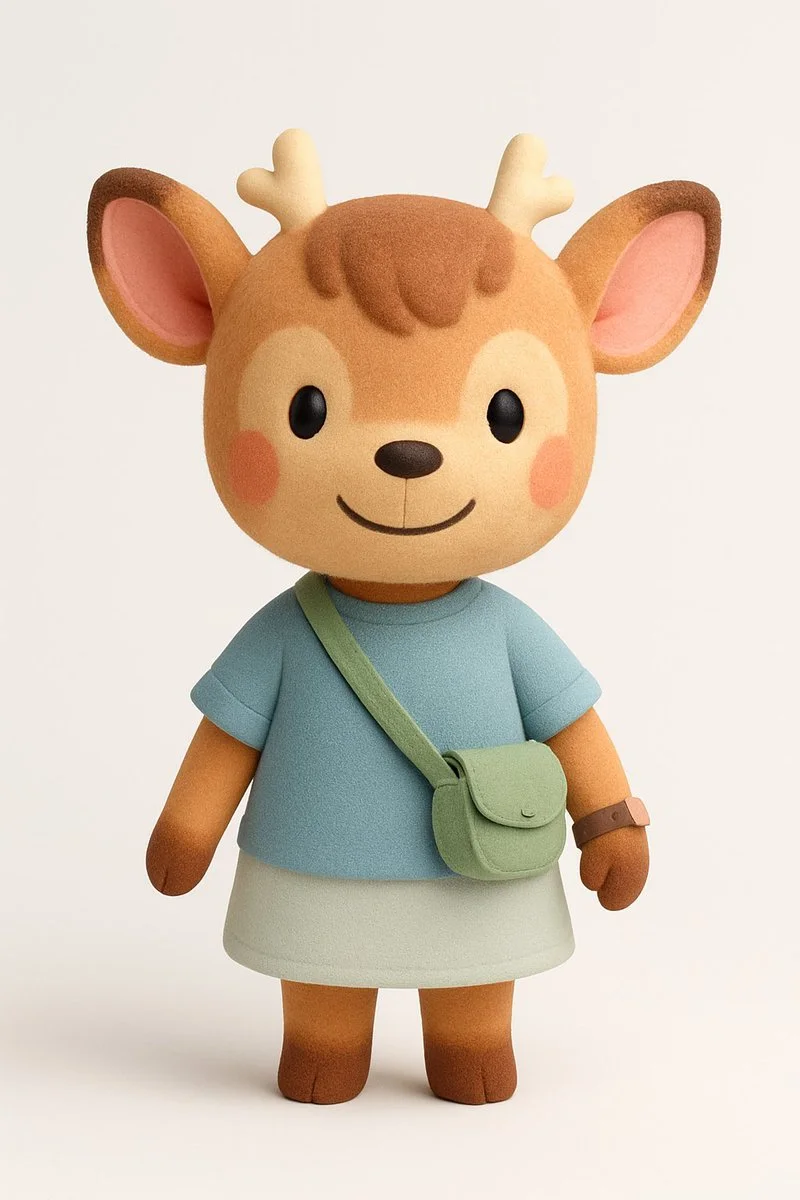
Verified prompt
Create a 3D-rendered digital illustration of a stylized cartoon boy character, standing in a neutral pose. The character should be rendered in a realistic-minimalist 3D style, with soft rounded proportions and plush matte textures — similar to high-end Cinema 4D + Redshift product renders.
Create a 3D-rendered digital illustration of a stylized cartoon boy character, standing in a neutral pose. The character should be rendered in a realistic-minimalist 3D style, with soft rounded proportions and plush matte textures — similar to high-end Cinema 4D + Redshift product renders.
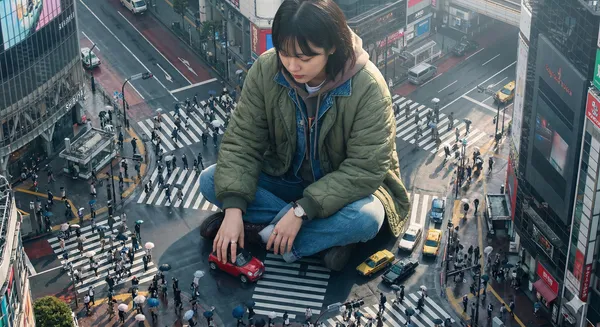
Verified prompt
ghly detailed photorealistic aerial shot looking down on a colossal Korean young woman wearing a stylish jacket and layered outfits, positioned in a crowded Tokyo street; the giant is playfully driving a tiny car with her hands while interacting with nearby buildings and street signs, tiny people and cars clustered near her feet for scale; visible close-up hands and textured clothing details; morning daylight with soft directional sunlight casting long gentle shadows, cool urban reflections on wet pavement, slight atmospheric haze and depth of field, high-resolution, crisp details, cinematic composition with leading lines along the street, muted vibrant color palette, realistic skin textures and fabric wrinkles, subtle motion blur on the tiny cars, photorealistic lens characteristics
ghly detailed photorealistic aerial shot looking down on a colossal Korean young woman wearing a stylish jacket and layered outfits, positioned in a crowded Tokyo street; the giant is playfully driving a tiny car with her hands while interacting with nearby buildings and street signs, tiny people and cars clustered near her feet for scale; visible close-up hands and textured clothing details; morning daylight with soft directional sunlight casting long gentle shadows, cool urban reflections on wet pavement, slight atmospheric haze and depth of field, high-resolution, crisp details, cinematic composition with leading lines along the street, muted vibrant color palette, realistic skin textures and fabric wrinkles, subtle motion blur on the tiny cars, photorealistic lens characteristics
Nano Banana 2: Create and Edit with Natural Language
Develop your Nano Banana 2 image brief around the result you need. Keep the main direction specific, check supported settings in the generator, and review the completed work before using it in your project.
Choose only the resolution and aspect ratio shown for the selected model. Check framing, fine details and any text in the completed image. A larger output size does not guarantee a more accurate result.
Explore Nano Banana 2
From a Brief to a Reviewed Image: The Nano Banana 2 Workflow
Allow time to inspect each image result and refine your brief. Processing time varies by model, request and service load. Change one direction at a time so that you can judge which edit improves the result.
Enter prompt or upload image
Start your Nano Banana 2 image brief with a source image you have permission to use. Name the area to change and the colors, proportions or objects to preserve. Reference count and editing support depend on the selected model.
Review Availability, Settings and Credits
Allow time to inspect each image result and refine your brief. Processing time varies by model, request and service load. Change one direction at a time so that you can judge which edit improves the result.
Review and Download Completed Results
When a request completes, inspect the image in History and download the result you want to keep. Review the composition and any unintended details before sharing it with your team or publishing it.
Build Your Nano Banana 2 Image Brief
For a Nano Banana 2 product concept, specify the product shape, material, key detail and setting. Keep logos and claims accurate, allow room for your own typography, and review the result before using it in an advertisement.
Explain Your Subject, Changes and References
Start your Nano Banana 2 image brief with a source image you have permission to use. Name the area to change and the colors, proportions or objects to preserve. Reference count and editing support depend on the selected model.
Describe the Changes and Details to Preserve
Write your Nano Banana 2 image brief around a subject, composition, lighting and intended style. Add a material or texture when it matters. For edits, state one precise change and explain which parts of the source should remain intact.
Check Details Across Every Result
Allow time to inspect each image result and refine your brief. Processing time varies by model, request and service load. Change one direction at a time so that you can judge which edit improves the result.
Explain Your Subject, Changes and References
List the details that matter in your Nano Banana 2 image brief: identity, shape, colors, clothing and background. Use supported references where appropriate and compare every result; exact consistency is not guaranteed.
A Clearer Creative Brief for Nano Banana 2
Allow time to inspect each image result and refine your brief. Processing time varies by model, request and service load. Change one direction at a time so that you can judge which edit improves the result.
Explain Your Subject, Changes and References
Allow time to inspect each image result and refine your brief. Processing time varies by model, request and service load. Change one direction at a time so that you can judge which edit improves the result.
Social Media & Advertising
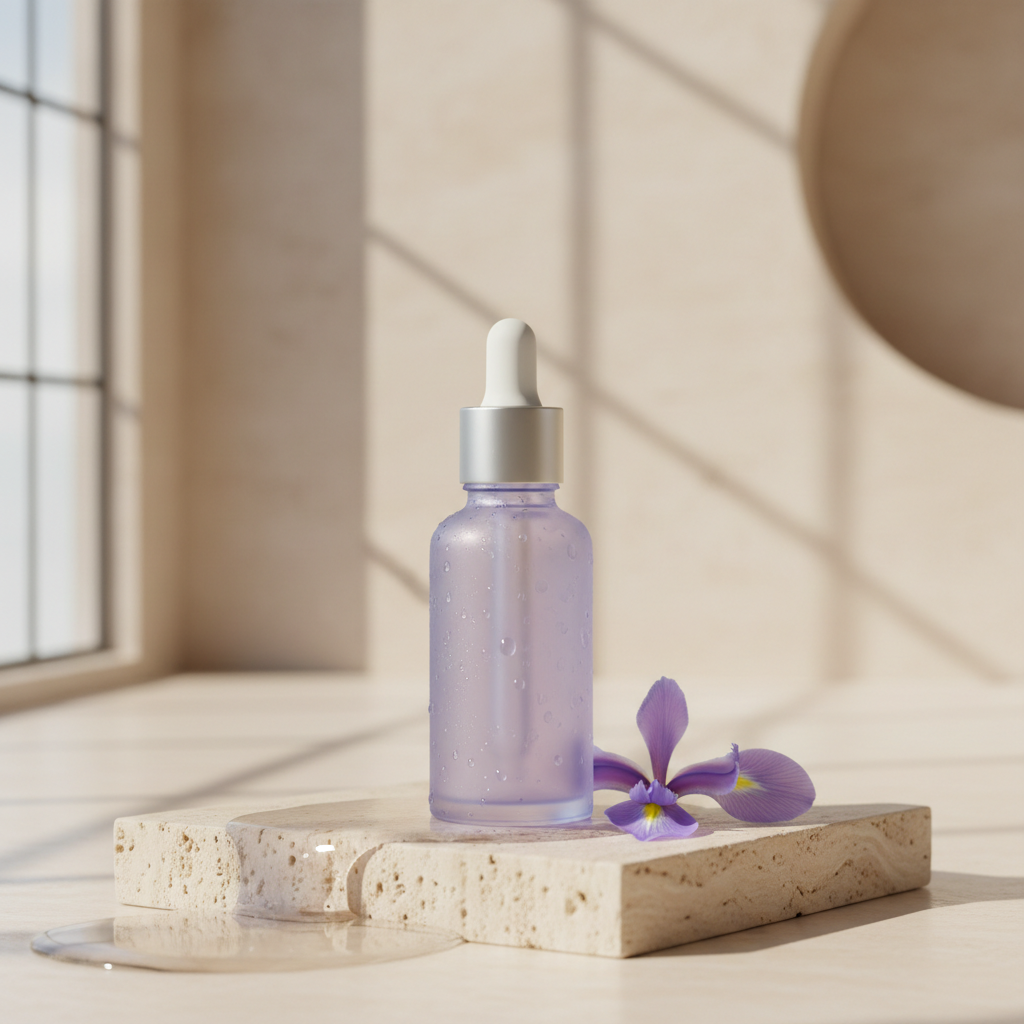
For a Nano Banana 2 product concept, specify the product shape, material, key detail and setting. Keep logos and claims accurate, allow room for your own typography, and review the result before using it in an advertisement.
Check Details Across Every Result
List the details that matter in your Nano Banana 2 image brief: identity, shape, colors, clothing and background. Use supported references where appropriate and compare every result; exact consistency is not guaranteed.
Efficient Production Workflow
For a Nano Banana 2 product concept, specify the product shape, material, key detail and setting. Keep logos and claims accurate, allow room for your own typography, and review the result before using it in an advertisement.
Creative Notes for Your Nano Banana 2 Image Brief
Give the main subject one clear action. For a Nano Banana 2 concept, a precise brief is easier to assess than a list of competing effects.
Nano Banana 2 Image Workflow: Questions & Answers
For a Nano Banana 2 product concept, specify the product shape, material, key detail and setting. Keep logos and claims accurate, allow room for your own typography, and review the result before using it in an advertisement.
This dotsai.pro page explains the Nano Banana 2 image workflow. It helps you write a focused brief and review the available inputs. Current access is shown in the generator; a model name on a guide does not mean it currently accepts requests.
Write your Nano Banana 2 image brief around a subject, composition, lighting and intended style. Add a material or texture when it matters. For edits, state one precise change and explain which parts of the source should remain intact.
Start your Nano Banana 2 image brief with a source image you have permission to use. Name the area to change and the colors, proportions or objects to preserve. Reference count and editing support depend on the selected model.
Develop your Nano Banana 2 image brief around the result you need. Keep the main direction specific, check supported settings in the generator, and review the completed work before using it in your project.
Use only the input modes and controls offered by the selected model. Describe the intended image clearly and add supported references when useful. This page does not promise separate motion-brush, audio-upload, restoration or editing tools.
List the details that matter in your Nano Banana 2 image brief: identity, shape, colors, clothing and background. Use supported references where appropriate and compare every result; exact consistency is not guaranteed.
For a Nano Banana 2 product concept, specify the product shape, material, key detail and setting. Keep logos and claims accurate, allow room for your own typography, and review the result before using it in an advertisement.
Choose only the resolution and aspect ratio shown for the selected model. Check framing, fine details and any text in the completed image. A larger output size does not guarantee a more accurate result.
You can request a refund within 10 days of purchase if you have unused credits from that purchase and provide a clear reason, subject to our Refund Policy. If eligible, an unused purchase can be fully refunded; a partly used purchase is refunded in proportion to its remaining unused credits. Fully used purchases and free or promotional credits are not refundable.
Credit validity depends on the pack, subscription or promotion that issued them. Review the purchase terms and expiration dates in Settings > Credits. A renewal or new purchase does not extend older credits. Use credits before their stated expiration; do not assume unused subscription credits roll over indefinitely.
Credits charged for a task that is confirmed as failed due to a system error are returned automatically. A task that is still processing has not yet been confirmed as failed. Check its status and your credit history before submitting again. If a confirmed failure still shows an unresolved charge, email support@dotsai.pro with the task ID.
AI results can vary, so a completed result that differs from your expectations is not automatically treated as a technical failure. Eligible completed image tasks can be submitted for credit refund review using the refund option where available; approval is required. For a video or another issue, contact support@dotsai.pro with the task ID and details. A credit refund returns credits, not money to your payment method.
Email support@dotsai.pro. For billing, include your account email and order ID; for generation, include the task ID, issue description and relevant screenshots. If you purchased as a guest, keep the original browser data and payment receipt so we can help locate the purchase.
Explore Your Next Nano Banana 2 Image Idea
Choose only the resolution and aspect ratio shown for the selected model. Check framing, fine details and any text in the completed image. A larger output size does not guarantee a more accurate result.
dotsai.pro · Updated
What's new on this page
- — Added editable example prompts and separate drafts for text and reference modes, with an action to restore the example.
- — Updated page copy and content.
- — Page content published.