
Study Video Storytelling with Seedance 2.5
Bring Your Creative Vision to Life
This generator uses the enabled Seedance 2.5 model for text-to-video and image-to-video. Review its supported settings and credit quote. Examples are general published inspiration; inspect each case for the model that created it.
Verified prompt
A lone ex-soldier in damaged body armor with a cracked helmet and glowing wrist device + 0–4s: moves silently through a dead industrial zone while drones scan the ruins; - enemy machines detect him, explosions erupt, he fights through robots with EMP blasts, shotgun shots and brutal hand-to-hand takedowns; - activates a final pulse that drops every drone from the sky, standing alone beneath falling sparks as the camera pulls back over the destroyed factory Post-apocalyptic sci-fi action, sparks, smoke, practical explosions, dynamic tracking, final silence after chaos.
A lone ex-soldier in damaged body armor with a cracked helmet and glowing wrist device + 0–4s: moves silently through a dead industrial zone while drones scan the ruins; - enemy machines detect him, explosions erupt, he fights through robots with EMP blasts, shotgun shots and brutal hand-to-hand takedowns; - activates a final pulse that drops every drone from the sky, standing alone beneath falling sparks as the camera pulls back over the destroyed factory Post-apocalyptic sci-fi action, sparks, smoke, practical explosions, dynamic tracking, final silence after chaos.
Verified prompt
FORMAT: 15s / free rhythm / 1 MATCH CUT / CONTINUOUS MOVE UNTIL MATCH CUT + IMMEDIATE ACTION FROM FIRST FRAME SUBJECTS: A lone sword-bearing woman in weathered fur and leather fights a massive polar bear with desperate, two-handed survival movement. The same woman is later revealed at home in loose indoor clothes, where a VR headset appears only after the match cut and is pulled off in one clear motion. ENVIRONMENT: Frozen wilderness under hard daylight, wind dragging snow across blue-white ice, then a modest lived-in home reached through a precise visual match. Winter glare and visible breath give way to soft clutter, indoor daylight, and a faint game-lit glow. MOOD: Visceral survival tension snaps into grounded reality without breaking physical continuity. COLOR LOGIC: Naturalistic Film Print Emulation TIMELINE: 0:00-0:07: One unbroken handheld move, WS collapsing into MCU as the woman backpedals across the ice and the bear launches through blowing snow. The camera runs beside the leap at eye level, 28mm shifting to 35mm, slightly unstable and close enough to keep both bodies heavy and readable. The bear closes fast while she plants, recoils, and keeps the blade between them. SFX: (howling wind, boots grinding ice, low animal roar, cloth strain, blade cutting air, snow scrape). Hard winter sun side-lights the ice and throws sharp blue shadows. 0:07-0:11: Same unbroken move, no cut, tightening into a dead-on CU as the bear surges into the last inches, claws near her shoulders, jaws filling the frame edge. Right in the middle of the attack, a man's voice calls, Karla... then sharper, KARLA. She answers with a tired off, and on that reaction the world drops into slow motion. Snow drifts almost still, the bear hangs in its strike, and only she keeps moving at normal speed as the camera orbits into her face. Bored, not afraid, she drops the sword and brings both empty hands toward her temples in one smooth interrupt gesture. No headset, visor, or device is visible in the frozen world. Stay continuous until the match cut, keeping the same face size, hand height, head angle, lens distance, and clockwise drift. SFX: (cloth strain building to near impact, a man's voice calling Karla... KARLA, her tired off, then stretched wind fading toward silence). Hard winter sun catches the slowed snow around her face. 0:11-0:15: MATCH CUT. CU to MS. Seamless mid-motion transition as her rising hands cross the same screen position and the frozen close-up becomes the home interior with the same framing and clockwise drift. The motion continues uninterrupted, and now a VR headset is visibly strapped over her eyes for the first time. She grips both sides, pulls it fully off her face, and the camera opens into a medium shot as she drops it above her forehead and steps into a small living room in loose home clothes. The handheld orbit continues, revealing couch edges, scattered blankets, and cold window light as her posture falls into mild annoyance. She turns toward the voice, rolls her eyes upward, and says, What is it. 35mm natural lens, spherical. SFX: (headset strap stretch, plastic rub, quiet room tone, socked foot scrape, faint game audio, her breath settling, her dry voice saying What is it). Indoor daylight replaces the winter contrast.
FORMAT: 15s / free rhythm / 1 MATCH CUT / CONTINUOUS MOVE UNTIL MATCH CUT + IMMEDIATE ACTION FROM FIRST FRAME SUBJECTS: A lone sword-bearing woman in weathered fur and leather fights a massive polar bear with desperate, two-handed survival movement. The same woman is later revealed at home in loose indoor clothes, where a VR headset appears only after the match cut and is pulled off in one clear motion. ENVIRONMENT: Frozen wilderness under hard daylight, wind dragging snow across blue-white ice, then a modest lived-in home reached through a precise visual match. Winter glare and visible breath give way to soft clutter, indoor daylight, and a faint game-lit glow. MOOD: Visceral survival tension snaps into grounded reality without breaking physical continuity. COLOR LOGIC: Naturalistic Film Print Emulation TIMELINE: 0:00-0:07: One unbroken handheld move, WS collapsing into MCU as the woman backpedals across the ice and the bear launches through blowing snow. The camera runs beside the leap at eye level, 28mm shifting to 35mm, slightly unstable and close enough to keep both bodies heavy and readable. The bear closes fast while she plants, recoils, and keeps the blade between them. SFX: (howling wind, boots grinding ice, low animal roar, cloth strain, blade cutting air, snow scrape). Hard winter sun side-lights the ice and throws sharp blue shadows. 0:07-0:11: Same unbroken move, no cut, tightening into a dead-on CU as the bear surges into the last inches, claws near her shoulders, jaws filling the frame edge. Right in the middle of the attack, a man's voice calls, Karla... then sharper, KARLA. She answers with a tired off, and on that reaction the world drops into slow motion. Snow drifts almost still, the bear hangs in its strike, and only she keeps moving at normal speed as the camera orbits into her face. Bored, not afraid, she drops the sword and brings both empty hands toward her temples in one smooth interrupt gesture. No headset, visor, or device is visible in the frozen world. Stay continuous until the match cut, keeping the same face size, hand height, head angle, lens distance, and clockwise drift. SFX: (cloth strain building to near impact, a man's voice calling Karla... KARLA, her tired off, then stretched wind fading toward silence). Hard winter sun catches the slowed snow around her face. 0:11-0:15: MATCH CUT. CU to MS. Seamless mid-motion transition as her rising hands cross the same screen position and the frozen close-up becomes the home interior with the same framing and clockwise drift. The motion continues uninterrupted, and now a VR headset is visibly strapped over her eyes for the first time. She grips both sides, pulls it fully off her face, and the camera opens into a medium shot as she drops it above her forehead and steps into a small living room in loose home clothes. The handheld orbit continues, revealing couch edges, scattered blankets, and cold window light as her posture falls into mild annoyance. She turns toward the voice, rolls her eyes upward, and says, What is it. 35mm natural lens, spherical. SFX: (headset strap stretch, plastic rub, quiet room tone, socked foot scrape, faint game audio, her breath settling, her dry voice saying What is it). Indoor daylight replaces the winter contrast.
Verified prompt
00:00–00:03 — Wide cinematic shot of an abandoned amusement park at dusk. Dark storm clouds roll in fast. A teenage boy in a red jacket walks alone. 00:03–00:06 — Strong wind hits. A loose metal sign swings violently and crashes behind him. He starts running. 00:06–00:09 — He reaches the old carousel and climbs onto a faded wooden horse as heavy rain begins. 00:09–00:12 — Lightning flashes, illuminating the entire park in stark white. The carousel slowly starts turning from the wind. 00:12–00:15 — Rain hammers the metal roof. He holds on tightly as the carousel spins faster. 00:15–00:18 — Another lightning strike reveals a girl in a yellow raincoat standing at the entrance, watching him. 00:18–00:21 — She steps inside the spinning carousel as the storm intensifies. 00:21–00:24 — The boy looks at her. Both stay silent while rain pours and the ride turns. 00:24–00:27 — Camera slowly pushes in to a medium two-shot. Another lightning flash freezes the moment. 00:27–00:30 — Final close-up of their faces as rain streaks down. Atmosphere: eerie, melancholic, charged with quiet tension.
00:00–00:03 — Wide cinematic shot of an abandoned amusement park at dusk. Dark storm clouds roll in fast. A teenage boy in a red jacket walks alone. 00:03–00:06 — Strong wind hits. A loose metal sign swings violently and crashes behind him. He starts running. 00:06–00:09 — He reaches the old carousel and climbs onto a faded wooden horse as heavy rain begins. 00:09–00:12 — Lightning flashes, illuminating the entire park in stark white. The carousel slowly starts turning from the wind. 00:12–00:15 — Rain hammers the metal roof. He holds on tightly as the carousel spins faster. 00:15–00:18 — Another lightning strike reveals a girl in a yellow raincoat standing at the entrance, watching him. 00:18–00:21 — She steps inside the spinning carousel as the storm intensifies. 00:21–00:24 — The boy looks at her. Both stay silent while rain pours and the ride turns. 00:24–00:27 — Camera slowly pushes in to a medium two-shot. Another lightning flash freezes the moment. 00:27–00:30 — Final close-up of their faces as rain streaks down. Atmosphere: eerie, melancholic, charged with quiet tension.
Verified prompt
Main Subject: Young Korean woman, early 20s, natural everyday appearance, faded charcoal-grey sleeveless crop top, loose high-waisted light-wash jeans, black canvas sneakers, black cord necklace, black wavy hair in a messy side ponytail with wispy bangs. Realistic skin texture, minimal makeup, warm and approachable personality. Maintain identical identity, clothing, hairstyle, and appearance throughout. Neighborhood Market Morning Location: Small local produce market tucked between residential streets. 00:00–00:03 She walks through the market carrying a reusable shopping bag. 00:03–00:06 Examining fresh fruit while chatting briefly with the vendor. 00:06–00:09 She pays in cash and laughs at something off-camera. 00:09–00:12 Walking home with groceries swinging gently. 00:12–00:15 She looks back, smiles naturally, and disappears into her alley.
Main Subject: Young Korean woman, early 20s, natural everyday appearance, faded charcoal-grey sleeveless crop top, loose high-waisted light-wash jeans, black canvas sneakers, black cord necklace, black wavy hair in a messy side ponytail with wispy bangs. Realistic skin texture, minimal makeup, warm and approachable personality. Maintain identical identity, clothing, hairstyle, and appearance throughout. Neighborhood Market Morning Location: Small local produce market tucked between residential streets. 00:00–00:03 She walks through the market carrying a reusable shopping bag. 00:03–00:06 Examining fresh fruit while chatting briefly with the vendor. 00:06–00:09 She pays in cash and laughs at something off-camera. 00:09–00:12 Walking home with groceries swinging gently. 00:12–00:15 She looks back, smiles naturally, and disappears into her alley.
Verified prompt
Create a director-style PREVIS action storyboard focused on 8 continuous action frames using only minimal stick figures. No realistic anatomy, clothing, pants, shoes, or character details. Show only movement, camera choreography, momentum trails, and ink motion, with only a small amount of necessary text.” SUBJECTS A hiphop dancer wearing a loose white top and dark oversized pants with irregular ink erosion along the fabric edges; holding an oversized heavy ink brush in the right hand with dense wet ink; the brush is always part of the movement, generating visible ink trails and ink masses with every swing ENVIRONMENT Pure infinite white space with no visible floor separation MUSIC minimal hiphop beat with clear groove and dynamic pacing; 0:00–0:08 steady rhythmic pulse with clean kick pattern; 0:08–0:11 slightly increased rhythmic density; 0:11–0:13 brief drop to near silence or minimal ambience; 0:13–0:15 strong low-frequency accent synchronized with final motion COLOR LOGIC pure white background + deep black and grayscale ink only, no additional colors STYLE ink wash minimalism + abstract fashion silhouette + dynamic motion ink + negative space composition + ultra wide perspective distortion + clean high contrast rendering
Create a director-style PREVIS action storyboard focused on 8 continuous action frames using only minimal stick figures. No realistic anatomy, clothing, pants, shoes, or character details. Show only movement, camera choreography, momentum trails, and ink motion, with only a small amount of necessary text.” SUBJECTS A hiphop dancer wearing a loose white top and dark oversized pants with irregular ink erosion along the fabric edges; holding an oversized heavy ink brush in the right hand with dense wet ink; the brush is always part of the movement, generating visible ink trails and ink masses with every swing ENVIRONMENT Pure infinite white space with no visible floor separation MUSIC minimal hiphop beat with clear groove and dynamic pacing; 0:00–0:08 steady rhythmic pulse with clean kick pattern; 0:08–0:11 slightly increased rhythmic density; 0:11–0:13 brief drop to near silence or minimal ambience; 0:13–0:15 strong low-frequency accent synchronized with final motion COLOR LOGIC pure white background + deep black and grayscale ink only, no additional colors STYLE ink wash minimalism + abstract fashion silhouette + dynamic motion ink + negative space composition + ultra wide perspective distortion + clean high contrast rendering
Verified prompt
Create a crisp, clean infographic storyboard poster for THE ROCKET ENGINEER. Wide 16:9 layout, white background, black borders, bold black typography, premium Pixar 3D stylized rendering, bold futuristic colors — deep space blacks, electric NASA blues, bright titanium silvers, warning stripe oranges, pure launch whites. Top header: THE ROCKET ENGINEER TOTAL VIDEO TIME: 15 SECONDS 8 SHOTS · BOLD · VISIONARY · EPIC Legend icons: ACTION, PRECISION, TIME HINT, SYSTEM Same Pixar-style rocket engineer throughout: brilliant young woman, NASA badge, blue flight suit, high-tech mission control and launch facility, dramatic countdown lighting. 8 panels: → Mission control opens — engineer enters, screens light up blue, data streams across every monitor → Blueprint review — massive rocket blueprint unrolled, engineer traces trajectory with confident finger → Component testing — engine component fitted and torqued with precision wrench, indicator turns green → Fuel loading — massive fuel hose connected to rocket base, gauges climb steadily into the green → Countdown begins — engineer at main console, fingers flying across keyboard, T-minus 10 on screen → Ignition — rocket engines ignite, massive orange flame and white smoke erupt at the launch pad → Liftoff — rocket rises slowly then accelerates, engineer watches screens, fist clenching with tension → Orbit confirmed — screens show rocket in orbit, engineer leaps up, control room erupts in pure joy Footer: VIDEO FLOW: 8 shots × ~1.5s = 15 seconds. Blueprint to orbit. CAMERA TIPS: close-up on ignition flame, orbit confirmation screen, and engineer's joyful leap, wide on mission control opening, dramatic low angle on rocket liftoff LIGHT & STYLE: dramatic blue mission control light, deep space blacks, electric NASA blues, titanium silvers, warning oranges, shallow depth of field, Pixar vivid epic colors ENGINEER NOTES: one engineer, one rocket, one moment humanity reaches orbit. Bold, visionary, deeply epic.
Create a crisp, clean infographic storyboard poster for THE ROCKET ENGINEER. Wide 16:9 layout, white background, black borders, bold black typography, premium Pixar 3D stylized rendering, bold futuristic colors — deep space blacks, electric NASA blues, bright titanium silvers, warning stripe oranges, pure launch whites. Top header: THE ROCKET ENGINEER TOTAL VIDEO TIME: 15 SECONDS 8 SHOTS · BOLD · VISIONARY · EPIC Legend icons: ACTION, PRECISION, TIME HINT, SYSTEM Same Pixar-style rocket engineer throughout: brilliant young woman, NASA badge, blue flight suit, high-tech mission control and launch facility, dramatic countdown lighting. 8 panels: → Mission control opens — engineer enters, screens light up blue, data streams across every monitor → Blueprint review — massive rocket blueprint unrolled, engineer traces trajectory with confident finger → Component testing — engine component fitted and torqued with precision wrench, indicator turns green → Fuel loading — massive fuel hose connected to rocket base, gauges climb steadily into the green → Countdown begins — engineer at main console, fingers flying across keyboard, T-minus 10 on screen → Ignition — rocket engines ignite, massive orange flame and white smoke erupt at the launch pad → Liftoff — rocket rises slowly then accelerates, engineer watches screens, fist clenching with tension → Orbit confirmed — screens show rocket in orbit, engineer leaps up, control room erupts in pure joy Footer: VIDEO FLOW: 8 shots × ~1.5s = 15 seconds. Blueprint to orbit. CAMERA TIPS: close-up on ignition flame, orbit confirmation screen, and engineer's joyful leap, wide on mission control opening, dramatic low angle on rocket liftoff LIGHT & STYLE: dramatic blue mission control light, deep space blacks, electric NASA blues, titanium silvers, warning oranges, shallow depth of field, Pixar vivid epic colors ENGINEER NOTES: one engineer, one rocket, one moment humanity reaches orbit. Bold, visionary, deeply epic.
Verified prompt
A professional 12-panel video production storyboard template sheet, vertical 9:16 layout, clean graphic design, dark gray and white aesthetic. [Header Section]: At the top, bold stylized text reads "FIFA COLORFUL MUG" alongside a golden FIFA World Cup trophy graphic. Below it, a yellow banner reads "ASMR UNBOXING - POV HAND". [Grid Layout]: The main body is a 4-row by 3-column grid containing 12 square photographic panels. Each panel has a blue numbered badge (1-12) with timestamps in the top left corner. [Visuals]: The photos feature first-person POV close-ups of hands unboxing a glossy black ceramic mug adorned with a vibrant, multi-colored block pattern (red, green, blue, yellow, purple) and the gold FIFA logo. The packaging is a matching colorful display box. Shot with an 85mm lens, f/1.8, utilizing soft volumetric studio lighting, rim lighting, and cinematic color grading on a dark textured mat. Raw, 8K resolution, photorealistic. Playful white handwritten doodles and text overlays (e.g., "NEW!", "WOW!", "Beautiful!") are sketched directly over the images. [Footer Section]: The bottom is divided into two technical sections. Left: "DETAIL HIGHLIGHTS" with four circular macro-shot cutouts labeled: "FIFA Logo" "Premium Glossy Finish" "High Quality Ceramic" "Gift Box Packaging" Right: "PACKAGING & SIZE" displaying dimensional wireframe arrows and measurements for the box (10.2 cm × 11.5 cm × 8.8 cm) and the mug (9.5 cm × 8.2 cm). High contrast, vector style infographic layout, print ready asset.
A professional 12-panel video production storyboard template sheet, vertical 9:16 layout, clean graphic design, dark gray and white aesthetic. [Header Section]: At the top, bold stylized text reads "FIFA COLORFUL MUG" alongside a golden FIFA World Cup trophy graphic. Below it, a yellow banner reads "ASMR UNBOXING - POV HAND". [Grid Layout]: The main body is a 4-row by 3-column grid containing 12 square photographic panels. Each panel has a blue numbered badge (1-12) with timestamps in the top left corner. [Visuals]: The photos feature first-person POV close-ups of hands unboxing a glossy black ceramic mug adorned with a vibrant, multi-colored block pattern (red, green, blue, yellow, purple) and the gold FIFA logo. The packaging is a matching colorful display box. Shot with an 85mm lens, f/1.8, utilizing soft volumetric studio lighting, rim lighting, and cinematic color grading on a dark textured mat. Raw, 8K resolution, photorealistic. Playful white handwritten doodles and text overlays (e.g., "NEW!", "WOW!", "Beautiful!") are sketched directly over the images. [Footer Section]: The bottom is divided into two technical sections. Left: "DETAIL HIGHLIGHTS" with four circular macro-shot cutouts labeled: "FIFA Logo" "Premium Glossy Finish" "High Quality Ceramic" "Gift Box Packaging" Right: "PACKAGING & SIZE" displaying dimensional wireframe arrows and measurements for the box (10.2 cm × 11.5 cm × 8.8 cm) and the mug (9.5 cm × 8.2 cm). High contrast, vector style infographic layout, print ready asset.
Verified prompt
Main Subject: Young Korean woman, early 20s, natural everyday appearance, loose oversized shirt tucked into work pants, hair tied back with a cloth, minimal makeup, realistic skin texture, warm patient personality. Location: Small backyard coop area behind a traditional house, early morning. Wooden coop, scattered feed on the ground, low wire fence, a few chickens pecking around, morning mist lifting. No modern structures. Visual Style: Ultra-realistic documentary realism, unscripted domestic feeling, soft misty morning light. Camera Style: Early 2000s consumer DV camcorder aesthetic, handheld shake, autofocus hunting between her and the chickens, faded soft contrast, mild sensor noise. No stabilization. Timeline (15 sec, each slot = 2 compressed beats): 00:00–00:03 → She scatters feed from a small bucket, then watches chickens rush toward it. 00:03–00:06 → She crouches down, then says to camera "얘네 아침마다 진짜 시끄러워" ("These guys are really loud every morning"), laughing softly. 00:06–00:09 → A chicken pecks near her shoe; she pulls her foot back, chuckling. 00:09–00:12 → She checks the coop door latch, then wipes her hands on her pants. 00:12–00:15 → She looks at camera saying "이제 아침 먹으러 가야지" ("Now I should go have breakfast"), walking off as it fades. Audio: Chickens clucking, feed scattering on dirt, distant birds, faint wind. Her dialogue as noted above. No music. Goal: A quiet, ordinary morning farm chore moment grounded, warm, real.
Main Subject: Young Korean woman, early 20s, natural everyday appearance, loose oversized shirt tucked into work pants, hair tied back with a cloth, minimal makeup, realistic skin texture, warm patient personality. Location: Small backyard coop area behind a traditional house, early morning. Wooden coop, scattered feed on the ground, low wire fence, a few chickens pecking around, morning mist lifting. No modern structures. Visual Style: Ultra-realistic documentary realism, unscripted domestic feeling, soft misty morning light. Camera Style: Early 2000s consumer DV camcorder aesthetic, handheld shake, autofocus hunting between her and the chickens, faded soft contrast, mild sensor noise. No stabilization. Timeline (15 sec, each slot = 2 compressed beats): 00:00–00:03 → She scatters feed from a small bucket, then watches chickens rush toward it. 00:03–00:06 → She crouches down, then says to camera "얘네 아침마다 진짜 시끄러워" ("These guys are really loud every morning"), laughing softly. 00:06–00:09 → A chicken pecks near her shoe; she pulls her foot back, chuckling. 00:09–00:12 → She checks the coop door latch, then wipes her hands on her pants. 00:12–00:15 → She looks at camera saying "이제 아침 먹으러 가야지" ("Now I should go have breakfast"), walking off as it fades. Audio: Chickens clucking, feed scattering on dirt, distant birds, faint wind. Her dialogue as noted above. No music. Goal: A quiet, ordinary morning farm chore moment grounded, warm, real.
Verified prompt
SEEDANCE 2.0 — LIVE-ACTION AIRPLANE CRASH FORMAT 15 seconds | 16:9 | live-action disaster drama Fictional scenario. Photorealistic, grounded visual realism. 5 sequential shots with continuous event progression. SETTING A commercial passenger aircraft approaching a large coastal city during severe storm conditions. Late afternoon. Heavy cloud cover, turbulent wind, rain, wet surfaces and reduced visibility. Aircraft design remains fictional with no real airline branding. 00–03s — SOMETHING IS WRONG Interior passenger cabin. Medium handheld shot from aisle height. The aircraft suddenly shudders through severe turbulence. Overhead lights flicker. Passengers instinctively grip armrests and look toward one another. Loose objects vibrate naturally. Camera shakes because the aircraft moves, not through artificial cinematic shake. AUDIO: deep engine rumble, cabin rattling, rain against fuselage, nervous breathing. 03–06s — LOSS OF CONTROL Exterior telephoto shot from ground level. The passenger aircraft emerges beneath dark clouds at unusually low altitude, descending rapidly with a slight unstable bank. Rain trails across the fuselage. Wings react subtly to turbulent airflow. Camera operator struggles to keep the aircraft centred while tracking it. AUDIO: distant aircraft roar, wind, rain. 06–09s — CABIN Close handheld aisle perspective. The aircraft banks harder. Passengers lean naturally with inertia. A bag falls from an open overhead compartment. Cabin crew brace themselves against fixed structures. Lighting changes as the aircraft rotates relative to the storm outside. No exaggerated screaming or theatrical performances. 09–12s — FINAL DESCENT Long ground-level shot. Aircraft passes behind foreground buildings and trees, partially obscuring the view. Camera rapidly pans to follow. The aircraft disappears beyond the distant structures. AUDIO: engine noise grows louder, then becomes partially muffled after the aircraft disappears. 12–15s — IMPACT IMPLIED Camera remains on the distant skyline. A powerful impact occurs beyond the visible horizon. A delayed plume of dark smoke and dust rises behind the buildings. Nearby birds scatter. The camera operator instinctively lowers the camera slightly before reframing toward the smoke. Sound reaches the camera after a physically believable delay: distant low impact → environmental echo → car alarms beginning nearby. No visible bodies. No graphic injuries. CAMERA REALISM Observational disaster footage. Believable camera placement for every shot. Natural handheld micro-movement. Imperfect reframing. Realistic autofocus adjustments. Natural motion blur during rapid pans. No impossible camera movement. PHYSICS Aircraft maintains believable scale, mass, momentum and forward velocity. Passengers react according to aircraft acceleration and banking. Rain, clothing, loose objects and smoke respond naturally. Impact remains geographically consistent with the aircraft trajectory. VISUAL CHARACTER Photorealistic contemporary live-action footage. Natural exposure and colour response. Realistic atmospheric perspective. Subtle sensor noise. No CGI aesthetic. No excessive HDR. No oversized Hollywood fireball. No impossible aircraft deformation. No slow-motion spectacle. CONTINUITY Same aircraft throughout. Same weather and time of day. Cabin orientation corresponds to exterior aircraft movement. Every shot continues the event established by the previous shot.
SEEDANCE 2.0 — LIVE-ACTION AIRPLANE CRASH FORMAT 15 seconds | 16:9 | live-action disaster drama Fictional scenario. Photorealistic, grounded visual realism. 5 sequential shots with continuous event progression. SETTING A commercial passenger aircraft approaching a large coastal city during severe storm conditions. Late afternoon. Heavy cloud cover, turbulent wind, rain, wet surfaces and reduced visibility. Aircraft design remains fictional with no real airline branding. 00–03s — SOMETHING IS WRONG Interior passenger cabin. Medium handheld shot from aisle height. The aircraft suddenly shudders through severe turbulence. Overhead lights flicker. Passengers instinctively grip armrests and look toward one another. Loose objects vibrate naturally. Camera shakes because the aircraft moves, not through artificial cinematic shake. AUDIO: deep engine rumble, cabin rattling, rain against fuselage, nervous breathing. 03–06s — LOSS OF CONTROL Exterior telephoto shot from ground level. The passenger aircraft emerges beneath dark clouds at unusually low altitude, descending rapidly with a slight unstable bank. Rain trails across the fuselage. Wings react subtly to turbulent airflow. Camera operator struggles to keep the aircraft centred while tracking it. AUDIO: distant aircraft roar, wind, rain. 06–09s — CABIN Close handheld aisle perspective. The aircraft banks harder. Passengers lean naturally with inertia. A bag falls from an open overhead compartment. Cabin crew brace themselves against fixed structures. Lighting changes as the aircraft rotates relative to the storm outside. No exaggerated screaming or theatrical performances. 09–12s — FINAL DESCENT Long ground-level shot. Aircraft passes behind foreground buildings and trees, partially obscuring the view. Camera rapidly pans to follow. The aircraft disappears beyond the distant structures. AUDIO: engine noise grows louder, then becomes partially muffled after the aircraft disappears. 12–15s — IMPACT IMPLIED Camera remains on the distant skyline. A powerful impact occurs beyond the visible horizon. A delayed plume of dark smoke and dust rises behind the buildings. Nearby birds scatter. The camera operator instinctively lowers the camera slightly before reframing toward the smoke. Sound reaches the camera after a physically believable delay: distant low impact → environmental echo → car alarms beginning nearby. No visible bodies. No graphic injuries. CAMERA REALISM Observational disaster footage. Believable camera placement for every shot. Natural handheld micro-movement. Imperfect reframing. Realistic autofocus adjustments. Natural motion blur during rapid pans. No impossible camera movement. PHYSICS Aircraft maintains believable scale, mass, momentum and forward velocity. Passengers react according to aircraft acceleration and banking. Rain, clothing, loose objects and smoke respond naturally. Impact remains geographically consistent with the aircraft trajectory. VISUAL CHARACTER Photorealistic contemporary live-action footage. Natural exposure and colour response. Realistic atmospheric perspective. Subtle sensor noise. No CGI aesthetic. No excessive HDR. No oversized Hollywood fireball. No impossible aircraft deformation. No slow-motion spectacle. CONTINUITY Same aircraft throughout. Same weather and time of day. Cabin orientation corresponds to exterior aircraft movement. Every shot continues the event established by the previous shot.
Verified prompt
STYLE Authentic self-recorded weekend vlog. Wide-angle vlog lens. REC icon visible. Natural handheld movement. Autofocus breathing. Warm golden-hour lighting. Western city with brick sidewalks, indie cafés, record stores, murals, vintage shops. Soft indie lo-fi music mixed with real ambience. CUT 1 (0–3s) Jessy walks through a lively downtown holding the vlog camera at arm's length. She smiles, gives a casual two-finger wave, and says: "No plans today... just exploring." A one-frame digital glitch instantly flips her cap from backward to forward. She doesn't notice. Transition: quick whip pan. CUT 2 (3–6s) She crouches beside a friendly golden retriever, films it, takes one photo with the camera, then laughs as the dog licks the lens. Dialogue: "You're adorable." Owner laughs off-camera. Transition: stands up quickly, camera swings upward. CUT 3 (6–9s) Inside an indie coffee shop. Jessy pans the cozy interior, then flips back to selfie mode. She blows one bubblegum bubble, it pops softly, then she points the camera toward the menu. Dialogue: "Brown sugar iced latte... easy." Barista waves. Transition: camera pushes toward the drink. CUT 4 (9–12s) Window seat. Camera rests on its mini grip beside her iced coffee. Golden sunlight crosses her face. She watches people outside. Dialogue: "I love busy streets... everyone's going somewhere." Small smile. CUT 5 (12–15s) Back outside during golden hour. Jessy slowly pans the street, then turns the camera back to herself. Dialogue: "See you next weekend." She smiles, reaches toward the lens, covers it with her hand, and the recording cuts to black.
STYLE Authentic self-recorded weekend vlog. Wide-angle vlog lens. REC icon visible. Natural handheld movement. Autofocus breathing. Warm golden-hour lighting. Western city with brick sidewalks, indie cafés, record stores, murals, vintage shops. Soft indie lo-fi music mixed with real ambience. CUT 1 (0–3s) Jessy walks through a lively downtown holding the vlog camera at arm's length. She smiles, gives a casual two-finger wave, and says: "No plans today... just exploring." A one-frame digital glitch instantly flips her cap from backward to forward. She doesn't notice. Transition: quick whip pan. CUT 2 (3–6s) She crouches beside a friendly golden retriever, films it, takes one photo with the camera, then laughs as the dog licks the lens. Dialogue: "You're adorable." Owner laughs off-camera. Transition: stands up quickly, camera swings upward. CUT 3 (6–9s) Inside an indie coffee shop. Jessy pans the cozy interior, then flips back to selfie mode. She blows one bubblegum bubble, it pops softly, then she points the camera toward the menu. Dialogue: "Brown sugar iced latte... easy." Barista waves. Transition: camera pushes toward the drink. CUT 4 (9–12s) Window seat. Camera rests on its mini grip beside her iced coffee. Golden sunlight crosses her face. She watches people outside. Dialogue: "I love busy streets... everyone's going somewhere." Small smile. CUT 5 (12–15s) Back outside during golden hour. Jessy slowly pans the street, then turns the camera back to herself. Dialogue: "See you next weekend." She smiles, reaches toward the lens, covers it with her hand, and the recording cuts to black.
Verified prompt
OPERATION: Commercial aircraft turnaround between scheduled flights. GROUND CREW MEMBER: Male, 29. Reflective safety vest. Headset. Protective gloves. Confident, efficient movements. SHIFT TIME: 5:45 AM. First departures of the morning WORK ZONE: Airport apron. Passenger jet. Fuel truck. Baggage carts. Pushback tug. Runway lights still visible. CAMERA STYLE: Shoulder-level documentary following one crew member. Natural operator movement. Occasional engine heat distortion. Zooms only when necessary. WORKFLOW: - Aircraft arrival - Baggage unloading - Fuel connection - Walk-around inspection - Aircraft pushed back for departure AMBIENT AUDIO: Jet engines. Ground vehicles. Radio headsets. Hydraulic equipment. Airport announcements. REALISM NOTES: Strict airport safety behavior. No one acknowledges the camera. Operations continue naturally.
OPERATION: Commercial aircraft turnaround between scheduled flights. GROUND CREW MEMBER: Male, 29. Reflective safety vest. Headset. Protective gloves. Confident, efficient movements. SHIFT TIME: 5:45 AM. First departures of the morning WORK ZONE: Airport apron. Passenger jet. Fuel truck. Baggage carts. Pushback tug. Runway lights still visible. CAMERA STYLE: Shoulder-level documentary following one crew member. Natural operator movement. Occasional engine heat distortion. Zooms only when necessary. WORKFLOW: - Aircraft arrival - Baggage unloading - Fuel connection - Walk-around inspection - Aircraft pushed back for departure AMBIENT AUDIO: Jet engines. Ground vehicles. Radio headsets. Hydraulic equipment. Airport announcements. REALISM NOTES: Strict airport safety behavior. No one acknowledges the camera. Operations continue naturally.
Verified prompt
Hand-painted 1980s European-influenced cel anime, traditional ink-and-paint animation photographed on film, delicate hand-drawn character outlines, individually painted acetate layers, richly detailed watercolor backgrounds, subtle analog color variation, visible cel flicker, restrained but expressive character animation, elegant cinematic composition, nostalgic urban atmosphere. Consistent character throughout: a naturally beautiful young woman in her mid-20s with soft facial features, expressive dark eyes, wind-tousled shoulder-length brown hair, a simple beige 1970s coat, muted red scarf, dark skirt and leather shoes. Her appearance, clothing, proportions and facial design remain unchanged in every shot. 0–3s: [Animated Profile Tracking Shot] The young woman walks past a tiny flower shop on a quiet Paris side street. The camera tracks tightly beside her profile while the watercolor storefront and street slide behind her on layered background cels. Her hair and scarf flutter in separately animated loops. She slows for half a second, glances toward the colorful flowers, then turns her eyes toward the camera with a quiet, unguarded expression. Hold her expression for six to eight frames to emphasize her natural presence. 3–7s: [Wide Lateral Tracking] She continues into a lively sunlit plaza. The camera pulls wider as children run across multiple animation layers, pigeons lift suddenly from the cobblestones, bicycles pass behind her and pedestrians cross in opposing directions. Use purposeful limited animation: held body poses combined with fluid hair, scarf, coat hem and background movement. Warm painted sunlight shifts across the square while long tree shadows move over her face. 7–11s: [Handheld-Inspired Medium Shot] A group of children chasing a red ball rushes across the frame. One child nearly collides with her. She pivots sideways in one graceful animated motion, coat and scarf following with delayed secondary movement. The child skids to a stop, startled. She laughs softly and exchanges a brief look with him. Cut to a close reaction shot: her eyes soften, then the child smiles before racing after the others. 11–15s: [Crane-Like Animated Pullback] She resumes walking through the plaza as the camera rises and drifts backward in a smooth, physically impossible anime pullback. The children continue playing behind her, pigeons circle above the rooftops and sunlight flickers through painted leaves. She briefly looks upward as a gust lifts her hair and scarf. End on a wide illustrated view of the plaza, holding the final composition like a beautifully painted animation cel. Authentic hand-drawn 1980s cel-animation production, expressive ink outlines, watercolor Paris backgrounds, painted light and shadows, subtle film grain from photographed animation cels, occasional outline boil, mild cel-layer misregistration, restrained frame rate, purposeful held poses, fluid secondary motion, accurate character continuity, coherent anatomy, no modern digital-anime gloss, no 3D CGI appearance, no hyper-fluid interpolation, no morphing, no changing clothes, no duplicated pedestrians, no distorted hands, 4:3 aspect ratio.
Hand-painted 1980s European-influenced cel anime, traditional ink-and-paint animation photographed on film, delicate hand-drawn character outlines, individually painted acetate layers, richly detailed watercolor backgrounds, subtle analog color variation, visible cel flicker, restrained but expressive character animation, elegant cinematic composition, nostalgic urban atmosphere. Consistent character throughout: a naturally beautiful young woman in her mid-20s with soft facial features, expressive dark eyes, wind-tousled shoulder-length brown hair, a simple beige 1970s coat, muted red scarf, dark skirt and leather shoes. Her appearance, clothing, proportions and facial design remain unchanged in every shot. 0–3s: [Animated Profile Tracking Shot] The young woman walks past a tiny flower shop on a quiet Paris side street. The camera tracks tightly beside her profile while the watercolor storefront and street slide behind her on layered background cels. Her hair and scarf flutter in separately animated loops. She slows for half a second, glances toward the colorful flowers, then turns her eyes toward the camera with a quiet, unguarded expression. Hold her expression for six to eight frames to emphasize her natural presence. 3–7s: [Wide Lateral Tracking] She continues into a lively sunlit plaza. The camera pulls wider as children run across multiple animation layers, pigeons lift suddenly from the cobblestones, bicycles pass behind her and pedestrians cross in opposing directions. Use purposeful limited animation: held body poses combined with fluid hair, scarf, coat hem and background movement. Warm painted sunlight shifts across the square while long tree shadows move over her face. 7–11s: [Handheld-Inspired Medium Shot] A group of children chasing a red ball rushes across the frame. One child nearly collides with her. She pivots sideways in one graceful animated motion, coat and scarf following with delayed secondary movement. The child skids to a stop, startled. She laughs softly and exchanges a brief look with him. Cut to a close reaction shot: her eyes soften, then the child smiles before racing after the others. 11–15s: [Crane-Like Animated Pullback] She resumes walking through the plaza as the camera rises and drifts backward in a smooth, physically impossible anime pullback. The children continue playing behind her, pigeons circle above the rooftops and sunlight flickers through painted leaves. She briefly looks upward as a gust lifts her hair and scarf. End on a wide illustrated view of the plaza, holding the final composition like a beautifully painted animation cel. Authentic hand-drawn 1980s cel-animation production, expressive ink outlines, watercolor Paris backgrounds, painted light and shadows, subtle film grain from photographed animation cels, occasional outline boil, mild cel-layer misregistration, restrained frame rate, purposeful held poses, fluid secondary motion, accurate character continuity, coherent anatomy, no modern digital-anime gloss, no 3D CGI appearance, no hyper-fluid interpolation, no morphing, no changing clothes, no duplicated pedestrians, no distorted hands, 4:3 aspect ratio.
Seedance 2.5 AI Video Generator
Develop your Seedance 2.5 video brief around the result you need. Keep the main direction specific, check supported settings in the generator, and review the completed work before using it in your project.
Describe speech, ambient sound and music as separate directions in your Seedance 2.5 video brief. Audio output depends on the selected model and the options shown in the generator; check the finished clip rather than assuming sound is included.
Explore Seedance 2.5
From a Brief to a Reviewed Video: The Seedance 2.5 Workflow
Allow time to inspect each video result and refine your brief. Processing time varies by model, request and service load. Change one direction at a time so that you can judge which edit improves the result.
Choose Text to Video / Image to Video
For your Seedance 2.5 video brief, describe how the subject should move from its starting pose. If the selected model supports an image or ending frame, use it to explain composition and continuity. Do not assume every reference type is accepted.
Enter prompt
Write your Seedance 2.5 video brief around one visible action. Add the setting, shot size, camera movement and lighting. Keep dialogue and sound cues separate from the visual instructions so the intended scene is easy to understand.

Review Availability, Settings and Credits
Describe speech, ambient sound and music as separate directions in your Seedance 2.5 video brief. Audio output depends on the selected model and the options shown in the generator; check the finished clip rather than assuming sound is included.
Review and Download Completed Results
When a request completes, inspect the video in History and download the result you want to keep. Review the composition and any unintended details before sharing it with your team or publishing it.
Explore Related Video Workflows
Explore the Seedance 2.5 workflow and compare it with the related video pages. The generator is the source of truth for current model access and settings. Use the prompt library to study published results and the model that created them.
Build Your Seedance 2.5 Video Brief
Explore the Seedance 2.5 workflow and compare it with the related video pages. The generator is the source of truth for current model access and settings. Use the prompt library to study published results and the model that created them.
Use References to Explain the Intended Result
Describe speech, ambient sound and music as separate directions in your Seedance 2.5video brief. Audio output depends on the selected model and the options shown in the generator; check the finished clip rather than assuming sound is included.
- Use Seedance 2.5 text to video to quickly visualize concepts from scratch.
- Apply Seedance 2.5 image to video to breathe life into still artwork and photos.
- Rely on Seedance 2.5 image to videoFor a Seedance 2.5 product concept, specify the product shape, material, key detail and setting. Keep logos and claims accurate, allow room for your own typography, and review the result before using it in an advertisement.
Plan Sound and Visuals for Your Seedance 2.5 Video
Describe speech, ambient sound and music as separate directions in your Seedance 2.5video brief. Audio output depends on the selected model and the options shown in the generator; check the finished clip rather than assuming sound is included.
- The Seedance 2.5 ai video with soundThe generator shows current model availability. When a model accepts requests, choose its supported settings and review the required credits before submitting. Review your selection and credit balance before generating.
- Describe speech, ambient sound and music as separate directions in your Seedance 2.5 video brief. Audio output depends on the selected model and the options shown in the generator; check the finished clip rather than assuming sound is included.
- Develop your Seedance 2.5 video brief around the result you need. Keep the main direction specific, check supported settings in the generator, and review the completed work before using it in your project.
Describe Camera Movement and Timing
Break a Seedance 2.5 story concept into short, clearly describedshots. Give each shot one action and a camera direction. Review continuity between results before assembling them into a sequence.
- Master Seedance 2.5 camera movement control to create dynamic pans, zooms, and tracking shots.
- Bring lifelike authenticity with Seedance 2.5 realistic motion video processing that understands physics.
- Develop your Seedance 2.5 video brief around the result you need. Keep the main direction specific, check supported settings in the generator, and review the completed work before using it in your project.
Plan One Clear Action per Shot
For your Seedance 2.5 video brief, describe how the subject should move fromits starting pose. If the selected model supports an image or ending frame, use it to explain composition and continuity. Do not assume every reference type is accepted.
- ReviewSeedance 2.5 character detailsand scene continuity in each completed clip.
- Export premium, engaging content creative optimized as Seedance 2.5 for ads and social media campaigns.
- Check the applicable model and platform terms before using a result commercially. You are responsible for the rights to uploaded images, identifiable people, logos and any other source material in your Seedance 2.5 video brief.
A Clearer Creative Brief for Seedance 2.5
Describe speech, ambient sound and music as separate directions in your Seedance 2.5 video brief. Audio output depends on the selected model and the options shown in the generator; check the finished clip rather than assuming sound is included.
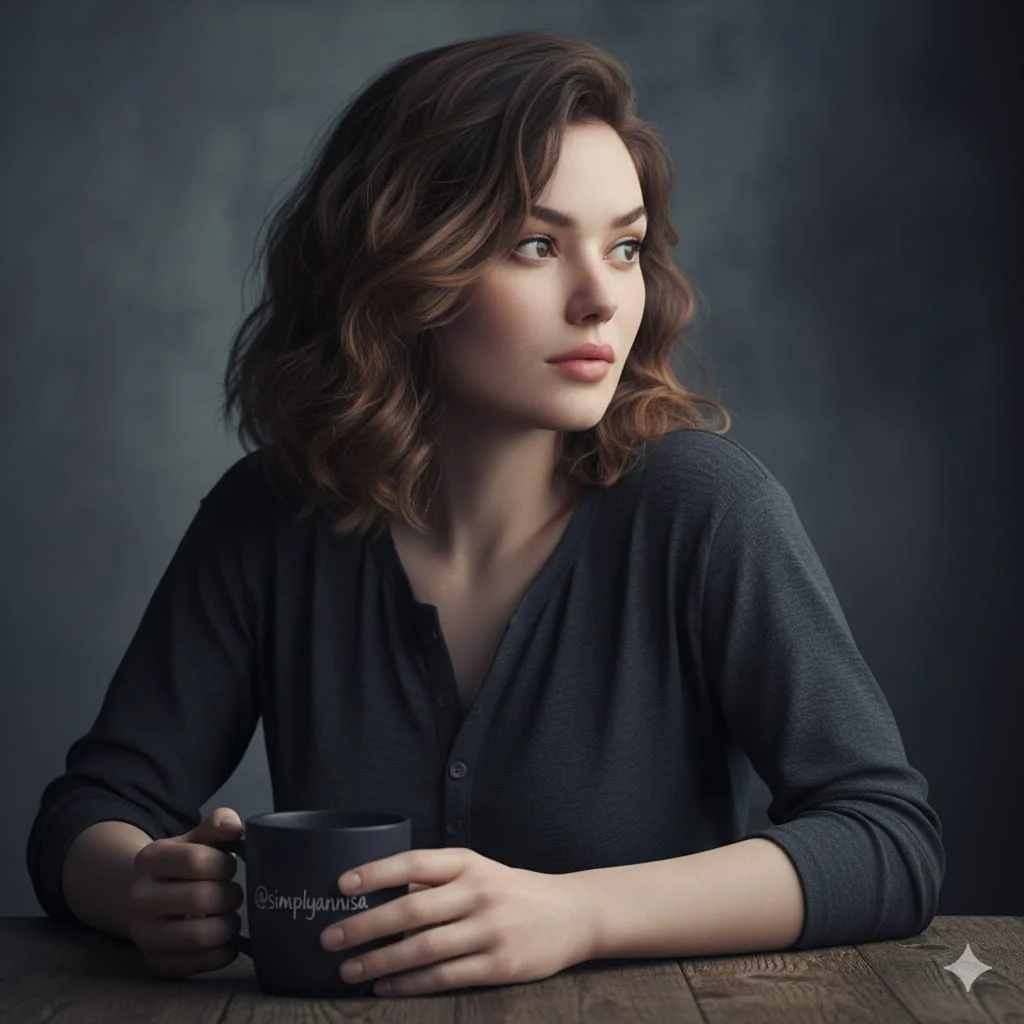
Use References to Explain the Intended Result
For your Seedance 2.5 video brief, describe how the subject should move from its starting pose. If the selected model supports an image or ending frame, use it to explain composition and continuity. Do not assume every reference type is accepted.
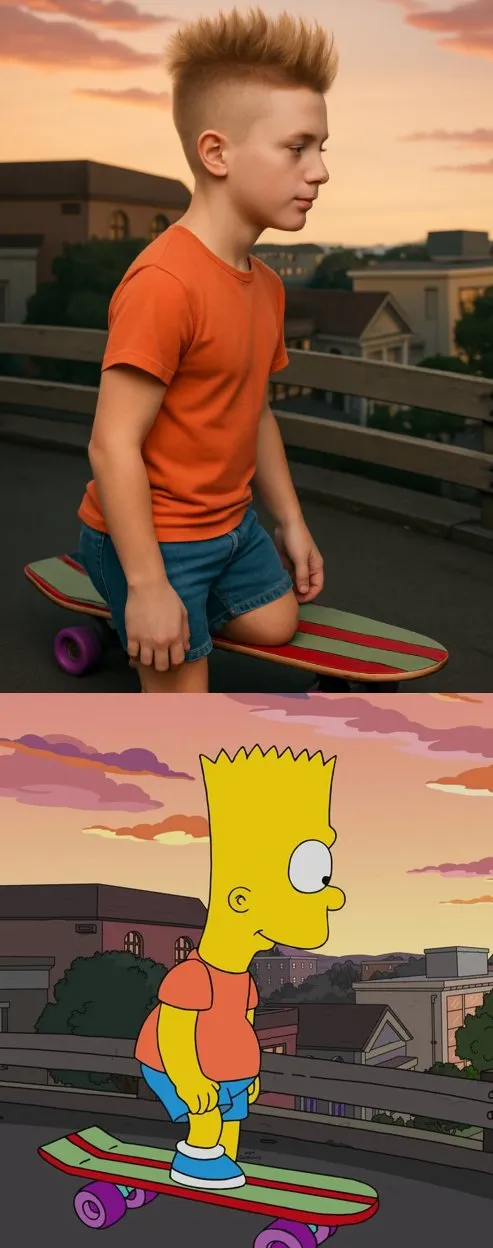
Plan Sound and Visuals for Your Seedance 2.5 Video
Describe speech, ambient sound and music as separate directions in your Seedance 2.5 video brief. Audio output depends on the selected model and the options shown in the generator; check the finished clip rather than assuming sound is included.

Describe Camera Movement and Timing
Choose only the resolution and aspect ratio shown for the selected model. Check framing, fine details and any text in the completed video. A larger output size does not guarantee a more accurate result.
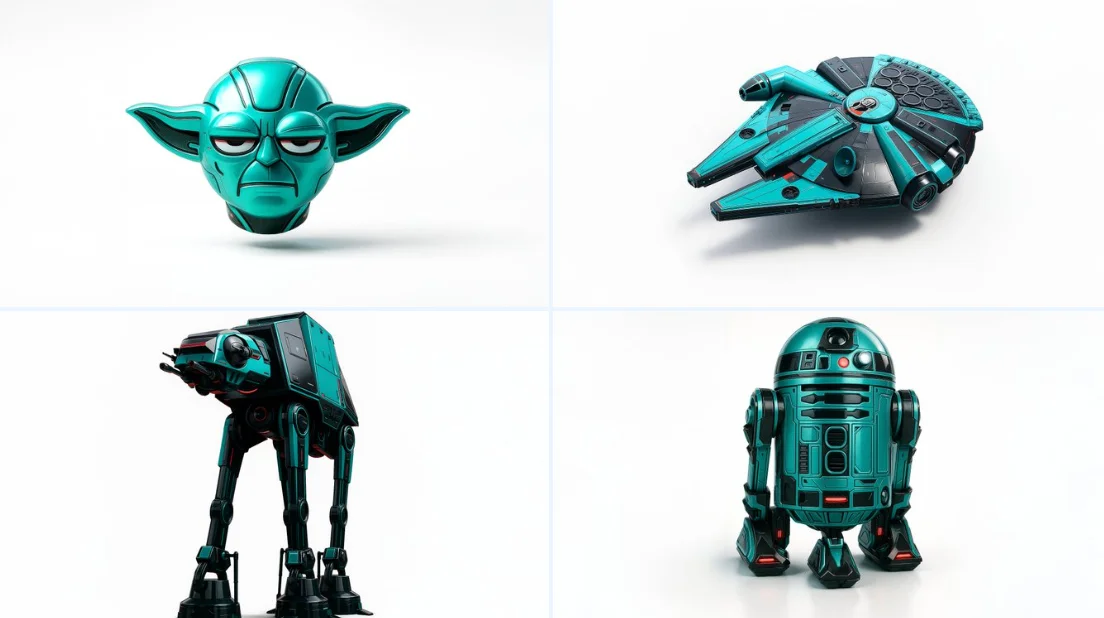
Plan One Clear Action per Shot
For a Seedance 2.5 product concept, specify the product shape, material, key detail and setting. Keep logos and claims accurate, allow room for your own typography, and review the result before using it in an advertisement.
Creative Notes for Your Seedance 2.5 Video Brief
Give the main subject one clear action. For a Seedance 2.5 concept, a precise brief is easier to assess than a list of competing effects.
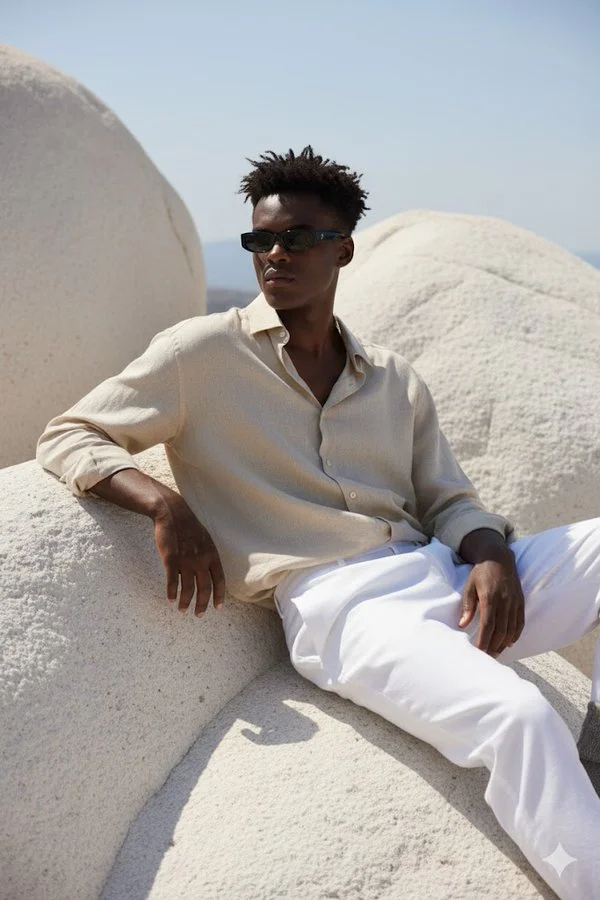
Seedance 2.5 Video Workflow: Questions & Answers
Develop your Seedance 2.5 video brief around the result you need. Keep the main direction specific, check supported settings in the generator, and review the completed work before using it in your project.
This dotsai.pro page explains the Seedance 2.5 video workflow. It helps you write a focused brief and review the available inputs. Current access is shown in the generator; a model name on a guide does not mean it currently accepts requests.
Use only the input modes and controls offered by the selected model. Describe the intended video clearly and add supported references when useful. This page does not promise separate motion-brush, audio-upload, restoration or editing tools.
Describe speech, ambient sound and music as separate directions in your Seedance 2.5 video brief. Audio output depends on the selected model and the options shown in the generator; check the finished clip rather than assuming sound is included.
For a Seedance 2.5 product concept, specify the product shape, material, key detail and setting. Keep logos and claims accurate, allow room for your own typography, and review the result before using it in an advertisement.
List the details that matter in your Seedance 2.5 video brief: identity, shape, colors, clothing and background. Use supported references where appropriate and compare every result; exact consistency is not guaranteed.
Choose only the resolution and aspect ratio shown for the selected model. Check framing, fine details and any text in the completed video. A larger output size does not guarantee a more accurate result.
You can request a refund within 10 days of purchase if you have unused credits from that purchase and provide a clear reason, subject to our Refund Policy. If eligible, an unused purchase can be fully refunded; a partly used purchase is refunded in proportion to its remaining unused credits. Fully used purchases and free or promotional credits are not refundable.
Credit validity depends on the pack, subscription or promotion that issued them. Review the purchase terms and expiration dates in Settings > Credits. A renewal or new purchase does not extend older credits. Use credits before their stated expiration; do not assume unused subscription credits roll over indefinitely.
Credits charged for a task that is confirmed as failed due to a system error are returned automatically. A task that is still processing has not yet been confirmed as failed. Check its status and your credit history before submitting again. If a confirmed failure still shows an unresolved charge, email support@dotsai.pro with the task ID.
AI results can vary, so a completed result that differs from your expectations is not automatically treated as a technical failure. Eligible completed image tasks can be submitted for credit refund review using the refund option where available; approval is required. For a video or another issue, contact support@dotsai.pro with the task ID and details. A credit refund returns credits, not money to your payment method.
Email support@dotsai.pro. For billing, include your account email and order ID; for generation, include the task ID, issue description and relevant screenshots. If you purchased as a guest, keep the original browser data and payment receipt so we can help locate the purchase.
Explore Your Next Seedance 2.5 Video Idea
Allow time to inspect each video result and refine your brief. Processing time varies by model, request and service load. Change one direction at a time so that you can judge which edit improves the result.
dotsai.pro · Updated
What's new on this page
- — Added editable example prompts and separate drafts for text and reference modes, with an action to restore the example.
- — Updated page copy and content. Updated page generator or navigation settings.
- — Updated page copy and content.
- — Page content published.